Description
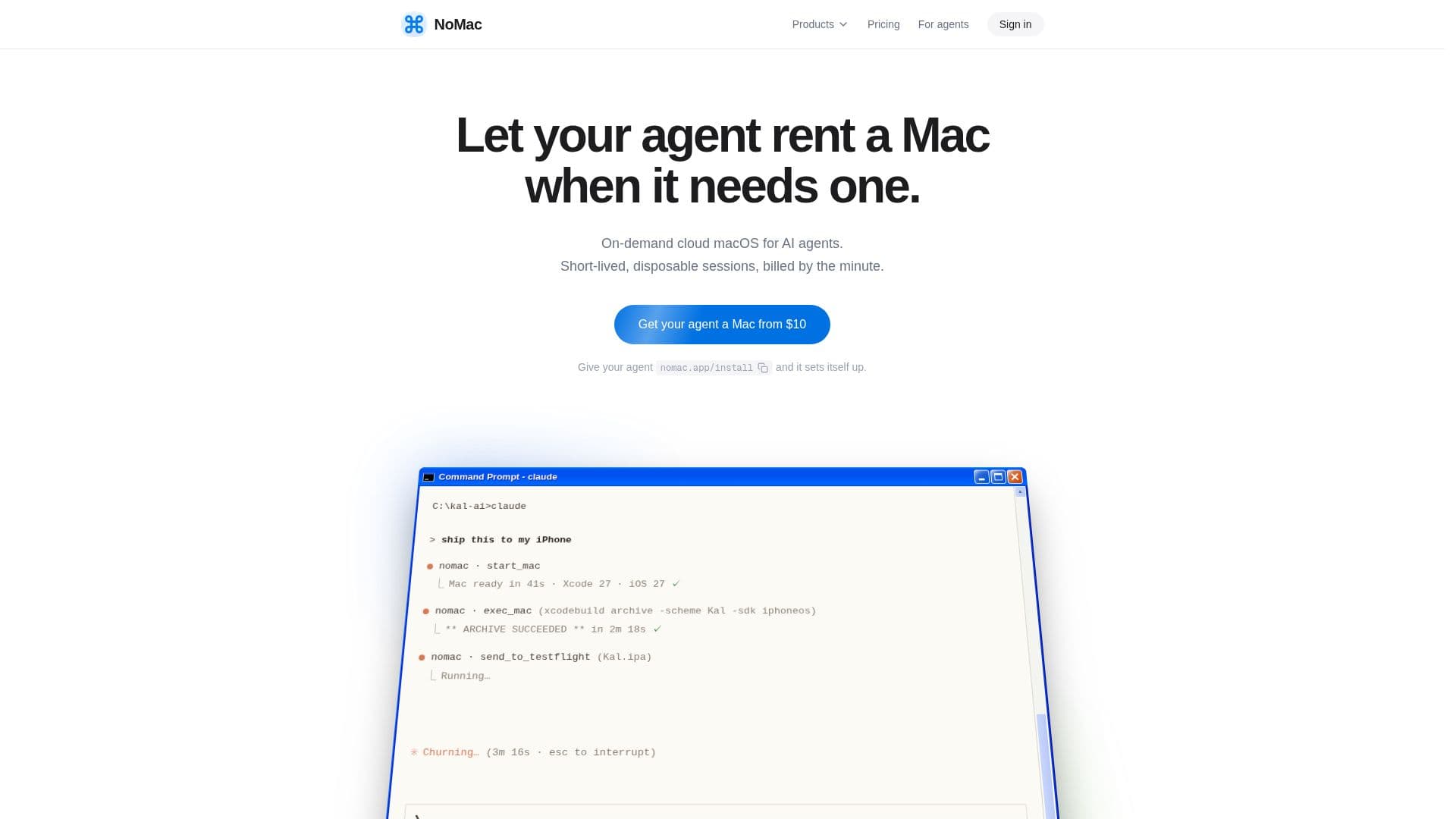
NoMac offers on-demand cloud macOS environments and iOS Simulators specifically designed for AI agents. This service allows AI agents to provision a real Mac running on Apple silicon, complete with Xcode 27, Homebrew, Node, Python, and CocoaPods, all with full administrative rights. This setup empowers agents to build, test, sign, and ship any Apple application, including iOS and Mac apps, from any location.
Read More
The platform provides two main offerings: NoMac Session and NoMac Simulator. A NoMac Session delivers a full sandbox environment—a complete Mac with admin access, a shell, desktop, and all necessary tools, suitable for tasks ranging from a single build to an App Store release. The NoMac Simulator, on the other hand, is a fast, lightweight cloud iPhone or iPad, ready in seconds, optimized for Xcode builds, screen-as-text interpretation, and tap-by-label interactions. Both services are billed at $0.90 per hour from the same prepaid credit, allowing agents to choose the appropriate tool for each task.
NoMac is compatible with a wide range of AI agents, including Claude Code, Codex, Cursor, and ChatGPT, connecting via MCP, CLI, REST API, or SSH. A fresh Mac is typically ready in about a minute on Apple M6 and M5 Pro chips. Agents maintain full admin privileges, bypassing password prompts and permission dialogs, ensuring an uninterrupted workflow. They can install additional tools like Flutter or Expo as needed.
The service supports end-to-end app development, from building with Xcode 27 to running apps on the iOS Simulator with screenshots and recordings. Agents can manage signing, upload to TestFlight, and submit for App Review, with user confirmation. Mac apps can also be notarized. Users can monitor their agent's progress by viewing the Mac's desktop in their browser.
Security is a core aspect of NoMac. Each session runs on a fresh, isolated macOS virtual machine, which is deleted upon termination, except for an encrypted 20 GB drive at `~/drive` that persists across sessions. This drive stores projects, build caches, and packages, enabling incremental builds and parallel agent work. Secrets and API keys are encrypted and masked, never passing through chat, and App Store Connect keys remain on NoMac's server for secure signing and TestFlight uploads. Pricing is pay-as-you-go at $0.90 per hour, billed per minute, with prepaid credit that never expires and no subscription required. A 7-day money-back guarantee is offered on the first purchase. NoMac eliminates the need for a physical Mac, allowing development from Windows, Linux, Chromebooks, or other cloud agents.
- CategoryAI DevOps & Cloud Tools
- Pricing ModelPay-as-you-go
- DeploymentCloud
- PlatformsmacOS, iOS
NoMac's Core Features
On-demand cloud macOS for AI agents
Real macOS machines on Apple M6/M5 Pro silicon
Xcode 27, Homebrew, Node, Python, CocoaPods pre-installed
Full admin rights and root access for agents
Supports MCP, CLI, REST API, and SSH connections
NoMac Session for full Mac sandbox environment
NoMac Simulator for fast cloud iOS/iPad simulation
Persistent encrypted 20 GB drive for projects and build cache
Automated signing, TestFlight uploads, and App Store submissions
Desktop access in browser for monitoring and control
Secure handling of secrets and Apple keys
Pay-as-you-go pricing at $0.90/hour, billed per minute
No subscription required, prepaid credit never expires
Compatible with Windows, Linux, Chromebooks, and cloud agents
Supports parallel agent work with individual drives
How to use NoMac?
Connect Agent: Link your AI agent (e.g., Claude, ChatGPT) via MCP, CLI, API, or SSH.
Start Mac/Simulator: Instruct your agent to start a NoMac Session (full Mac) or NoMac Simulator (iOS/iPad).
Develop App: Your agent uses the pre-installed Xcode and other tools to build, test, and sign your Apple application.
Manage Workflow: Utilize persistent storage for projects and build caches across sessions, enabling incremental builds.
Monitor Progress: Access the Mac's desktop in your browser to observe your agent's work or take control.
Ship App: Your agent handles TestFlight uploads and App Store submissions, requiring your confirmation for final steps.
NoMac's Use Cases
- Automated iOS App Building
- AI-Driven App Testing
- Continuous Integration for Apple Apps
- App Store Submission Automation
- Cross-Platform Apple Development
- Secure Development Environments
- Parallel Agent Development
- Interactive App Previews
- Educational & Training Platforms