Description
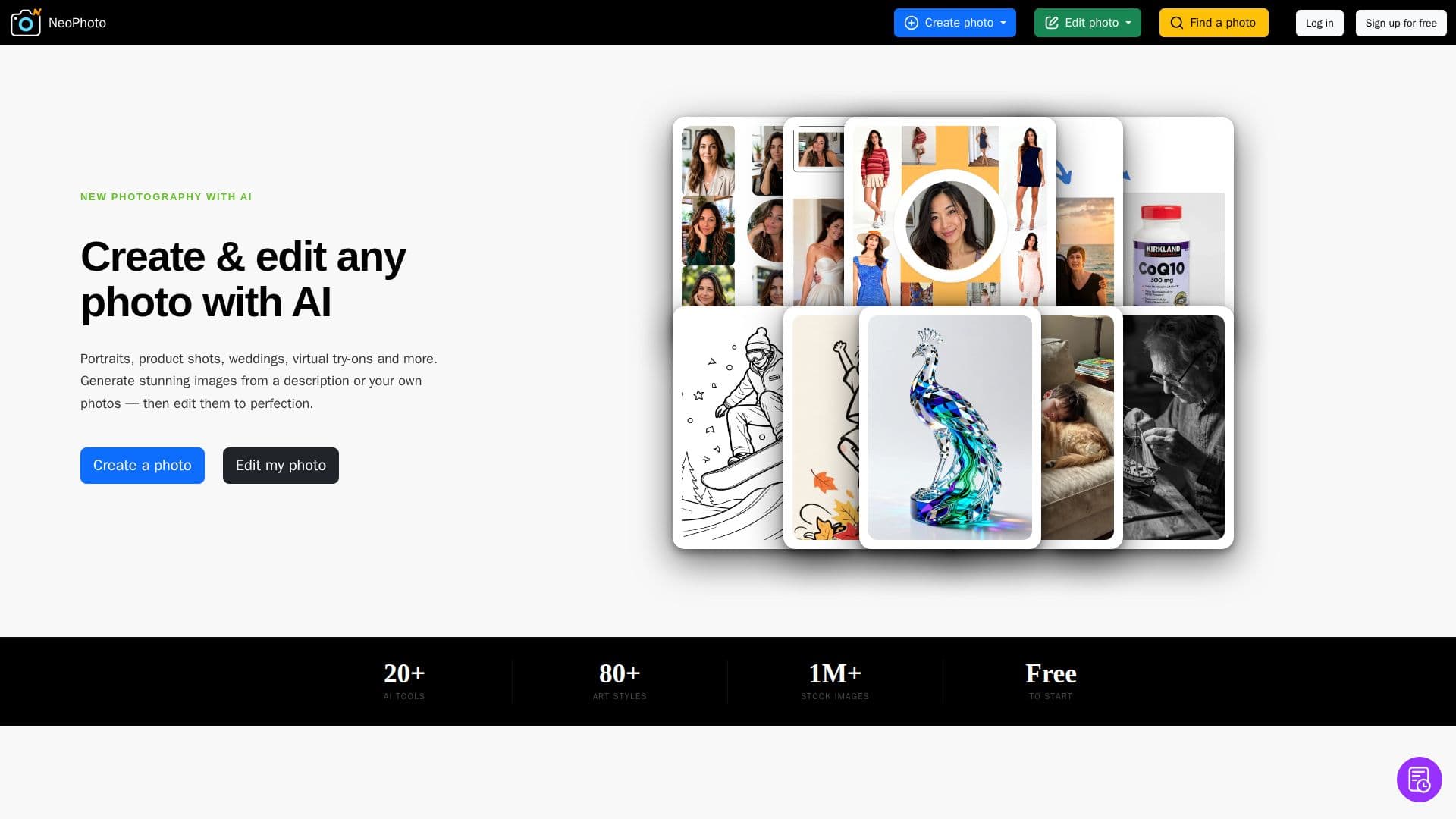
NeoPhoto.ai is a comprehensive AI photo platform designed to simplify the creation and editing of high-quality images. It empowers users to generate stunning visuals from simple text descriptions or by uploading their own reference photos, eliminating the need for traditional cameras, studios, or designers. The platform caters to a wide range of needs, from professional headshots and product photography for e-commerce to wedding and event staging, and even virtual outfit and hairstyle try-ons.
Read More
The platform offers a robust suite of AI-powered editing tools that make image manipulation effortless, even for those without advanced Photoshop skills. Key editing capabilities include one-click background removal and replacement, a "Magic Eraser" for seamlessly removing unwanted objects, and "Magic Fill" for adding or replacing elements by describing them. Users can also upscale images to crisp 4MP print-ready resolution, transform snapshots into cinematic images, and restore blurry, old, or damaged photos.
NeoPhoto.ai prides itself on quality, routing each task to the most suitable AI model to ensure expert-level output, whether it's for portraits or product staging. It maintains high-resolution output for local edits and offers a dedicated upscale tool. Additionally, the platform supports vector export, converting illustrations, sketches, and line art into clean SVG or PDF formats for professional printing and graphic design.
With over 17 AI-powered tools, NeoPhoto.ai provides everything needed for professional image creation and editing in one place. It also includes a free stock library of millions of AI-generated images that users can browse, search, download, and customize. The platform operates on a freemium model, offering 3 free AI generations daily, with subscription plans available for more credits and advanced features like private generations, commercial licenses, and priority support. Most jobs consume 1 credit, while lightweight operations like basic photo editing are free.
- CategoryAI Photo Editors
- Pricing ModelFreemium
- DeploymentCloud
- PlatformsWeb
NeoPhoto.ai's Core Features
Generate images from text descriptions
Generate images from reference photos
Professional headshot & portrait creation
Group photo combining from different shots
Wedding & event photography staging
E-commerce product shot generation
Virtual outfit & hairstyle try-ons
One-click background removal & replacement
Magic Eraser for object removal
Magic Fill for adding/replacing elements by description
Upscale images to 4MP resolution
Reshoot snapshots into cinematic images
Restore blurry, old, or damaged photos
Vector export to SVG or PDF
Free stock library of AI-generated images
Multiple jobs in parallel processing
How to use NeoPhoto.ai?
Create an account: Sign up for NeoPhoto.ai to get started with free daily generations.
Generate images: Use text descriptions or upload reference photos to create new images.
Edit photos: Select from AI editing tools like Magic Eraser, Magic Fill, or background removal.
Enhance resolution: Utilize the Upscale tool to convert images to high-resolution 4MP for print.
Download and export: Download images in PNG, JPEG, WEBP, or export vectors as SVG/PDF.
Manage credits: Monitor your daily free generations or upgrade to a subscription plan for more credits.
NeoPhoto.ai's Use Cases
- Professional Headshots
- E-commerce Product Photography
- Event Photo Staging
- Virtual Try-Ons
- Object Removal
- Background Replacement
- Image Upscaling
- Photo Restoration
- Concept Visualization
- Graphic Design Assets