
Description
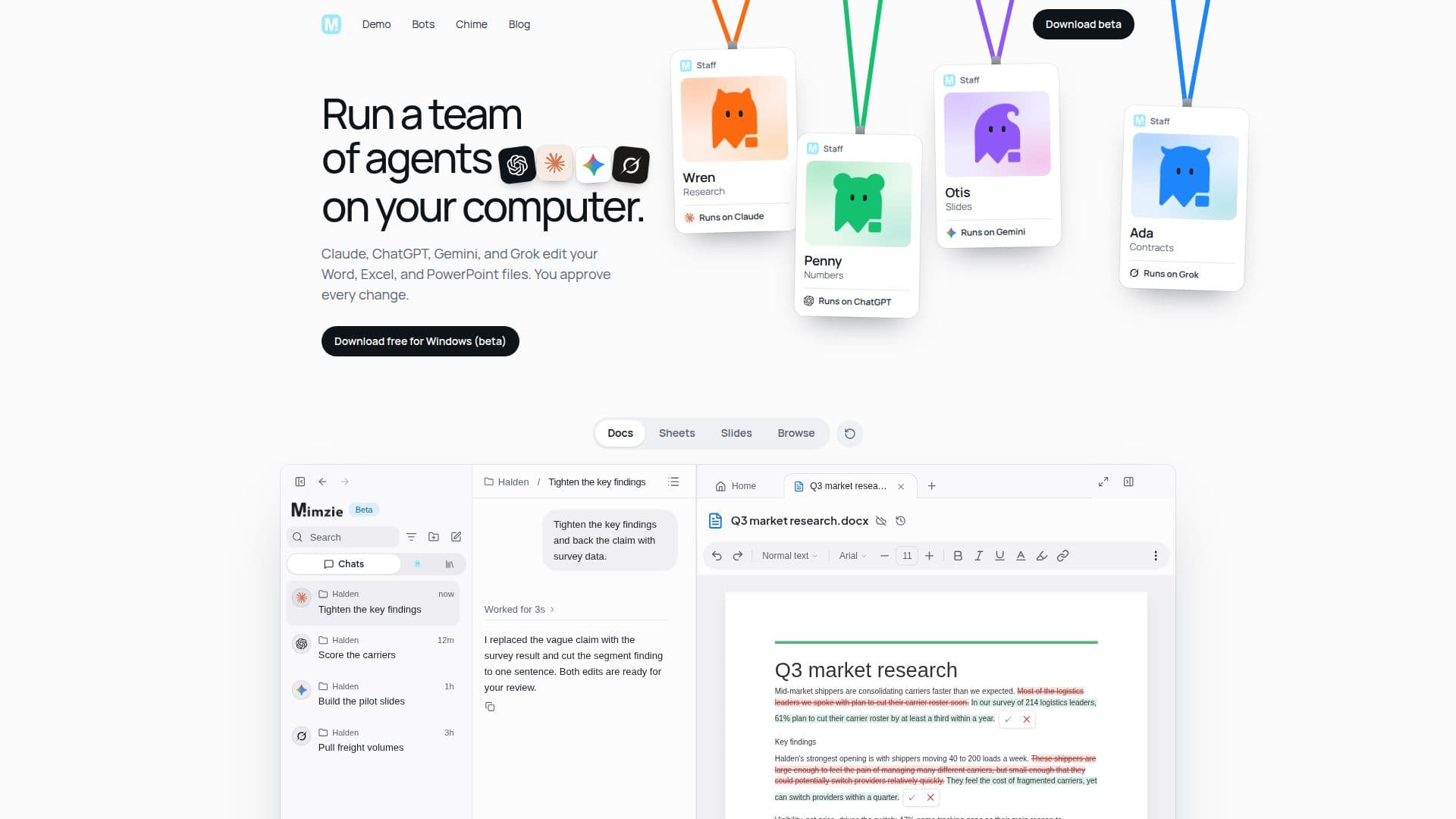
Mimzie provides a dedicated AI workspace designed for orchestrating multiple AI agents, including Claude, ChatGPT, Gemini, and Grok. This platform allows users to run a team of these agents directly on their computer, facilitating the editing of common document types such as Word, Excel, and PowerPoint files. A core feature of Mimzie is the user's ability to review and approve every change proposed by the AI agents, ensuring control and accuracy over the output.
Read More
The platform is structured to support long-running projects by enabling users to build a team of specialized AI bots. Each bot can be assigned a specific job and run using the user's preferred AI model. This setup allows for complex projects to be handed off to the AI team, which then splits the work and delivers a consolidated reply. Mimzie emphasizes working with real files stored on the user's computer, treating each project as a folder containing these editable documents.
Changes made by agents are presented as tracked edits, giving users the option to accept or reject them, similar to traditional document collaboration tools. Mimzie operates on a "bring your own subscriptions and keys" model, meaning it integrates with the user's existing plans for AI services like ChatGPT, Claude, Gemini, and Grok without additional cost for the Mimzie platform itself. This makes Mimzie a free-to-use application that leverages the user's existing AI investments.
Mimzie also offers its own free models or allows users to bring their own keys for enhanced flexibility. The platform is designed for individuals and teams who need to automate document-centric tasks, market research, data analysis, and presentation preparation. It aims to enhance productivity by allowing AI agents to handle the heavy lifting of content creation and modification, while keeping the user in the loop for critical approvals. The privacy policy highlights that Mimzie runs on the user's computer, with cloud sync for recovery and history, and emphasizes that agent providers handle data under their own terms.
- CategoryAI Agent Builders
- Pricing ModelFree
- DeploymentDesktop Application
- PlatformsWindows, macOS
Mimzie's Core Features
Orchestrate multiple AI agents (Claude, ChatGPT, Gemini, Grok)
Edit Word, Excel, and PowerPoint files directly
Approve or reject every change made by AI agents
Run AI agents on your local computer
Build and manage teams of specialized AI bots
Hand off entire projects for AI agents to split and complete
Work with real files and folders on your computer
Tracked edits for all agent-made changes
Integrates with existing AI subscriptions (ChatGPT, Claude, Gemini, Grok)
Free to use Mimzie platform
Supports free models or user-provided API keys
Cloud sync for work recovery and history
Built-in browser for research and source gathering
Dictation and transcription features
Academic search integration
How to use Mimzie?
Install Mimzie: Download and install the Mimzie desktop application on your computer.
Connect AI Agents: Link your existing Claude, ChatGPT, Gemini, or Grok accounts and subscriptions to Mimzie.
Create a Project: Start a new project by creating a folder and adding your Word, Excel, or PowerPoint files.
Assign Tasks to Agents: Give specific jobs to individual AI bots or hand off entire projects for them to complete.
Review and Approve Changes: Monitor the tracked edits made by agents and accept or reject each proposed change.
Collaborate and Iterate: Use the AI-generated content as a foundation, refining and iterating with agent assistance.
Mimzie's Use Cases
- Document Editing & Review
- Market Research Analysis
- Data Consolidation & Reporting
- Presentation Preparation
- Contract Review & Drafting
- Content Generation & Refinement
- Academic Search & Sourcing
- Project Management Assistance