Description
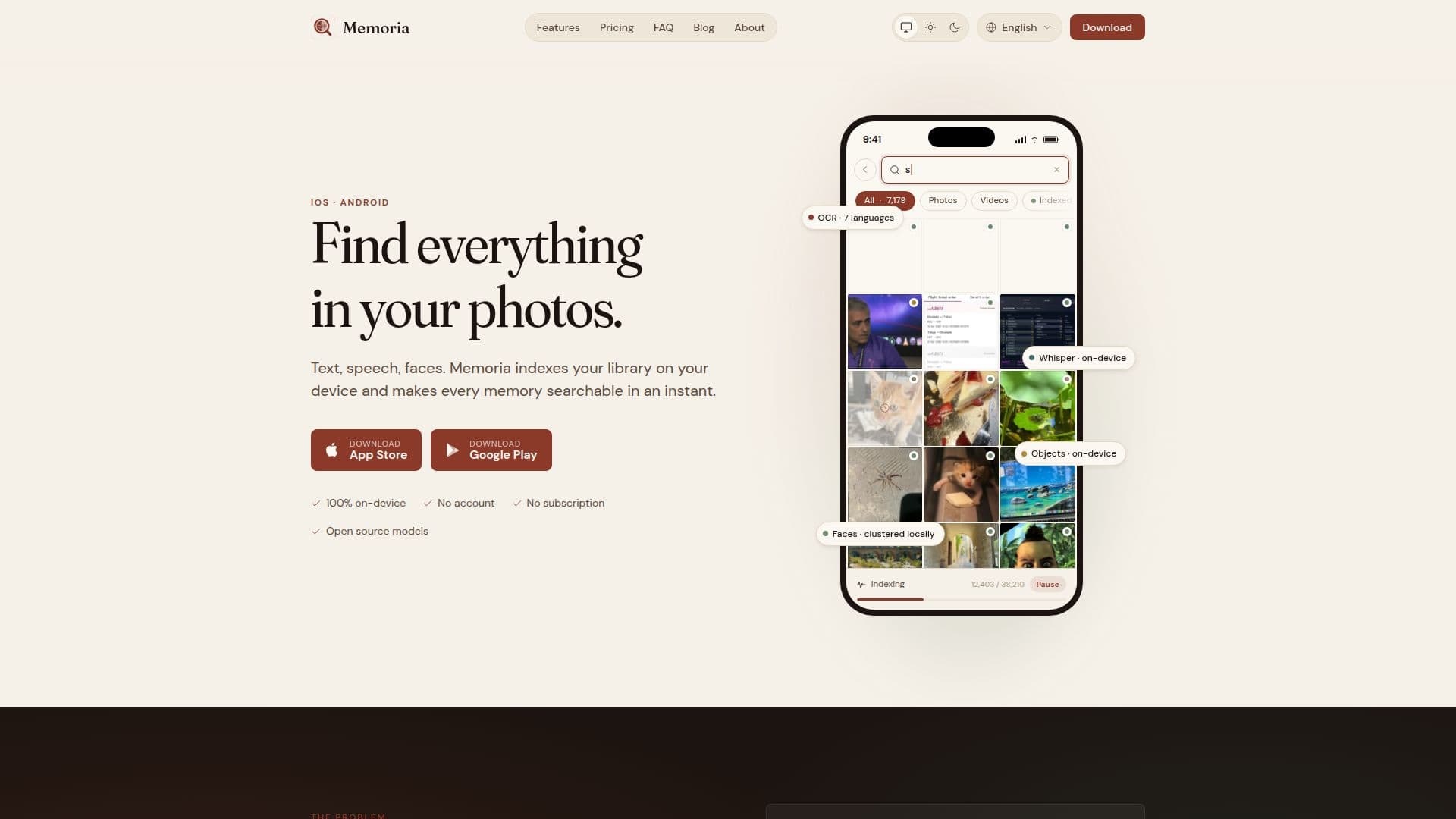
Memoria is a privacy-first intelligent gallery search app designed to help users find text, faces, objects, and audio in their photos and videos. The app operates entirely on your device, ensuring that no data is uploaded to the cloud, and no account or subscription is required. Memoria uses local Optical Character Recognition (OCR) to read text in images and video frames, and Whisper audio transcription to transcribe speech in videos. It also features on-device face and object detection, making it easy to locate specific people or items in your media library.
Read More
The app supports OCR in seven languages, including English, French, German, Spanish, Italian, Portuguese, and Japanese, while Whisper can transcribe audio in over 99 languages. Memoria's search capabilities are enhanced by natural language processing, allowing users to perform full-text searches across text in images, spoken words in videos, and recognized objects and faces.
Memoria is available as a one-time purchase, with no ongoing subscription fees, as all processing is done locally, eliminating server costs. The app offers a free tier that allows indexing of up to 250 media files, providing a taste of its capabilities before purchasing the full version. Memoria Plus, the paid version, offers unlimited media indexing and priority processing while charging.
Designed for users who prioritize privacy and want a powerful tool to manage and search their media library, Memoria is ideal for individuals who take numerous photos and videos and need an efficient way to organize and retrieve them. The app's commitment to privacy is further emphasized by its GDPR compliance and the absence of any personal data collection.
- CategoryAI Privacy Tools
- Pricing ModelOne-time purchase
- DeploymentMobile app
- PlatformsiOS, Android
Memoria's Core Features
Local OCR for text recognition
Whisper audio transcription on-device
On-device face and object detection
Natural language photo search
Supports 7 OCR languages
99+ languages for audio transcription
No cloud processing
One-time purchase, no subscription
How to use Memoria?
Install: Download and install Memoria on your device
Configure: Set up language preferences and download Whisper model if needed
Index: Allow Memoria to index your media library
Search: Use natural language to search for text, speech, or faces
Memoria's Use Cases
- Photo Text Search
- Video Speech Transcription
- Face Recognition
- Object Identification
- Privacy-Conscious Users