
ToolPotion
AI Advisor
Submit a Tool (Free)

LockIn MCP

AI AppsProductivityFreemium · macOS, Windows, Linux

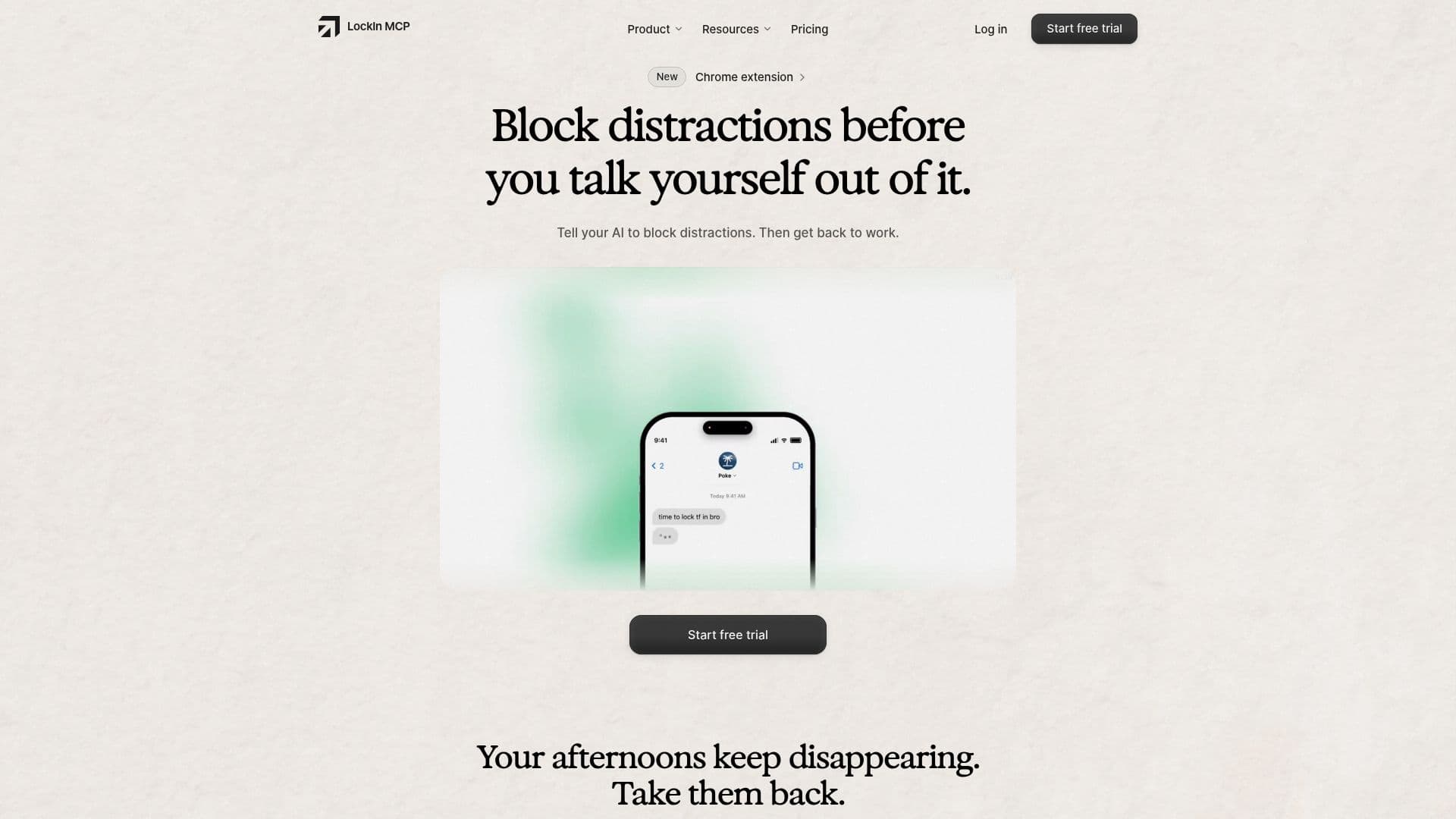
LockIn MCP is a system-level distraction blocker that integrates with AI assistants like ChatGPT, Claude, and Poke. It helps users maintain focus by blocking distracting websites across all browsers and applications on macOS, Linux, and Windows. Users can initiate focus sessions and manage temporary unblocks directly through their AI assistant, enhancing productivity and reducing context switching.

Visit Website
Share
LockIn MCP screenshot

LockIn MCP is a comprehensive distraction blocking tool designed to help users regain control over their time and improve focus. It operates at the system level, ensuring that distracting websites are blocked across all browsers and applications on macOS, Linux, and Windows. Unlike browser-specific extensions, LockIn MCP modifies the hosts file, making blocks persistent even after restarts or when using private browsing modes or different browsers.

Read More

The core innovation of LockIn MCP lies in its integration with popular AI assistants such as ChatGPT, Claude, Poke, Cursor, Hermes, and OpenClaw. This allows users to initiate and manage focus sessions directly through their AI assistant, eliminating the need to open a separate focus application. For example, users can simply tell their AI to "block domains" or "enter focus mode" for a specified duration, or even request a "timed unblock" for a genuinely needed site.

The tool offers flexible pricing options, including a monthly subscription, a yearly subscription with a 3-day free trial, and a lifetime license. The yearly plan is billed at $29.99, while the lifetime license is a one-time payment of $59.99. A Chrome extension is also available for Pro subscribers, providing an additional layer of browser-level task focus. This extension can check if a site matches the user's active task and logs distraction attempts to the dashboard, without sharing browsing history with AI agents.

LockIn MCP aims to address the common challenge of starting a block, making it easier for users to commit to focused work. Its system-level blocking, combined with AI-driven control, provides a unique solution for individuals and professionals looking to minimize interruptions and maximize deep work sessions. The setup is quick and simple, typically taking less than a minute via a single terminal command.

  • CategoryProductivity
  • Pricing ModelFreemium
  • DeploymentDesktop Application, Browser Extension
  • PlatformsmacOS, Windows, Linux

  • System-level distraction blocking across all browsers and applications

  • Integration with AI assistants (ChatGPT, Claude, Poke, Cursor, Hermes, OpenClaw)

  • AI-controlled focus sessions and timed unblocks

  • Persistent blocks via hosts file, effective through restarts and private windows

  • Cross-platform support for macOS, Windows, and Linux

  • Optional Chrome extension for task-aware browser-level blocking

  • Logs distraction attempts to dashboard without sharing browsing history

  • Quick and easy one-command installation

  • Flexible pricing: monthly, yearly (with free trial), or lifetime license

  • Comparison to other blockers like Freedom and Cold Turkey, highlighting AI integration

  • Ability to block specific sites (e.g., Reddit, YouTube, HN) while allowing work-related docs

  • OAuth authentication for AI tools like Poke, Claude web, and ChatGPT

  • Developer documentation and API reference available

  1. Install LockIn MCP: Paste the provided command in your terminal to run a full-screen setup that edits your hosts file and starts the MCP server.

  2. Connect your AI: Open the dashboard Agents page or follow step-by-step guides to connect Poke, Claude, ChatGPT, Cursor, Hermes, or OpenClaw using your relay MCP URL.

  3. Configure blocking: Choose which distracting sites to block, allowing necessary work-related documentation and reference sites to remain accessible.

  4. Start focus sessions: Tell your connected AI assistant to block domains, enter focus mode, or manage timed unblocks for specific sites.

  5. Utilize Chrome extension (Pro): Sign in from the extension popup to manage focus tasks and log distraction attempts for enhanced browser-level focus.

  • Enhance Deep Work
  • AI-Controlled Focus Sessions
  • System-Wide Distraction Blocking
  • Developer Productivity
  • Student Study Aid
  • Time Management
  • Reduce Context Switching

LockIn MCP Reviews

Loading...

Popular AI Tools Like LockIn MCP

FocusTug

Browser Plugins

FocusTug is an AI-powered Chrome extension designed to block distractions and enhance productivity. It intelligently identifies and blocks distracting triggers without requiring…

Productivity

Ranked #96 in Productivity

View Tool

Browser Plugins

AI-powered Chrome extension designed to block distractions and enhance productivity. It intelligently identifies and blocks distracting triggers without requiring…FocusTug is an AI-powered Chrome extension designed to block distractions and enhance productivity. It intelligently identifies and blocks distracting triggers without requiring…

Productivity
Ranked #96 in Productivity

Focus AI

Browser Plugins

Focus AI is a Chrome extension that blocks distracting websites based on the task a person types in, judging each page against that goal rather than a fixed URL list. Built for…

ProductivityEducation & E-learning

Ranked #130 in Browser Plugins

View Tool

Browser Plugins

Chrome extension that blocks distracting websites based on the task a person types in, judging each page against that goal rather than a fixed URL list. Built for…Focus AI is a Chrome extension that blocks distracting websites based on the task a person types in, judging each page against that goal rather than a fixed URL list. Built for…

ProductivityEducation & E-learning
Ranked #130 in Browser Plugins

Concentration is a ChatGPT-powered Chrome extension designed to enhance focus by blocking distracting websites. It uses natural language processing and ChatGPT to optimize…

Other AI Tools
View Tool

ChatGPT-powered Chrome extension designed to enhance focus by blocking distracting websites. It uses natural language processing and ChatGPT to optimize…Concentration is a ChatGPT-powered Chrome extension designed to enhance focus by blocking distracting websites. It uses natural language processing and ChatGPT to optimize…

Other AI Tools
See the Top 250 AI Apps

LockMyApps is an AI-powered productivity app designed to help iPhone users significantly reduce screen time. It allows users to temporarily block selected apps, set focus timers,…

Productivity
View Tool

AI-powered productivity app designed to help iPhone users significantly reduce screen time. It allows users to temporarily block selected apps, set focus timers,…LockMyApps is an AI-powered productivity app designed to help iPhone users significantly reduce screen time. It allows users to temporarily block selected apps, set focus timers,…

Productivity
See the Top 250 AI Mobile Apps

PeakFlow

AI Apps

PeakFlow is a productivity suite for Mac and Windows, offering five essential tools to enhance focus and efficiency. It includes a window dimmer, clipboard manager, meeting…

Productivity
View Tool

AI Apps

Productivity suite for Mac and Windows, offering five essential tools to enhance focus and efficiency. It includes a window dimmer, clipboard manager, meeting…PeakFlow is a productivity suite for Mac and Windows, offering five essential tools to enhance focus and efficiency. It includes a window dimmer, clipboard manager, meeting…

Productivity
See the Top 250 AI Apps

Nullgen AI Blocker is a comprehensive solution for blocking AI prompts and applications across devices. It offers a free browser extension and Pro plans for mobile and desktop…

AI Privacy Tools

Ranked #149 in Security & Privacy

View Tool

Comprehensive solution for blocking AI prompts and applications across devices. It offers a free browser extension and Pro plans for mobile and desktop…Nullgen AI Blocker is a comprehensive solution for blocking AI prompts and applications across devices. It offers a free browser extension and Pro plans for mobile and desktop…

AI Privacy Tools
Ranked #149 in Security & Privacy

Awakado

AI Apps

Awakado is a macOS menu-bar app designed to keep your Mac awake while AI coding agents work. It supports 21 agents, including Claude Code and Codex, ensuring uninterrupted…

Productivity
View Tool

AI Apps

MacOS menu-bar app designed to keep your Mac awake while AI coding agents work. It supports 21 agents, including Claude Code and Codex, ensuring uninterrupted…Awakado is a macOS menu-bar app designed to keep your Mac awake while AI coding agents work. It supports 21 agents, including Claude Code and Codex, ensuring uninterrupted…

Productivity
See the Top 250 AI Apps

Sigma is a free, private AI browser featuring a built-in AI agent and local AI capabilities. It offers fast, secure browsing with robust privacy protections and an integrated ad…

Browser & Web Automation
View Tool

Free, private AI browser featuring a built-in AI agent and local AI capabilities. It offers fast, secure browsing with robust privacy protections and an integrated ad…Sigma is a free, private AI browser featuring a built-in AI agent and local AI capabilities. It offers fast, secure browsing with robust privacy protections and an integrated ad…

Browser & Web Automation
See the Top 250 AI Apps
1 of 8