ToolPotion
AI Advisor
Submit a Tool (Free)

PeakFlow

AI AppsProductivityFreemium · Mac, Windows

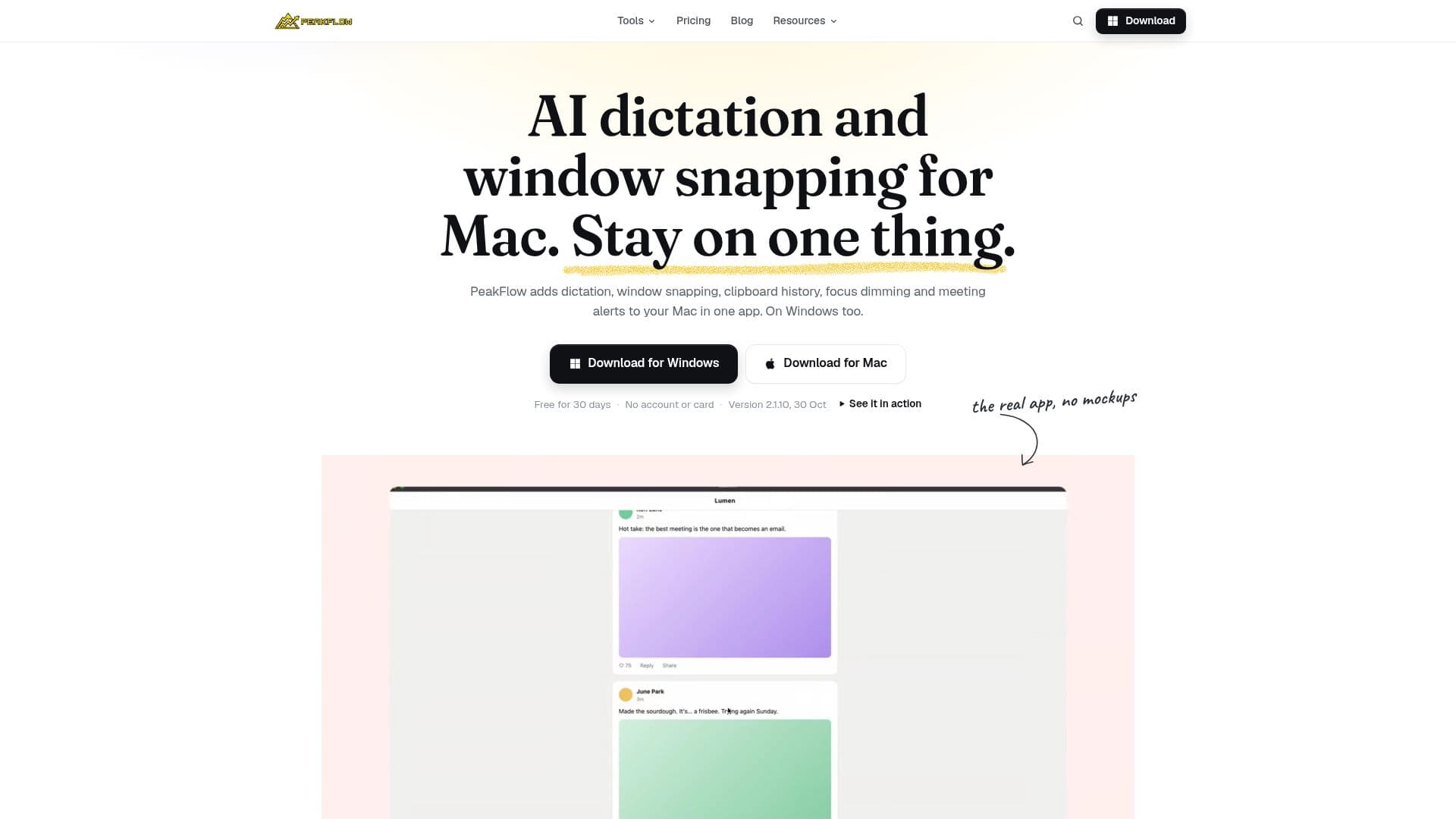
PeakFlow is a productivity suite for Mac and Windows, offering five essential tools to enhance focus and efficiency. It includes a window dimmer, clipboard manager, meeting alerts, a Pomodoro timer with focus detection, and window snapping. The suite also provides a free launcher and a tool to keep your Mac awake, all available with a 30-day free trial.

Visit Website
Share
PeakFlow screenshot
PeakFlow screenshot

PeakFlow is a comprehensive productivity suite designed for both Mac and Windows users, integrating five distinct tools to streamline workflows and boost focus. The suite includes FocusDim, which dims inactive windows to help users concentrate on their active task; QuickBoard, a searchable clipboard history manager that saves up to 2,000 clips and detects sensitive information like passwords to prevent saving; ScreenSlap, which provides full-screen meeting alerts to ensure important appointments are not missed, complete with a join button and calendar integration; Liquid Focus, a Pomodoro timer featuring optional webcam focus detection to monitor user engagement without storing video; and SnapGrid, a window snapping tool that allows users to quickly arrange windows into various layouts using keyboard shortcuts.

Read More

Beyond these five core tools, PeakFlow also offers a free launcher for quickly opening apps or files, performing calculations, and converting units. Additionally, it includes Guarana, a free utility that keeps a Mac awake for specified durations, useful during downloads or builds. A separate Dictation tool is available, allowing users to speak instead of type, with features like automatic punctuation and removal of filler words. Dictation operates on a prepaid credit system, separate from the main PeakFlow trial and subscription.

The platform emphasizes user control, allowing individuals to enable only the tools they need. It supports macOS 13 or later, and Windows 10 and 11. PeakFlow offers a 30-day free trial for all five core tools, with no account or credit card required, starting automatically upon installation. After the trial, users can subscribe to the Pro version for US$2.99 per month, or purchase individual tools for a one-time payment of US$9.99 each, or the entire suite for US$29.99. The webcam focus detection feature processes frames locally and discards them immediately, ensuring user privacy.

  • CategoryProductivity
  • Pricing ModelFreemium
  • DeploymentCloud
  • PlatformsMac, Windows

  • FocusDim: Dim inactive windows to enhance focus

  • QuickBoard: Searchable clipboard history (up to 2,000 clips)

  • ScreenSlap: Full-screen meeting alerts with calendar integration

  • Liquid Focus: Pomodoro timer with optional webcam focus detection

  • SnapGrid: Window snapping for quick arrangement of windows

  • Dictation: Talk instead of typing with automatic punctuation

  • Free Launcher: Open apps/files, do sums, convert units, paste snippets

  • Guarana: Keep Mac awake for specified durations

  • Multi-monitor support for window dimming

  • Password and API key detection to prevent saving in clipboard history

  • Layout preview for window snapping

  • Customizable dimming levels

  • Connect calendar via private iCal link for meeting alerts

  • Pin frequently pasted items in clipboard history

  • Track daily streak for Pomodoro sessions

  • Local processing of webcam focus detection frames

  1. Download PeakFlow: Get the installer for Mac or Windows from the official website.

  2. Install the Suite: Run the installer; the 30-day free trial for the five core tools starts automatically.

  3. Enable Desired Tools: Open PeakFlow and activate only the productivity tools you wish to use.

  4. Configure Settings: Customize each tool's settings, such as dimming level for FocusDim or alert timing for ScreenSlap.

  5. Utilize Features: Begin using tools like SnapGrid for window arrangement, QuickBoard for clipboard management, or Liquid Focus for timed work sessions.

  6. Manage Dictation: If desired, purchase prepaid credit for the Dictation tool to enable voice-to-text functionality.

  • Enhancing Focus
  • Managing Clipboard History
  • Meeting Reminders
  • Structured Work Sessions
  • Efficient Window Arrangement
  • Voice-to-Text Input
  • Keeping Mac Awake
  • Quick App Launching

PeakFlow Reviews

Loading...

Popular AI Tools Like PeakFlow

Raycast

AI Apps

Raycast is an extendable launcher that acts as a central hub for productivity tools. It allows users to quickly search for apps, commands, files, and more, all from a single…

Productivity

Ranked #15 in Productivity

View Tool

AI Apps

Extendable launcher that acts as a central hub for productivity tools. It allows users to quickly search for apps, commands, files, and more, all from a single…Raycast is an extendable launcher that acts as a central hub for productivity tools. It allows users to quickly search for apps, commands, files, and more, all from a single…

Productivity
Ranked #15 in Productivity

AirJelly

AI Apps

AirJelly is a proactive AI desktop companion that monitors your workflow, captures tasks, and provides insights across apps like Slack, Zoom, and Google Docs. It offers a free…

AI Personal Assistants

Ranked #85 in AI Note-Taking Apps

View Tool

AI Apps

Proactive AI desktop companion that monitors your workflow, captures tasks, and provides insights across apps like Slack, Zoom, and Google Docs. It offers a free…AirJelly is a proactive AI desktop companion that monitors your workflow, captures tasks, and provides insights across apps like Slack, Zoom, and Google Docs. It offers a free…

AI Personal Assistants
Ranked #85 in AI Note-Taking Apps

Hello Aria

AI Apps

Hello Aria is a productivity platform accessible via WhatsApp, Slack, web, and email. It centralizes task management, calendar, reminders, notes, and integrates with Google and…

Productivity

Ranked #84 in AI Note-Taking Apps

View Tool

AI Apps

Productivity platform accessible via WhatsApp, Slack, web, and email. It centralizes task management, calendar, reminders, notes, and integrates with Google and…Hello Aria is a productivity platform accessible via WhatsApp, Slack, web, and email. It centralizes task management, calendar, reminders, notes, and integrates with Google and…

Productivity
Ranked #84 in AI Note-Taking Apps

Magicflow is an AI-powered productivity tracker designed for founders and makers. It helps you measure productivity, track deep work, and identify what disrupts your focus. Gain…

Productivity

Ranked #84 in Productivity

View Tool

AI-powered productivity tracker designed for founders and makers. It helps you measure productivity, track deep work, and identify what disrupts your focus. Gain…Magicflow is an AI-powered productivity tracker designed for founders and makers. It helps you measure productivity, track deep work, and identify what disrupts your focus. Gain…

Productivity
Ranked #84 in Productivity

Codex Harness Desktop is a versatile application designed for Windows and macOS. It offers multi-session management, plugin ecosystems, and automation tools for desktop and…

Workflow Automation
View Tool

Versatile application designed for Windows and macOS. It offers multi-session management, plugin ecosystems, and automation tools for desktop and…Codex Harness Desktop is a versatile application designed for Windows and macOS. It offers multi-session management, plugin ecosystems, and automation tools for desktop and…

Workflow Automation
See the Top 250 AI Apps

Vidix is an AI-powered productivity tool for Mac users that automates tasks and information access. It allows users to select text in any application and trigger AI responses…

Productivity
View Tool

AI-powered productivity tool for Mac users that automates tasks and information access. It allows users to select text in any application and trigger AI responses…Vidix is an AI-powered productivity tool for Mac users that automates tasks and information access. It allows users to select text in any application and trigger AI responses…

Productivity
See the Top 250 AI Apps

FocuSee is an AI-powered screen recorder for Windows and Mac that automates video editing. It features automatic zoom, cursor tracking, AI audio enhancement, and a teleprompter,…

AI Video Editors

Ranked #42 for Creating animations

View Tool

AI-powered screen recorder for Windows and Mac that automates video editing. It features automatic zoom, cursor tracking, AI audio enhancement, and a teleprompter,…FocuSee is an AI-powered screen recorder for Windows and Mac that automates video editing. It features automatic zoom, cursor tracking, AI audio enhancement, and a teleprompter,…

AI Video Editors
Ranked #42 for Creating animations

Routine is an AI-powered application that unifies tasks, calendars, and notes into a single workspace. It helps professionals and teams manage projects, meetings, and notes…

AI Project Management

Ranked #19 in AI Scheduling Tools

View Tool

AI-powered application that unifies tasks, calendars, and notes into a single workspace. It helps professionals and teams manage projects, meetings, and notes…Routine is an AI-powered application that unifies tasks, calendars, and notes into a single workspace. It helps professionals and teams manage projects, meetings, and notes…

AI Project Management
Ranked #19 in AI Scheduling Tools
1 of 8