Description
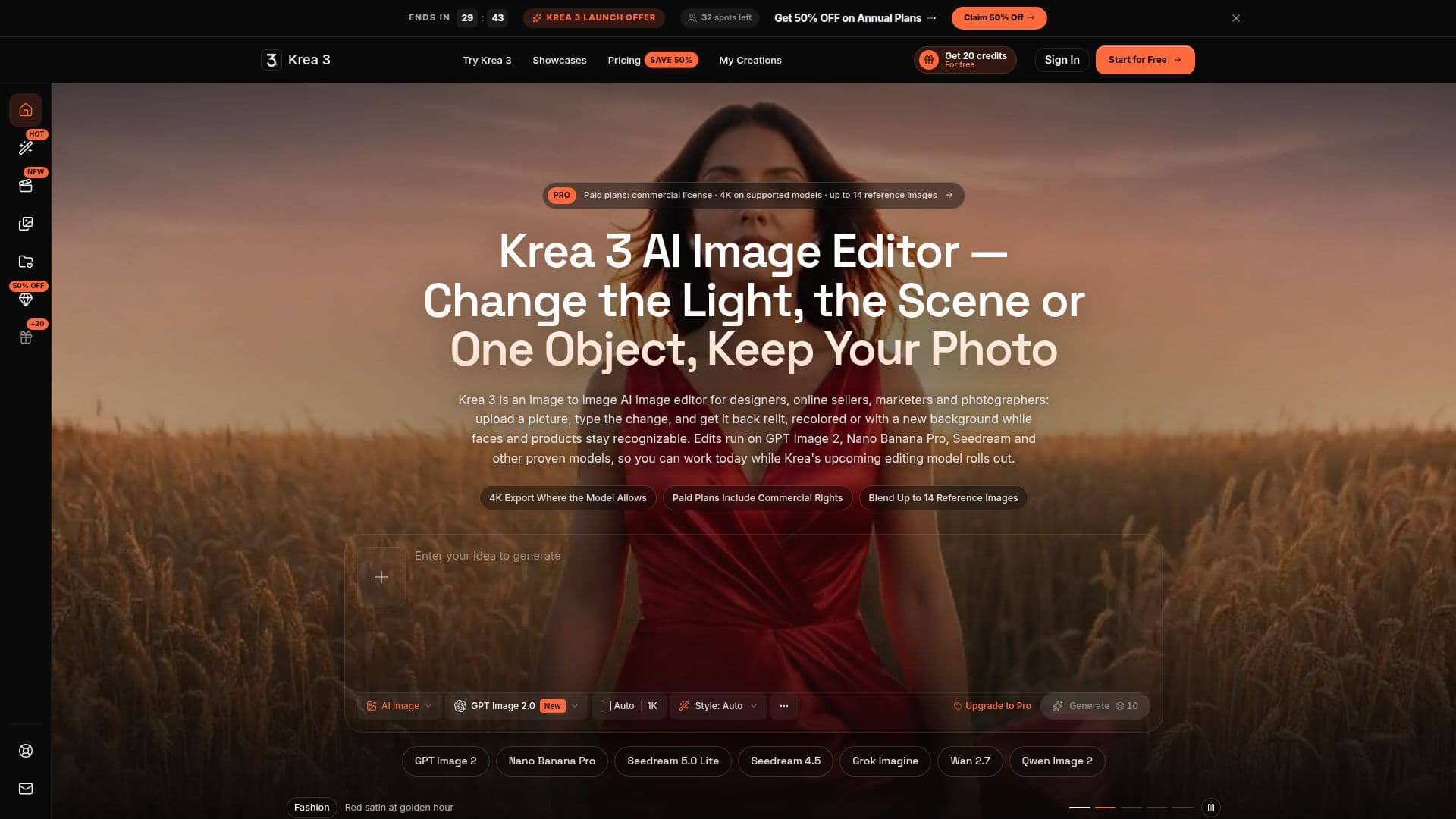
Krea 3 is an independent, browser-based AI image editor designed for enhancing existing photographs and artwork. Unlike traditional image generation, Krea 3 focuses on image-to-image editing, allowing users to upload a picture and describe desired changes in plain language. The platform then uses advanced AI models to redraw specific elements while maintaining the overall composition and subject recognition.
Read More
Key capabilities include relighting scenes by describing desired light direction, warmth, or time of day, and colorizing grayscale photos with optional color hints. Users can also swap backgrounds, replace or remove objects, change outfits, and restyle entire scenes. The editor supports multiple AI models, including GPT Image 2, Nano Banana Pro, Nano Banana 2, Seedream 5 Lite, Seedream 4.5, Grok Imagine, Wan 2.7 Image, and Qwen Image 2, each suited for different types of edits and offering varying credit costs and output resolutions.
The workflow is straightforward: upload an image (JPG, PNG, WebP), describe the desired change, select an AI model, and generate the edited version. Users can download the result or feed it back into the editor for further refinements. The platform also supports reference-driven work, allowing users to attach multiple images to guide specific features like faces, products, or visual styles. For instance, a portrait can be used as a reference to maintain a consistent face across various outfits and settings.
Krea 3 offers both text-to-image generation for starting from a blank canvas and image-to-image editing. It provides a comprehensive toolkit that includes an image generator, AI image editor, image-to-video conversion (using models like Veo 3.1, Sora 2, and Seedance 1.5 Pro), and over 600 style presets, from film stock to watercolor. All generated images and videos are saved in a personal library called "My Creations," allowing users to revisit, download, or reuse prompts.
For professional use, Krea 3 supports 4K export on select models (GPT Image 2, Nano Banana Pro, Nano Banana 2, Wan 2.7 Image) and offers commercial use licenses with annual plans, specific monthly plans (Studio, Max), and larger one-time credit packs. Pricing is credit-based, with costs ranging from 10 to 80 credits per image depending on the model and resolution. New accounts receive 15 free credits for a 30-day trial. The platform emphasizes transparency, showing the credit cost before each generation. It is important to note that Krea 3 is an independent workspace and is not affiliated with Krea AI or its upcoming Krea 3 model.
- CategoryAI Photo Editors
- Pricing ModelFreemium
- DeploymentCloud
- PlatformsWeb
Krea 3 AI Image Editor's Core Features
Image-to-image editing via text prompts
Relight scenes with custom light direction, warmth, or time of day
Colorize black-and-white photos with color hints
Swap backgrounds and change scenes
Replace or remove specific objects
Change outfits and restyle scenes
Reference-driven editing for consistent subjects or styles
Supports multiple AI models (GPT Image 2, Nano Banana Pro, Seedream, etc.)
Text-to-image generation from scratch
Image-to-video conversion with motion models
Over 600 style presets (film, oil painting, anime, watercolor)
4K export for print-ready files on supported models
Commercial use license available with paid plans
Credit-based billing with transparent pricing per generation
My Creations library to save and manage all generated content
How to use Krea 3 AI Image Editor?
Upload a Photo: Drop in a JPG, PNG, or WebP image to use as your starting point.
Describe the Change: Write a clear instruction for the edit, such as 'move the scene to golden hour' or 'a marble counter'.
Attach Reference Images (Optional): Add up to 14 reference images for specific faces, products, or styles, naming their role in the prompt.
Pick a Model and Generate: Choose from available AI models like GPT Image 2 or Nano Banana Pro, review the credit cost, and press generate.
Download or Keep Editing: Download the edited result or re-upload it as a new reference for further small tweaks.
Manage Creations: Access all past edits in My Creations to check details, copy prompts, or download files again.
Krea 3 AI Image Editor's Use Cases
- Online Sellers & E-commerce
- Marketers & Ad Teams
- Photographers & Retouchers
- Content Creators & Social Media
- Designers & Illustrators
- Real Estate & Interior Staging