Description
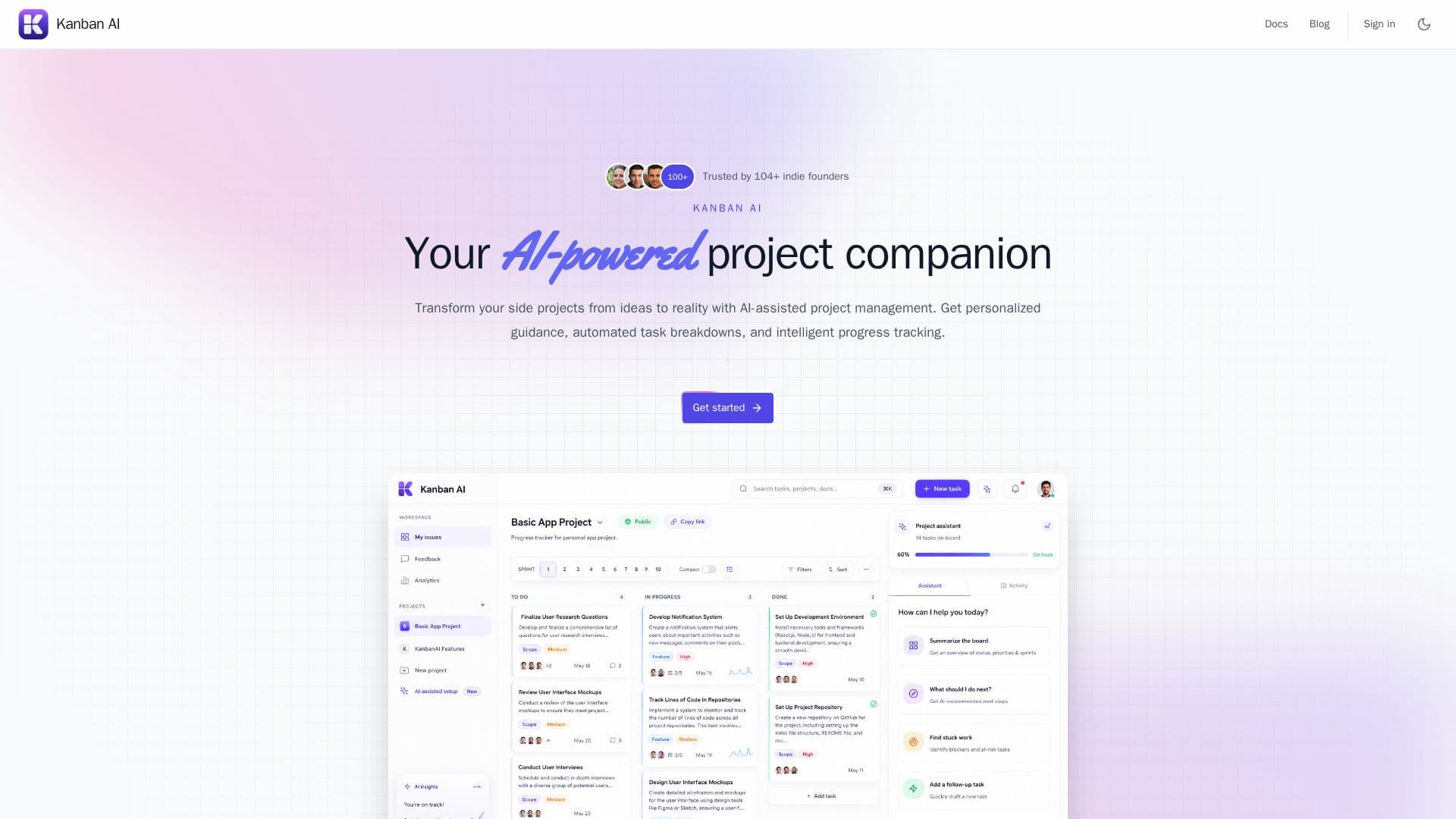
Kanban AI is a comprehensive AI-driven kanban board tailored for builders and small teams. It combines traditional kanban columns with advanced AI-assisted planning, task breakdown, and sprint tracking. The platform is designed to transform side projects from mere ideas into reality by providing personalized guidance, automated task breakdowns, and intelligent progress tracking.
Read More
One of the standout features of Kanban AI is its smart sprint planning. Users can input their ideas, preferred tech stack, and skills they wish to showcase, and the AI designs a multi-week sprint to deliver their MVP while considering their resume. The dynamic weekly task management feature ensures that tasks are adjusted based on progress, providing realistic challenges each week.
Kanban AI also offers interactive AI assistance, allowing users to create tasks with AI guidance, ask detailed follow-up questions, and receive help through roadblocks. The platform supports collaboration by enabling users to invite teammates to edit tasks and comments on shared projects. Public links remain read-only for visitors.
The platform integrates with MCP-compatible tools like Claude and Cursor, allowing users to manage tasks and read sprint context directly from their workflow. Kanban AI offers a freemium pricing model with a free tier for personal side projects and a Pro plan for $6/month, which includes unlimited projects and advanced AI assistance.
Kanban AI is ideal for individuals and teams looking to enhance their project management capabilities with AI-driven insights and automation. Its cloud sync feature ensures that signed-in users can access their projects from anywhere, making it a versatile tool for modern project management.
- CategoryAI Project Management
- Pricing ModelFreemium
- DeploymentCloud
- PlatformsWeb
Kanban AI's Core Features
AI-assisted task breakdown
Kanban columns and cards
Sprint planning
Guest board without signup
Cloud sync for signed-in users
Smart sprint planning
Dynamic weekly task management
Interactive AI assistance
MCP integration with Claude and Cursor
Priority support for Pro users
Resume-building retrospect
Advanced AI assistance
Dedicated enterprise support
Flexible deployment options
Enhanced security and compliance
How to use Kanban AI?
Sign up: Create an account or use guest mode
Log in: Access your dashboard
Configure: Set up your project and preferences
Use: Plan tasks and sprints with AI assistance
Invite: Add teammates for collaboration
Integrate: Connect MCP tools for enhanced workflow
Track: Monitor progress and adjust tasks
Optimize: Use AI insights to improve project outcomes
Kanban AI's Use Cases
- Project Management
- Team Collaboration
- Sprint Planning
- Task Breakdown
- MCP Integration