
Description
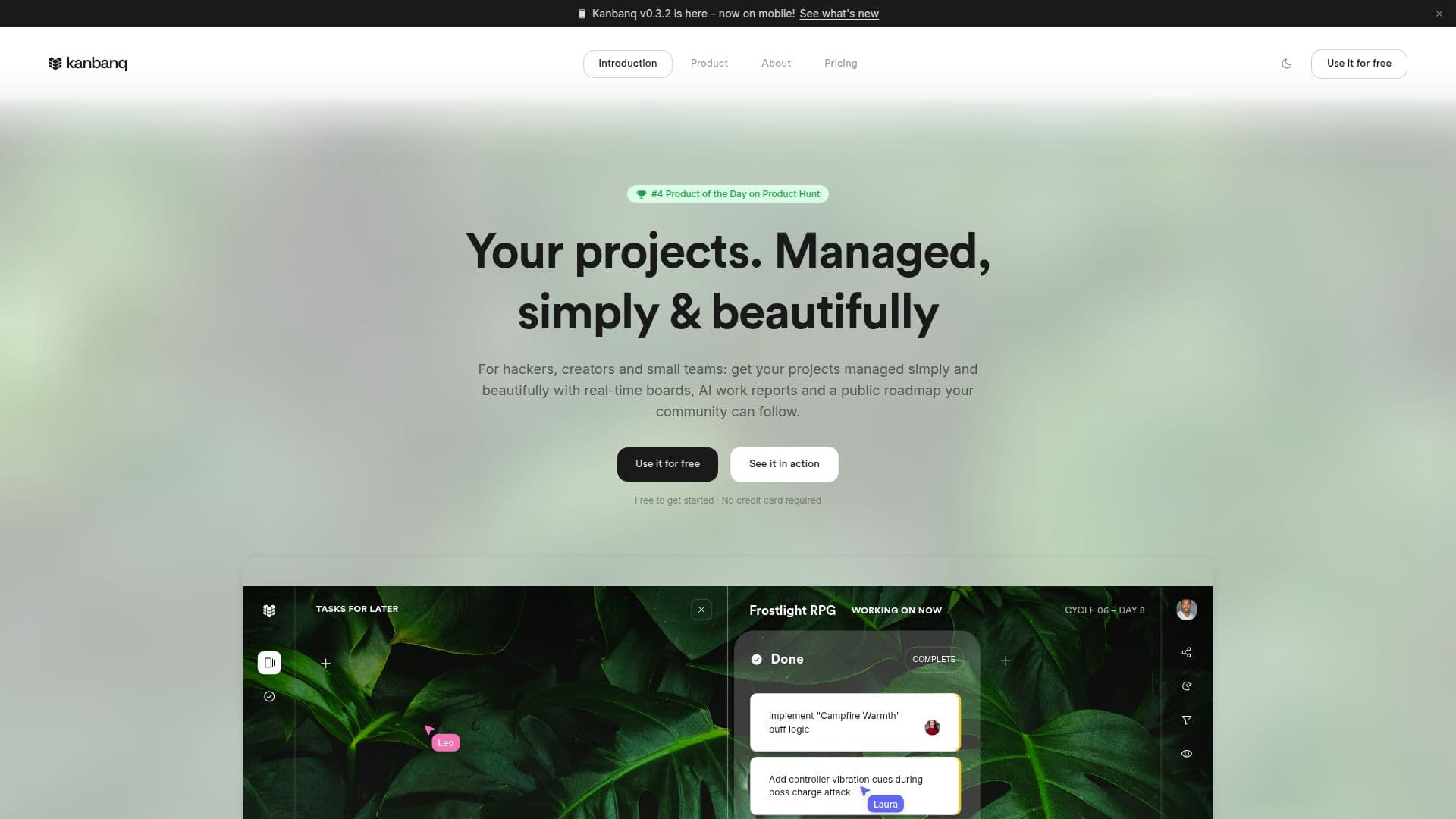
Kanbanq is free project management software built for small, self-managing teams, freelancers, students, and creatives who want to ship rather than configure. It provides real-time kanban boards with a dual board system, keeping an active sprint board separate from a long-term backlog so current work stays focused, and most teams are up and running in under a couple of minutes.
Read More
A distinctive feature is the cycle system: a cycle is a completed batch of work, like a sprint but without fixed dates or deadlines. When a team marks a cycle complete, Kanbanq AI names it based on what shipped and emails a summary report to every collaborator, covering what was delivered, who worked on what, completion rate, and what's next, so progress reports write themselves without manual write-ups or standups.
Kanbanq supports real-time multiplayer collaboration with live cursors, rich task cards with content blocks, task priorities and assignments, per-board permissions, board personalization, and public boards where a community can view a roadmap, vote, and leave feedback. A browser-only local demo mode lets you try it instantly with no account. The free plan is generous, with unlimited users and workspaces and up to 250 active tasks per workspace (completed tasks don't count), plus an AI summary trial. Pro is €4.50 per user/month with unlimited tasks and AI, and one free seat for every four users.
- CategoryAI Project Management
- Pricing ModelFreemium
- DeploymentCloud
- PlatformsWeb
Kanbanq's Core Features
Real-time kanban boards with live collaboration
Dual board system: active sprint plus backlog roadmap
AI cycle summaries emailed to the whole team
Rich task cards with text, bullets, and checklists
Task priorities and assignees
Public boards for roadmap sharing and community voting
Per-board permissions and board personalization
Free plan with unlimited users and no credit card
How to use Kanbanq?
Try it instantly: Use local demo mode in your browser with no account, or create a free account in under a minute.
Create a workspace: Set up a workspace and invite teammates.
Add tasks: Add tasks to your kanban board and drop longer-term items into the backlog board.
Work the board: Move cards from To do through In progress to Done, with real-time updates for everyone.
Complete a cycle: Mark the cycle complete and Kanbanq AI names it and emails a summary to the team.
Kanbanq's Use Cases
- Small software teams
- Freelancers
- Student teams
- Indie game studios
- Public roadmaps