Description
GoodDay is a powerful work management platform designed to help teams manage projects, processes, and workflows in one digital space. It serves as an all-in-one project management software trusted by enterprises, startups, and growing teams worldwide. GoodDay combines task management, CRM, built-in time tracking, and unlimited project hierarchy within a single app.
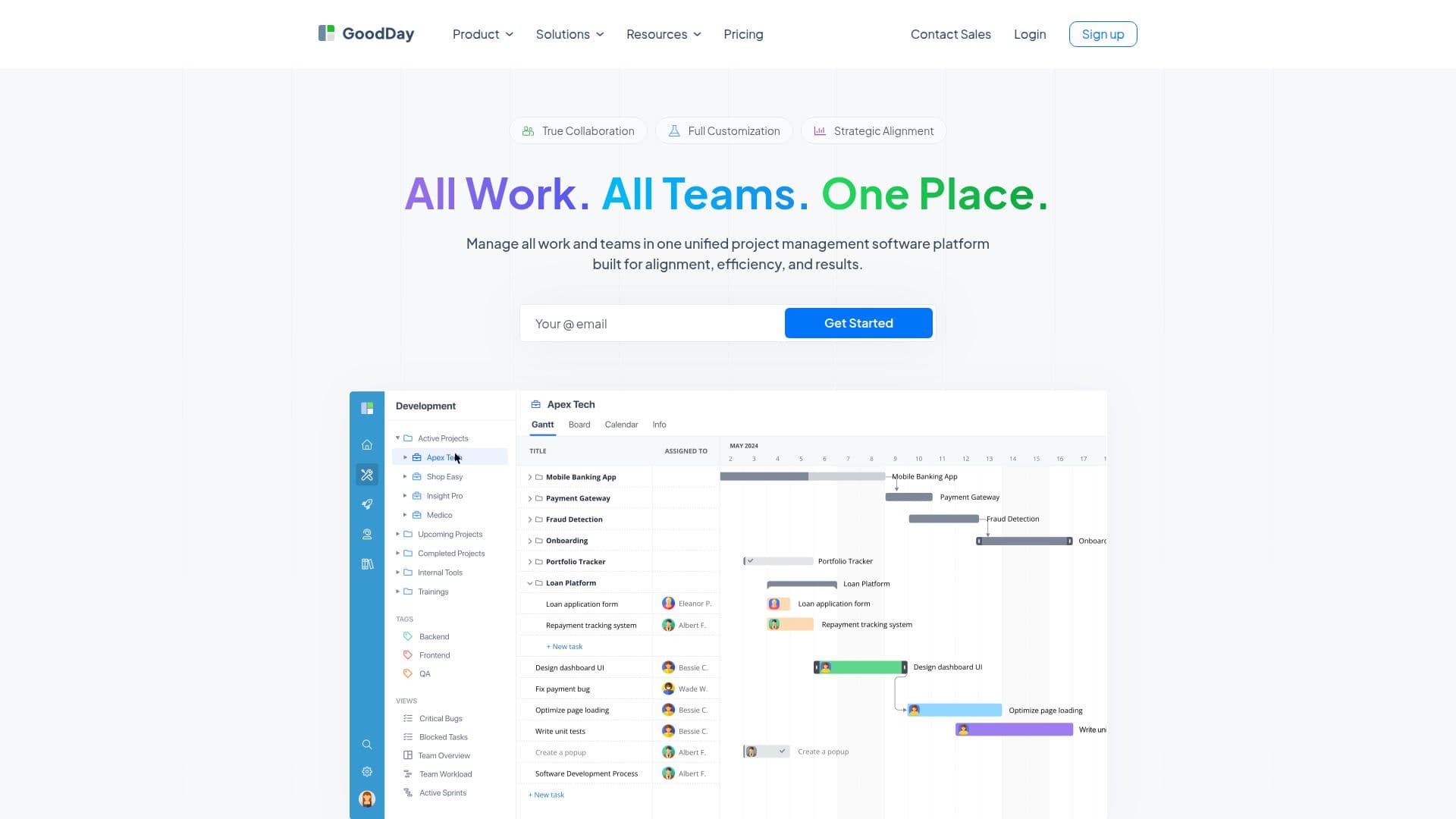
The platform supports unlimited projects and tasks, offering multiple project views such as Gantt charts, Kanban boards, and timeline views for visibility into project timelines and dependencies. Built-in time tracking, workflow automation, and reporting tools help streamline processes and reduce repetitive tasks. For complex projects, resource management and advanced admin controls are available.
GoodDay offers a generous free plan for up to 15 team members, including unlimited projects, tasks, dashboards, integrations, and mobile access. Paid plans provide advanced features like workload management, finance modules, and AI chat capabilities. The Professional plan costs $4 per user per month, while the Business plan costs $7 per user per month.
Teams can collaborate using dashboards and built-in tools, integrating with Google Workspace, Slack, GitHub, GitLab, Dropbox, and over 1,300 apps via Zapier. GoodDay is suitable for marketing, software development, HR, creative agencies, and operational departments, providing over 100 project management templates to reduce setup time.
GoodDay's platform is highly customizable, allowing teams to adapt it to their processes without forcing changes. It offers 20+ views to build an ideal workspace, supporting methodologies like Agile and Waterfall. The platform is designed to improve productivity by providing clear structure, visibility, and control, making it a valuable tool for managing multiple projects efficiently.
GoodDay Work Management Platform's Core Features
Unlimited projects and tasks
Multiple project views
Built-in time tracking
Workflow automation
Resource management
CRM integration
AI chat capabilities
Customizable templates
Mobile and desktop apps
Advanced admin controls
Finance module
Public sharing
Custom branding
Project baselines
Advanced HR features
How to use GoodDay Work Management Platform?
Configure: Set up projects and tasks
Use: Manage workflows and track time
Integrate: Connect with other tools
Optimize: Customize views and templates
GoodDay Work Management Platform's Use Cases
- Project Management
- Team Collaboration
- Resource Management
- Time Tracking
- CRM Integration
- Workflow Automation
- Template Utilization
- Custom Branding
- Finance Management
- HR Management