
Description
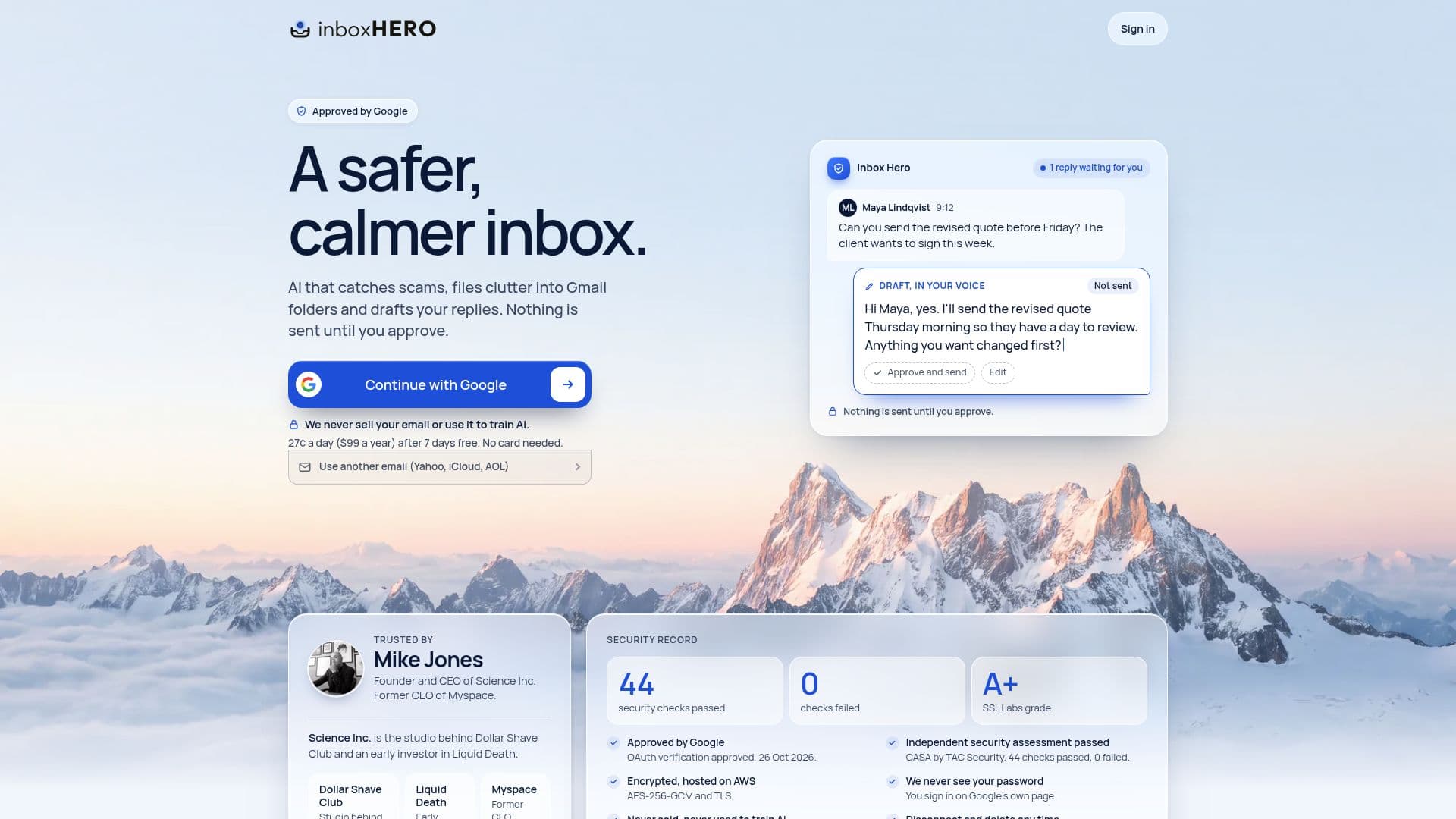
Inbox Hero is an AI email assistant engineered to provide a safer and calmer inbox experience. It intelligently identifies and quarantines scam emails, automatically organizes clutter like newsletters and shopping notifications into designated Gmail folders, and drafts quick replies based on your communication style. A core principle of Inbox Hero is user control: nothing is sent without explicit approval, ensuring that you always have the final say over your outgoing communications.
Read More
The service is approved by Google, having passed rigorous OAuth verification and an independent Cloud Application Security Assessment (CASA) by TAC Security, a Google-authorized lab. This includes 44 security checks passed with zero failures, an A+ SSL Labs grade, and AES-256-GCM encryption for data at rest on AWS, with all traffic secured via TLS. Inbox Hero emphasizes privacy, stating that it never sells user email data or uses it to train AI models. Users sign in through Google's own page, meaning Inbox Hero never sees or stores your password. Accounts can be disconnected and data deleted at any time from Google settings or within the app.
Key functionalities include comprehensive scam protection, where every new email is checked for suspicious signs and moved to a dedicated Quarantine folder without being deleted. The clutter sorting feature automatically files various types of emails into specific Gmail folders as they arrive, helping users manage their inbox more efficiently. The Quick Reply feature drafts responses in your voice, which you can then approve and send or edit as needed. The platform also offers an AI-writing score, indicating the likelihood of an email being AI-generated.
Inbox Hero is compatible with Gmail and Google Workspace, offering full functionality. It also supports other IMAP mailboxes like Yahoo, iCloud, and AOL, providing fraud protection, sorting, and quick reply features. The service operates on a subscription model after a 7-day free trial, with no credit card required to start. Pricing options include monthly, quarterly, and annual plans, with discounts for longer commitments and additional mailboxes. Team pricing is also available for organizations with 5 to 15 people, offering a reduced per-person annual or monthly rate.
Developed by Science Inc., the team behind Dollar Shave Club, Inbox Hero is built on a foundation of trust and security. It aims to give users back control over their inbox, reducing noise and enhancing security without compromising privacy. The service ensures that all actions, such as filing or drafting replies, are transparent and reversible, with options to undo moves and customize filtering settings.
- CategoryAI Email Assistants
- Pricing ModelFreemium
- DeploymentCloud
- PlatformsWeb, iOS
Inbox Hero's Core Features
AI Scam and Phishing Protection: Checks sender, headers, links, attachment types, and uses AI review to identify suspicious emails.
Fraud Quarantine: Moves suspicious mail to a dedicated folder, never deleting it, with one-tap restore.
Automatic Email Sorting: Files newsletters, shopping notifications, and other clutter into specific Gmail folders.
Quick Reply Drafting: Generates replies in your voice, requiring user approval before sending.
Google Approval and Security: Approved by Google OAuth verification and passed independent CASA security assessment.
Data Privacy: Never sells email data or uses it to train AI; user data stays private.
Passwordless Sign-in: Users sign in via Google's own page, ensuring Inbox Hero never sees passwords.
Encrypted Hosting: Data encrypted at rest (AES-256-GCM) and traffic secured with TLS on AWS.
User Control: Nothing is sent without approval; disconnect and delete data anytime.
Multi-Mailbox Support: Works with Gmail, Google Workspace, Yahoo, iCloud, AOL, and other IMAP mailboxes.
AI-Writing Score: Assesses the likelihood of an email being AI-generated.
Daily Brief: Provides a summary of your inbox at 9 AM local time.
Customizable Filtering: Option to turn off smart filtering while keeping scam protection active.
iPhone App Included: Access features on the go with the dedicated mobile application.
How to use Inbox Hero?
Sign In: Connect your Google account to Inbox Hero.
Connect Mailbox: Link your Gmail or other IMAP mailbox in settings.
Activate Features: Inbox Hero immediately begins checking for scams and sorting emails.
Review Scams: Check the InboxHero/Fraud folder for quarantined emails and restore if needed.
Manage Clutter: Emails are automatically filed into folders like Newsletters and Shopping.
Approve Replies: Review and approve AI-drafted replies before they are sent.
Customize Settings: Adjust smart filtering, manage subscriptions, or delete your account as needed.
Inbox Hero's Use Cases
- Scam and Phishing Protection
- Email Organization
- Quick Email Replies
- Inbox Management
- Data Privacy Assurance
- Secure Email Handling
- Team Email Management
- Multi-Provider Email Support