Description
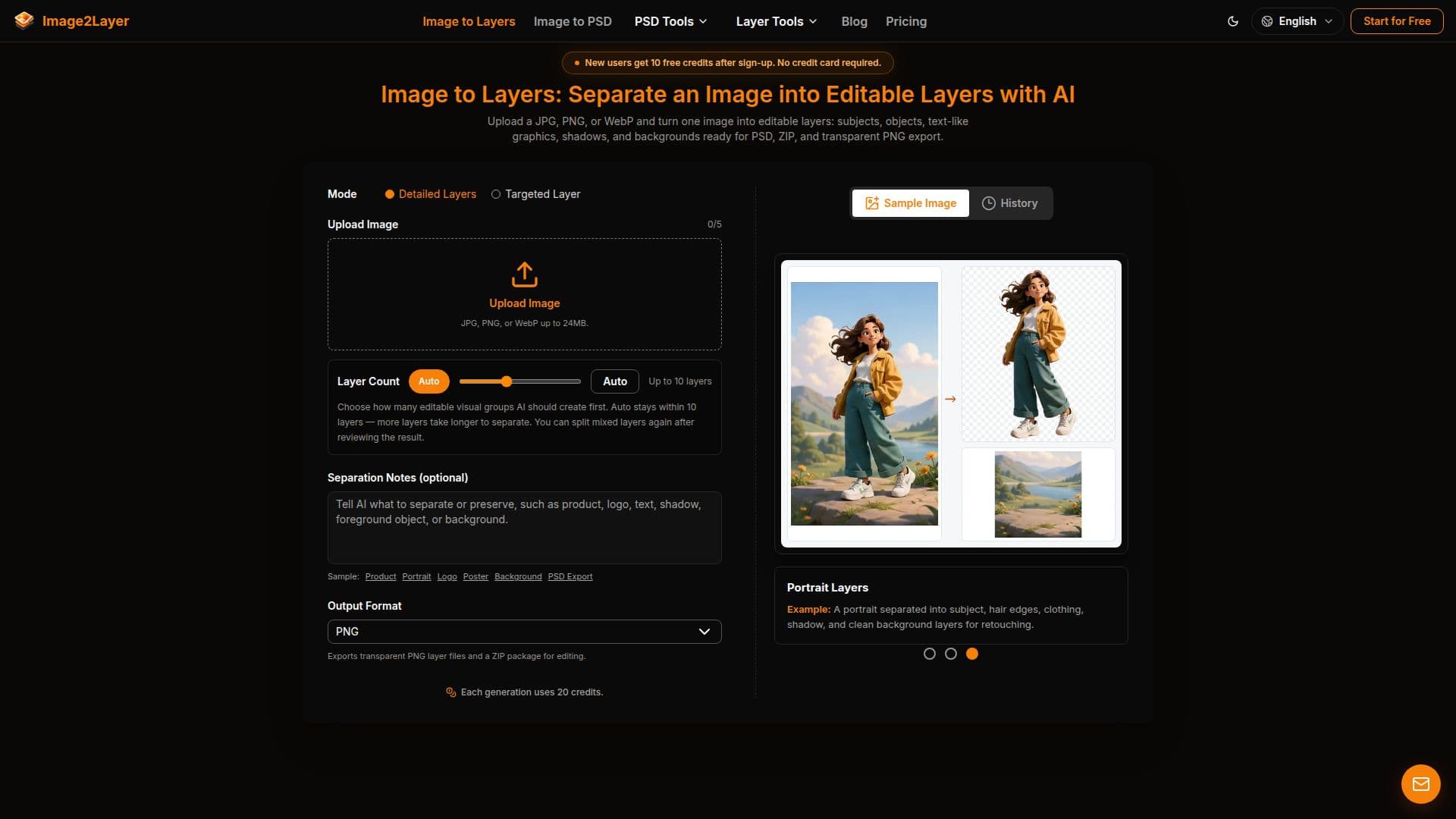
Image2Layer is a powerful AI-driven tool designed to convert flat images into editable layers, making it an essential asset for designers, marketers, and content creators. By uploading a JPG, PNG, or WebP image, users can separate it into up to 10 distinct layers, including subjects, objects, text-like graphics, shadows, and backgrounds. This process takes between 60 to 120 seconds, allowing for efficient and effective image editing.
The tool supports images up to 24 MB and a minimum resolution of 512 × 512 pixels. Once processed, the layers can be exported as a layered PSD, transparent PNGs, or a structured ZIP file, maintaining the original aspect ratio and a resolution of approximately 0.4 megapixels. This versatility makes Image2Layer suitable for various creative workflows, such as animation, game design, and e-commerce marketing.
Image2Layer offers a freemium pricing model, with new users receiving 10 free credits upon sign-up. Additional plans include the Starter plan at $9/month for 200 credits, the Creator plan at $29/month for 1,000 credits, and the Studio plan at $79/month for 4,000 credits. These plans cater to different usage levels, from occasional users to high-volume creative teams.
While the tool excels in layer separation, it is important to note that results may vary depending on the complexity of the image. Elements like soft edges, low-resolution files, and busy collages may require manual adjustments post-export. Despite these limitations, Image2Layer provides a structured starting point for image editing, significantly reducing the time spent on repetitive tasks.
Image2Layer's Core Features
AI-powered image layer separation
Supports JPG, PNG, and WebP formats
Exports as PSD, PNG, or ZIP files
Up to 10 editable layers per image
Layer output resolution ~0.4 MP
Background reconstruction
Freemium pricing model
Compatible with Photoshop, Photopea, GIMP
How to use Image2Layer?
Upload: Select a JPG, PNG, or WebP image
Separate: AI processes the image into layers
Review: Check the separated layers
Export: Download as PSD, PNG, or ZIP
Image2Layer's Use Cases
- Product Photography
- Character Animation
- Poster Design
- E-commerce Visuals
- Game Art Prototyping