Description
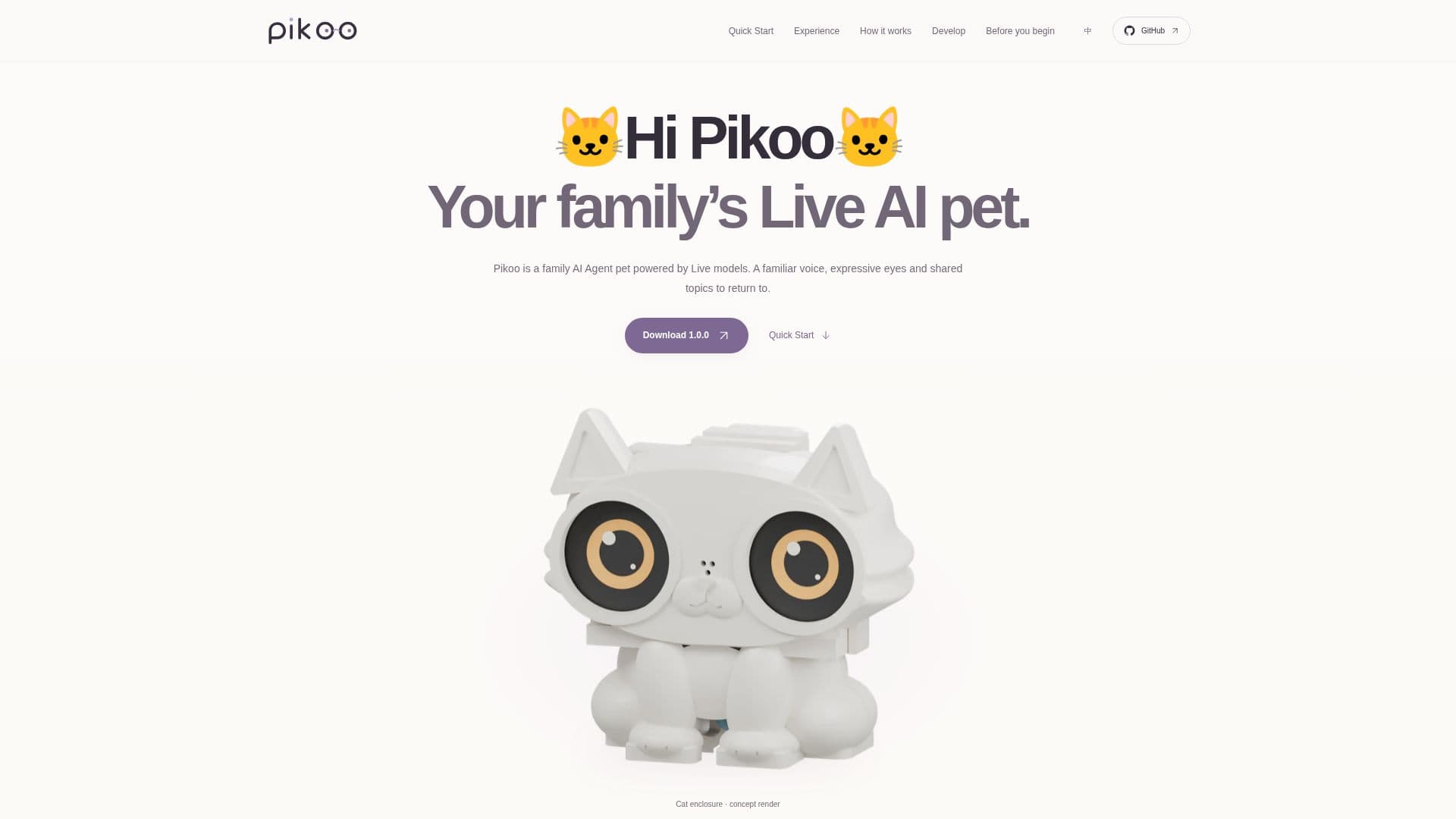
Hi Pikoo is an open-source, do-it-yourself (DIY) family AI Agent pet designed to be a familiar companion in the home. Powered by Live models, it features local wake capabilities, expressive dual eyes, and the ability to engage in live conversations. The project encourages users to build and customize their own AI pet, starting with a simulator and progressing to a physical device.
Read More
The core experience revolves around natural, flowing conversations. Hi Pikoo can follow context without requiring every thought to be a separate command, and it retains shared topics and meaningful details across interactions, allowing users to pick up where they left off. It can also work collaboratively, calling upon configured tools to find information or perform tasks.
The system architecture comprises a device, server, and model. The device, typically a Waveshare ESP32-S3 DualEye board, handles audio capture, response playback, and eye expressions on its two round screens. The Qwen Audio Agent 2.0.1 composes its native Live Provider, Terra delegation, sessions, family memory, and tools on the runtime. Live manages speech, while Terra handles delegated tasks and background operations. A Gateway persists text, summaries, family memory, and lists, with keys and family profiles remaining on the user's server.
Memory management is sophisticated, distinguishing between recent text for topic restoration, digests for bound history, and long-term memory for suitable family facts. Separate lists are maintained for shopping and to-dos. Terra can utilize configured search, public-page reading, and family lists, with the option to add further MCP tools for expanded functionality. The project is open-source, with original code, graphics, and documentation licensed under Apache-2.0, while wake weights and model-containing firmware have separate non-commercial terms.
Development on Pikoo is modular, allowing users to choose specific components to modify, such as device logic, eye expressions, or the Agent server. The project also provides STLs for 3D printing the cat-face enclosure. While it requires users to prepare hardware, deploy services, and configure the system, it offers a unique opportunity to create a personalized AI companion. Realtime model conversations and online tools necessitate network connectivity, and running costs depend on chosen models, servers, and external services. Family data, including memory and voice, is managed by the user's deployed server and configured model service.
- CategoryAI Agent Builders
- Pricing ModelOpen Source
- DeploymentDIY / Self-Hosted
- PlatformsNode.js, Bash, C++17
Hi Pikoo's Core Features
Family AI Agent pet
Powered by Live models
Local wake word detection
Expressive dual eyes
Live conversational capabilities
Follows conversation context
Retains shared topics and memory
Configurable tools for tasks and information
Waveshare ESP32-S3 DualEye board support
Qwen Audio Agent 2.0.1 runtime
Terra delegation for background tasks
Gateway for persisting text, summaries, and lists
Distinct context, memory, and list roles
Configurable search and public-page reading
DIY open-source project
Modular development for device, eyes, and server
3D printable enclosure designs
How to use Hi Pikoo?
Prepare Hardware: Obtain a Waveshare DualEye board, suitable speaker, and USB power.
Install Software: Ensure Node.js 24+, npm, Bash, and a C++17 compiler are installed.
Run Eye Demo: Start the offline eye demo locally to refine expressions and interaction flows.
Deploy Server: Set up a server to run the Agent and manage family data.
Configure System: Configure the Gateway, model services, and external tools.
Build Enclosure: Download and 3D print the provided STL files for the cat-face enclosure.
Assemble Device: Connect the board, microphone, speaker, and displays.
Interact: Engage with Hi Pikoo through conversations and utilize its configured tools.
Hi Pikoo's Use Cases
- Family Companion
- Information Retrieval
- Task Management
- Personalized AI Development
- Open-Source AI Exploration