
Description
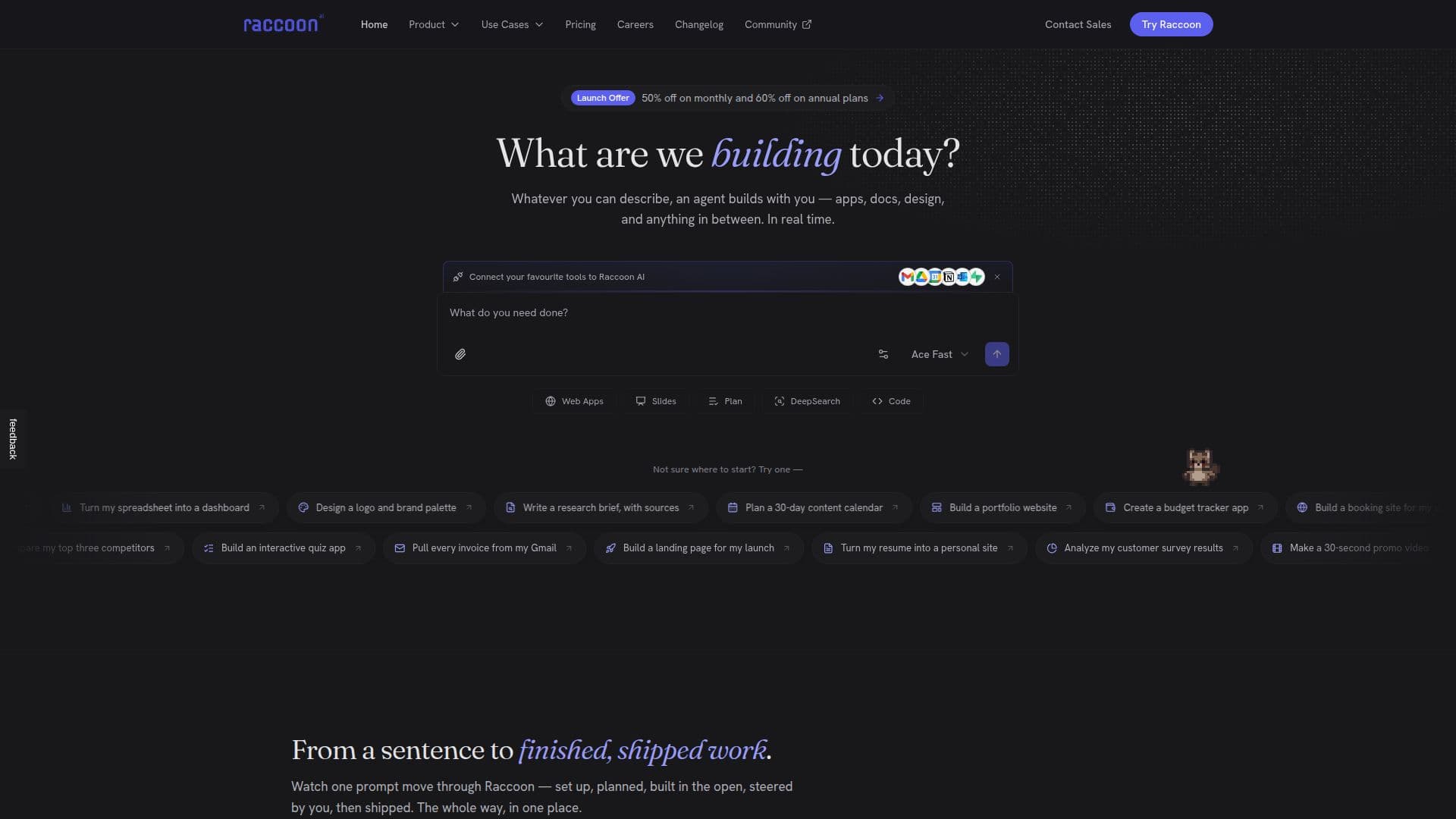
Raccoon AI is a collaborative AI agent that turns a plain-language description into finished, shipped work. You describe what you want by typing, speaking, sketching, or dropping in files and screenshots, and the agent plans, builds, and ships in one place. It spins up its own cloud computer, lays the work out as a live checklist you can see and steer, and works in full view, showing every reasoning step, search, and action rather than acting as a black box.
Read More
The agent researches with citations, writes, designs, and codes across a real workspace that includes files, a live app preview, an embedded database, a slides studio, and an image canvas, and it can spin off helper subagents to work in parallel. It connects to your real accounts through Gmail, Drive, Calendar, GitHub, and 50+ connectors, learns reusable skills you teach it, and remembers your preferences and context across sessions. You stay in control by jumping in while it runs, pointing at any element, redirecting without starting over, or rewinding and forking to explore a different path.
When work is done, you can publish to a live link or deploy to your own domain in one click, and everything you make stays yours. Raccoon is general-purpose, used for web apps, presentations, data analysis and visualization, documents, marketing sites, images, and video, among many other tasks. It offers a free-forever Starter tier plus paid plans, with team and enterprise options including SAML/SSO.
- CategoryAI Agent Builders
- Pricing ModelFreemium
- DeploymentCloud
- PlatformsWeb
Raccoon AI's Core Features
Collaborative general-purpose agent that builds apps, docs, slides, and designs
Its own cloud computer with files, live app preview, database, and image canvas
Transparent planning and execution shown as a steerable live checklist
Research with citations plus writing, design, and coding
Subagents that handle parts of a job in parallel
50+ connectors including Gmail, Drive, Calendar, and GitHub
Teachable, reusable skills and cross-session memory
One-click publish to a live link or deploy to your own domain
How to use Raccoon AI?
Describe it: Type, speak, sketch, or drop in files to say what you want built.
Connect tools: Turn on Gmail, Drive, GitHub, and other connectors and enable taught skills.
Review the plan: Watch Raccoon lay the work out as a live checklist and steer it.
Let it build: The agent researches, writes, designs, and codes in a real workspace.
Steer and ship: Jump in to redirect, rewind or fork, then publish to a link or your own domain.
Raccoon AI's Use Cases
- Build and deploy web apps
- Create presentations
- Analyze data
- Automate workflows
- Run cited deep research