Description
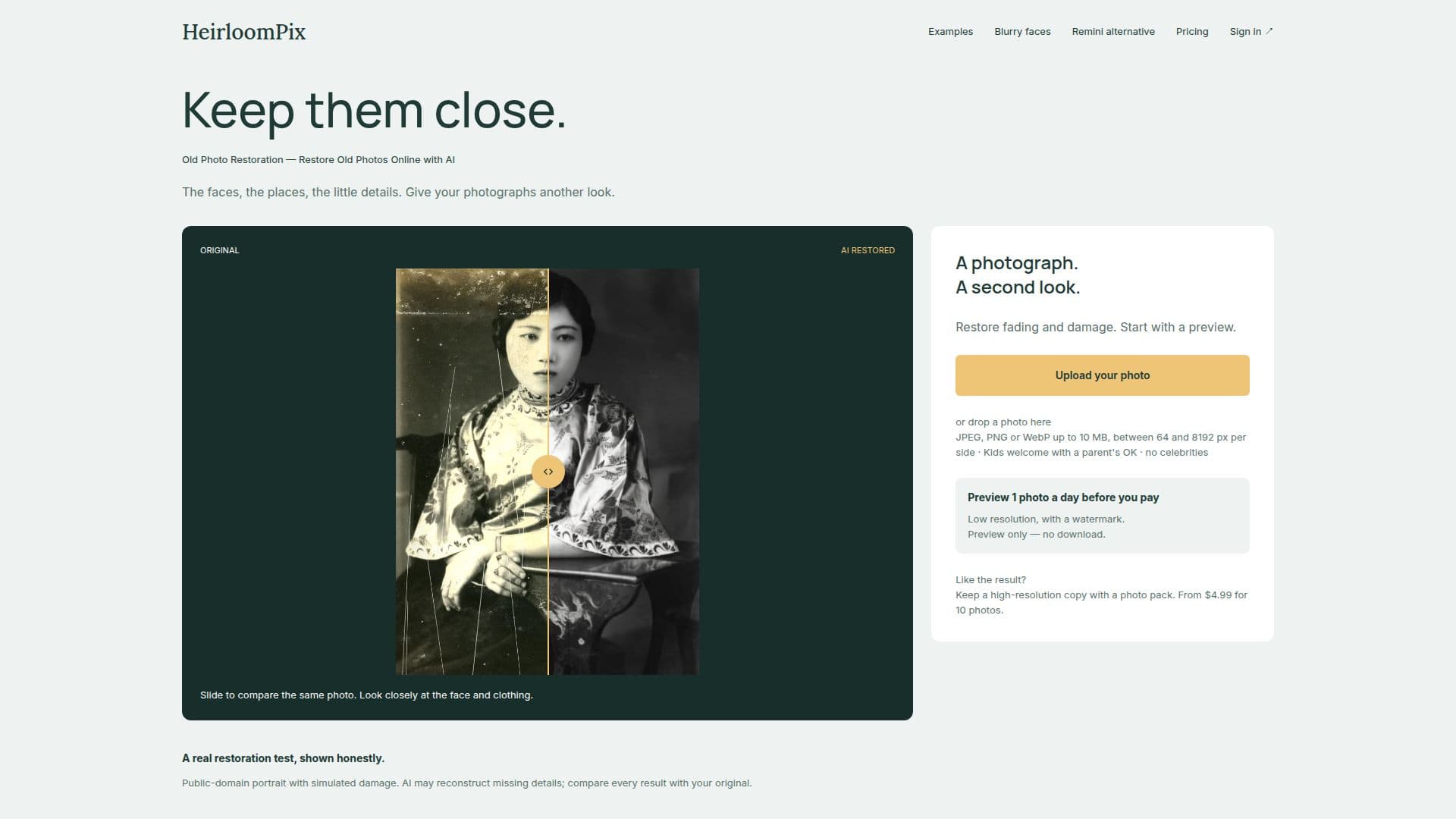
HeirloomPix is an online platform dedicated to restoring old and damaged photographs using AI-assisted technology. It allows users to upload scanned prints and repair common issues such as scratches, fading, and yellowing. The service focuses on preserving the original identity and texture of the subjects, providing a slider tool for users to compare the restored image with the original before downloading.
Read More
The platform supports JPEG, PNG, and WebP images up to 10 MB, with dimensions between 64 and 8192 pixels per side. For optimal results, users are advised to upload flatbed scans at 300 dpi or higher. HeirloomPix also offers a separate feature for colorizing black-and-white photos, distinct from its general repair functions.
Users can try the service with free sample demos or get one low-resolution, watermarked preview per day after Google sign-in, without requiring a credit card. For full-size, watermark-free downloads, HeirloomPix operates on a one-time purchase model, offering photo packs rather than subscriptions. Pricing includes $4.99 for 10 photos, $9.99 for 30 photos, or $19.90 for 80 photos.
Privacy is a key consideration, with uploaded photos processed for restoration and stored privately. The platform states that its copies of uploads are accessible for 15 minutes and removed within approximately two days, while its restoration provider, Kie, retains copies for up to 24 hours (uploads) and 14 days (generated media). HeirloomPix emphasizes that photos, especially those of children, are used solely for restoration, with no face recognition, age detection, public galleries, or use for training.
Beyond general repair, HeirloomPix includes an optional "Enhance faces" feature to sharpen eyes, mouths, and outlines, which can rebuild details on very small or motion-blurred faces. This feature is off by default to ensure users can control the extent of modification and maintain likeness. The tool processes photos one at a time, allowing for individual review and decision-making before downloading.
- CategoryAI Photo Editors
- Pricing ModelOne-time purchase
- DeploymentCloud
- PlatformsWeb
HeirloomPix's Core Features
Old photo restoration
Scratch repair
Fading and yellowing correction
Before-and-after comparison slider
Optional face enhancement
Colorization for black-and-white photos (separate tool)
Support for JPEG, PNG, WebP formats
Image size support: 64 to 8192 pixels per side
File size support: up to 10 MB
One-time photo pack purchases
No subscription required
Daily low-resolution watermarked preview (with Google sign-in)
Automatic refund for failed generations (up to 3 times daily)
Private per-account storage for results
Identity preservation focus for restored faces
How to use HeirloomPix?
Scan Photo: Digitize your old print using a flatbed scanner at 300-600 dpi for best results.
Upload Image: Sign in with Google, then upload your scanned JPEG, PNG, or WebP photo to the HeirloomPix website.
Select Restoration Options: Choose general repair for scratches, fading, and yellowing, and optionally turn on "Enhance faces" for blurry faces.
Review and Compare: Use the slider to compare the restored photo with the original, paying close attention to facial features.
Download Full-Size: If satisfied, use a photo pack credit to download the high-resolution, watermark-free image.
HeirloomPix's Use Cases
- Family Photo Archiving
- Genealogy Projects
- Memorials and Anniversaries
- Local History Preservation
- Repairing Damaged Prints
- Enhancing Blurry Faces
- Colorizing Black-and-White Photos
- Digital Photo Cleanup