Description
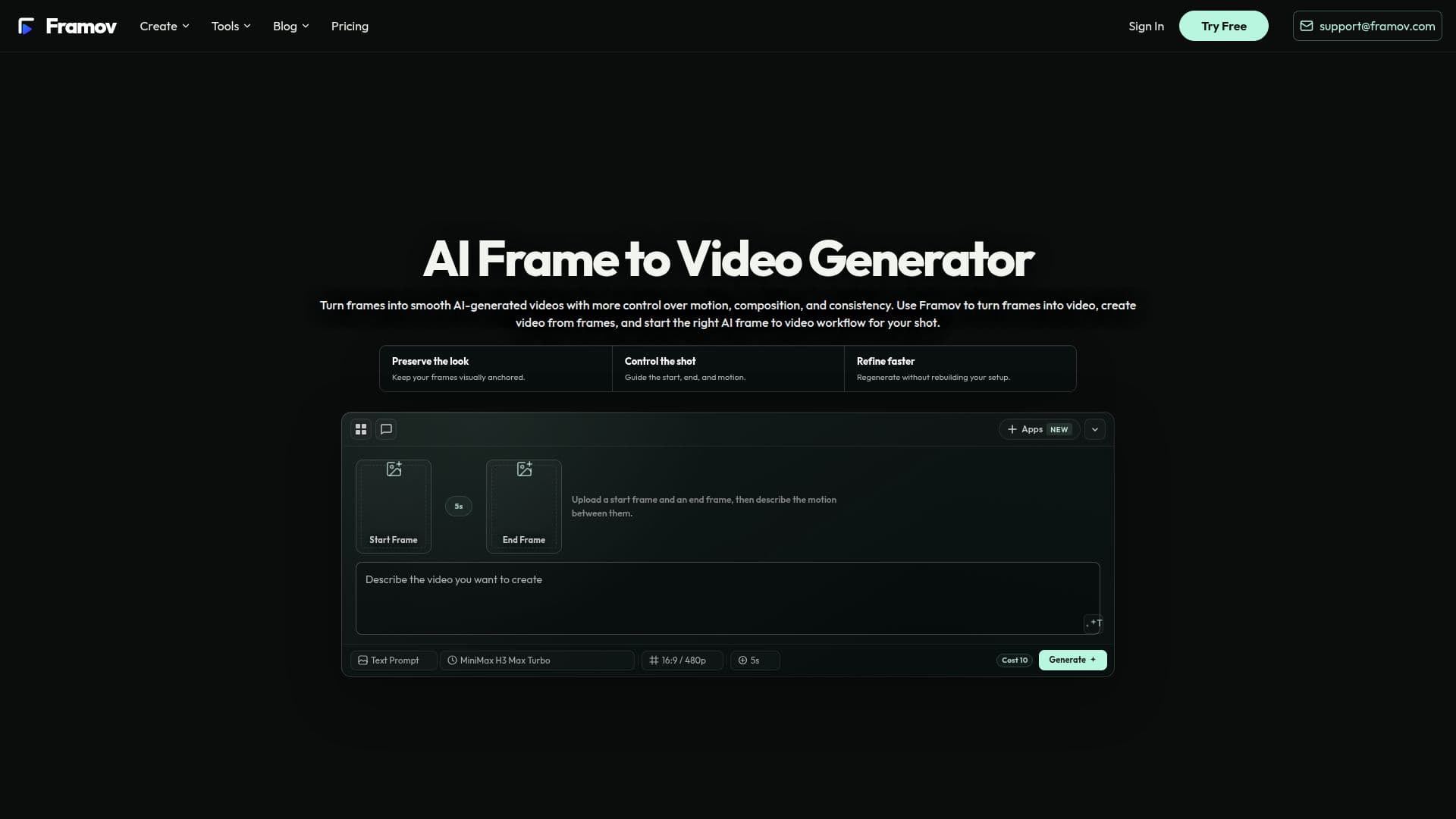
Framov Frame to Video Generator is an AI video creation platform designed to turn static frames into dynamic video clips with enhanced control over motion, composition, and consistency. It utilizes artificial intelligence to generate video content based on one or more visual frames provided by the user, serving as references for the subject, composition, and scene.
Read More
The platform supports various frame-to-video workflows, including single image to video, two frames to video, and multi-keyframe setups. Users begin by choosing a workflow that aligns with their creative goals, then upload their desired frames into the generator. After adding the visual guidance, they describe the intended motion, camera direction, timing, or scene changes to the AI, allowing for more accurate video generation.
Framov offers a selection of over 15 AI models, such as Veo 3, Kling 3.0, and Runway, enabling users to experiment with different generation styles and capabilities. This approach provides a visual foundation for the AI before generation begins, offering tighter control compared to prompt-only generation, especially when a specific look, transition, or subject identity is crucial.
Key applications for Framov include animating characters with natural movement while maintaining consistency, creating cinematic camera movements like push-ins or pans from still frames, generating product animations for launches and ads, and guiding clean scene-to-scene transitions using multiple frames. The platform also includes a utility for extracting frames from existing video footage, which can then be used as input for new AI-generated videos.
Framov operates on a credit-based system with various subscription plans (Basic, Standard, Pro, Max) and one-time credit packs (Starter, Basic, Pro, Max). Each plan offers different credit rates, video resolutions (up to 4K), access to models, number of reference frames, simultaneous generations, and support levels. Credits are consumed based on model choice, resolution, duration, and whether a video reference is included. Watermark-free exports, private generations, and commercial usage are included with all paid plans. The platform ensures that if a generation fails and no usable output is delivered, the consumed credits are restored.
- CategoryAI Video Generators
- Pricing ModelFreemium
- DeploymentCloud
- PlatformsWeb
Framov Frame to Video Generator's Core Features
Turn 2–8 keyframes into video clips
Choose from 15+ AI video models (Veo 3, Kling 3.0, Runway)
Upload start and end frames for motion guidance
Describe desired motion, camera direction, and scene changes
Generate videos with enhanced control over consistency and composition
Extract frames from video footage
Support for single image to video generation
Support for two frames to video generation
Support for keyframe to video generation
Animate characters with natural movement
Create cinematic camera movements (push-ins, pans)
Generate product animations for marketing
Guide scene-to-scene transitions
Credit-based pricing with monthly plans and one-time packs
Watermark-free exports and commercial usage with paid plans
How to use Framov Frame to Video Generator?
Choose Workflow: Select the frame-to-video setup that matches your goal, from single image to multi-frame motion.
Add Frames: Open the studio and add the image, starting frame, or frame pair to use as visual guidance.
Describe Motion: Tell the AI what should happen with subject movement, camera direction, timing, or scene changes.
Generate Video: Adjust settings, generate the clip, and let AI create the video with controlled results.
Framov Frame to Video Generator's Use Cases
- Character Motion Animation
- Cinematic Camera Movement
- Product Animation for Marketing
- Scene-to-Scene Transitions
- Visual Consistency Control
- Controlled Motion Generation