Description
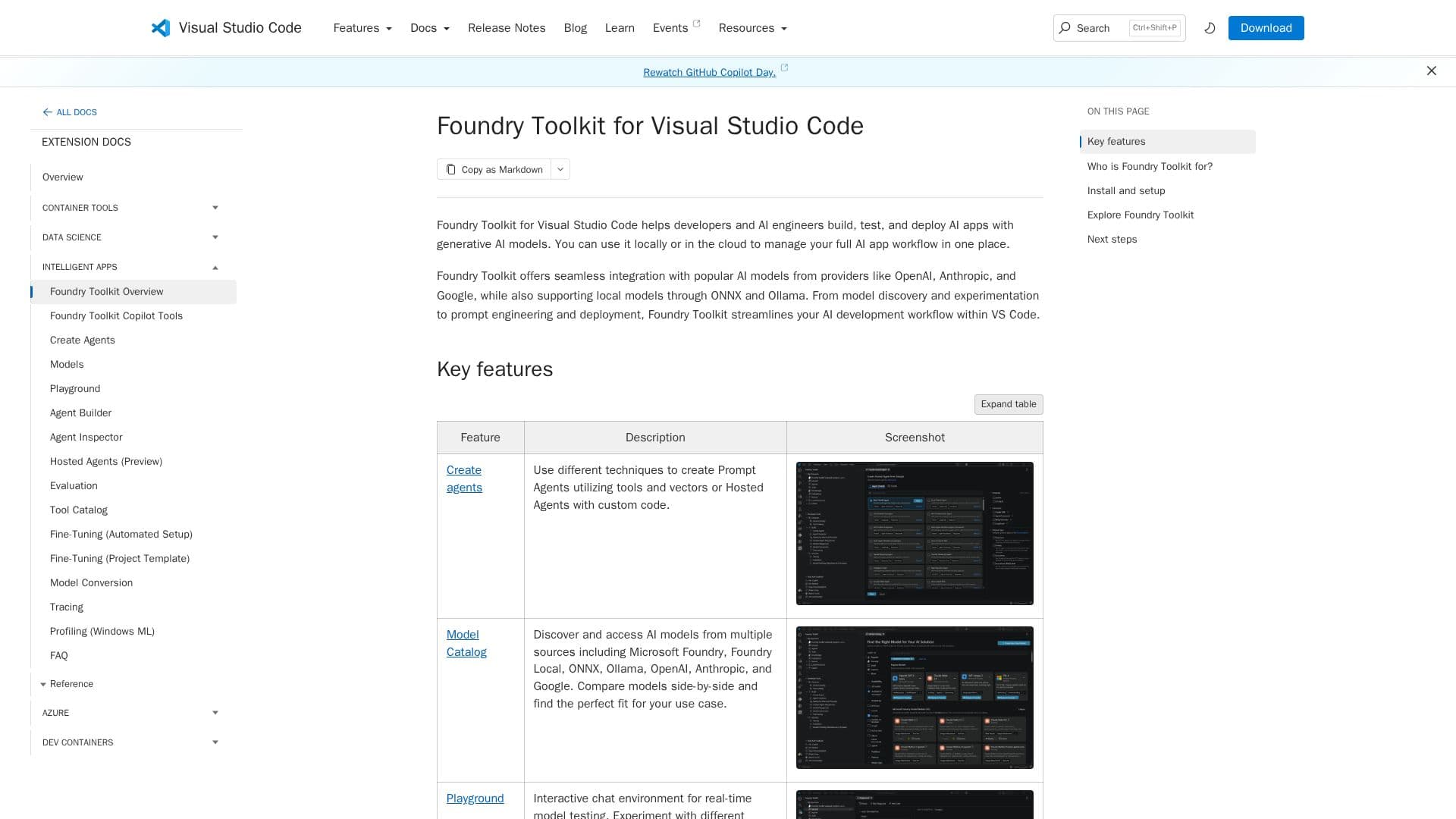
Foundry Toolkit for Visual Studio Code is a comprehensive suite designed to facilitate the development of AI applications. This toolkit integrates seamlessly with Visual Studio Code, providing developers with a robust environment to build, test, and deploy AI models. Key features include a model playground for real-time testing, prompt engineering tools, and batch evaluation capabilities. Developers can fine-tune models for specific domains using local resources or Azure Container Apps for cloud-based operations.
Read More
The toolkit supports a wide range of AI models from various sources such as Microsoft Foundry, OpenAI, and Google, allowing users to compare and select the best fit for their needs. The Agent Builder feature streamlines the creation of sophisticated prompts and the generation of production-ready code. Additionally, the Agent Inspector provides tools for debugging and visualizing AI agents directly within the VS Code environment.
Foundry Toolkit also offers tools for model conversion, enabling the optimization of machine learning models for efficient deployment on Windows platforms. The tracing and profiling features allow developers to monitor and analyze the performance of their AI applications, providing insights into resource usage and model behavior.
This toolkit is ideal for developers looking to leverage AI in their applications, offering a free tier for users to explore its capabilities. With its extensive feature set, Foundry Toolkit for Visual Studio Code is a valuable resource for AI-driven development.
- CategoryCoding & Development
- Pricing ModelFree
- DeploymentLocal, Cloud
- PlatformsWindows, macOS, Linux
Foundry Toolkit for Visual Studio Code's Core Features
Model Playground for real-time testing
Prompt Engineering tools
Batch Evaluation capabilities
Fine-tuning for specific domains
Support for LLMs and SLMs
Agent Builder for prompt creation
Agent Inspector for debugging
Model Conversion for optimization
How to use Foundry Toolkit for Visual Studio Code?
Install: Search for Foundry Toolkit in VS Code and install
Configure: Set up local model prerequisites
Use: Build and test AI models using the toolkit features
Optimize: Fine-tune models and monitor performance
Foundry Toolkit for Visual Studio Code's Use Cases
- AI Model Testing
- Prompt Engineering
- Model Fine-tuning
- Agent Development
- Performance Monitoring