Description
Flexnote is a versatile visual note-taking application designed for individual study and research. It offers a local-first approach, ensuring that all notes are stored on the user's device by default, with the option to sync across multiple devices using services like Baidu Netdisk, OneDrive, S3, or WebDAV. This ensures that users have complete control over their data, which is not used to train models.
Read More
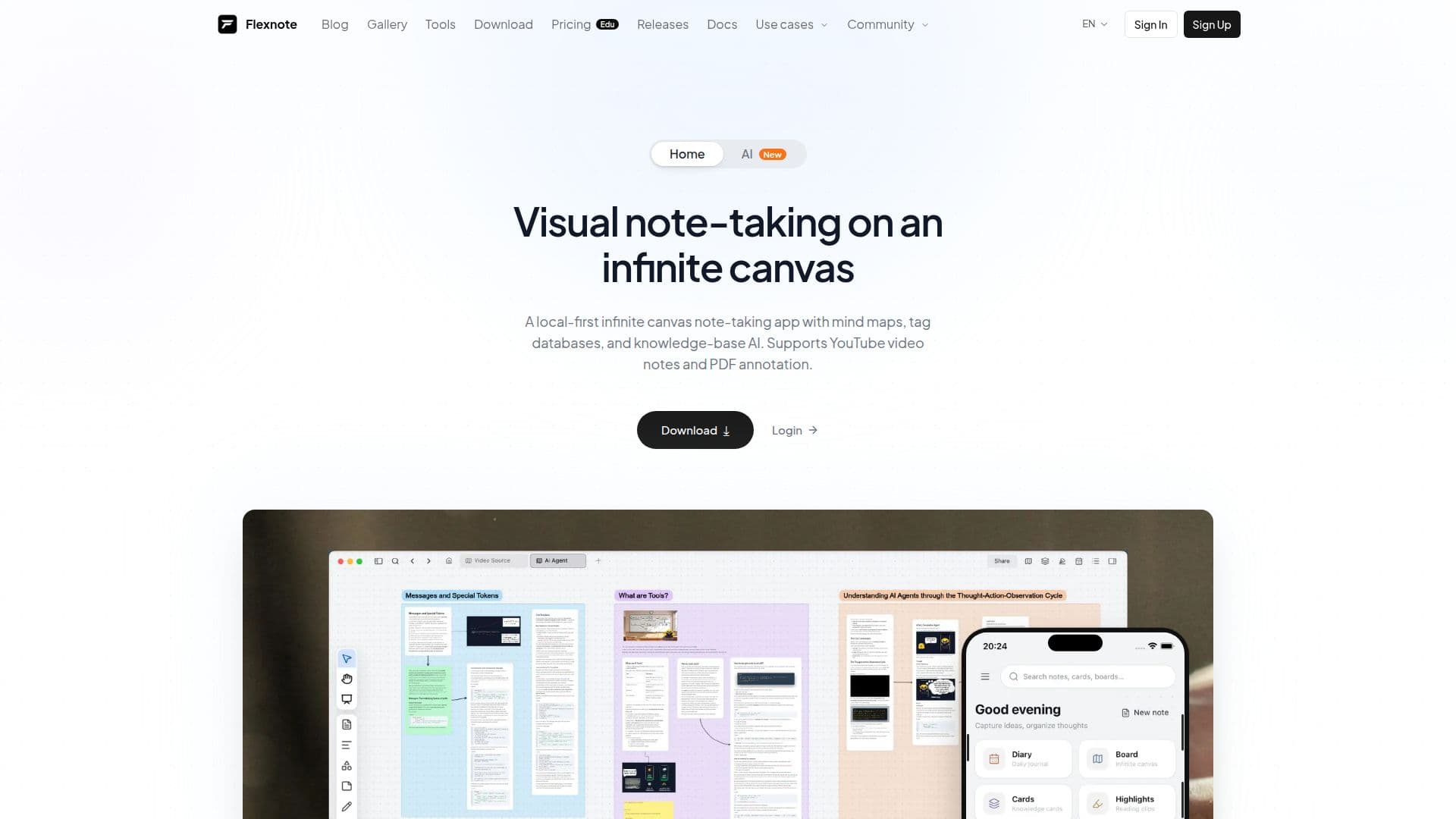
The app features an infinite canvas where users can organize notes as cards and connect them through bidirectional links. This setup is particularly beneficial for creating mind maps, annotating PDFs, and taking timestamped notes from videos on platforms like YouTube and Bilibili. Flexnote's unique approach combines these elements on a single canvas, making it a powerful tool for deep learning and research.
Flexnote offers a free plan that includes 3 whiteboards and 100 cards, with core canvas features and local storage. For users requiring more features, the Pro and Lifetime plans provide unlimited whiteboards, access to Flexnote AI, and cloud sync capabilities. The Pro plan includes a smart index quota for processing note text and images, enabling semantic search and knowledge-base Q&A.
The app is available for Windows, macOS, and Android, with a web version currently allowing only the viewing of whiteboards online. A full web app and an iOS version are in development. Flexnote's custom rendering engine ensures smooth performance even with large datasets, making it suitable for visual thinkers, researchers, and designers.
Flexnote stands out for its offline capabilities, allowing users to work on their research anywhere. Its local-first approach and flexible canvas make it a valuable tool for personal knowledge management, offering a seamless experience for organizing and synthesizing information.
- CategoryAI Note-Taking Apps
- Pricing ModelFreemium
- DeploymentLocal-first
- PlatformsWindows, macOS, Android
Flexnote's Core Features
Local-first storage
Infinite canvas
Mind maps
PDF annotation
Video notes with timestamps
Bidirectional links
Smart index quota
Custom rendering engine
How to use Flexnote?
Download: Install Flexnote on your device
Organize: Create notes as cards on the canvas
Annotate: Highlight PDFs and videos
Sync: Connect to cloud services for multi-device access
Flexnote's Use Cases
- Research Projects
- Lecture Notes
- Mind Mapping
- PDF Annotation
- Knowledge Management