ToolPotion

Dots.OCR

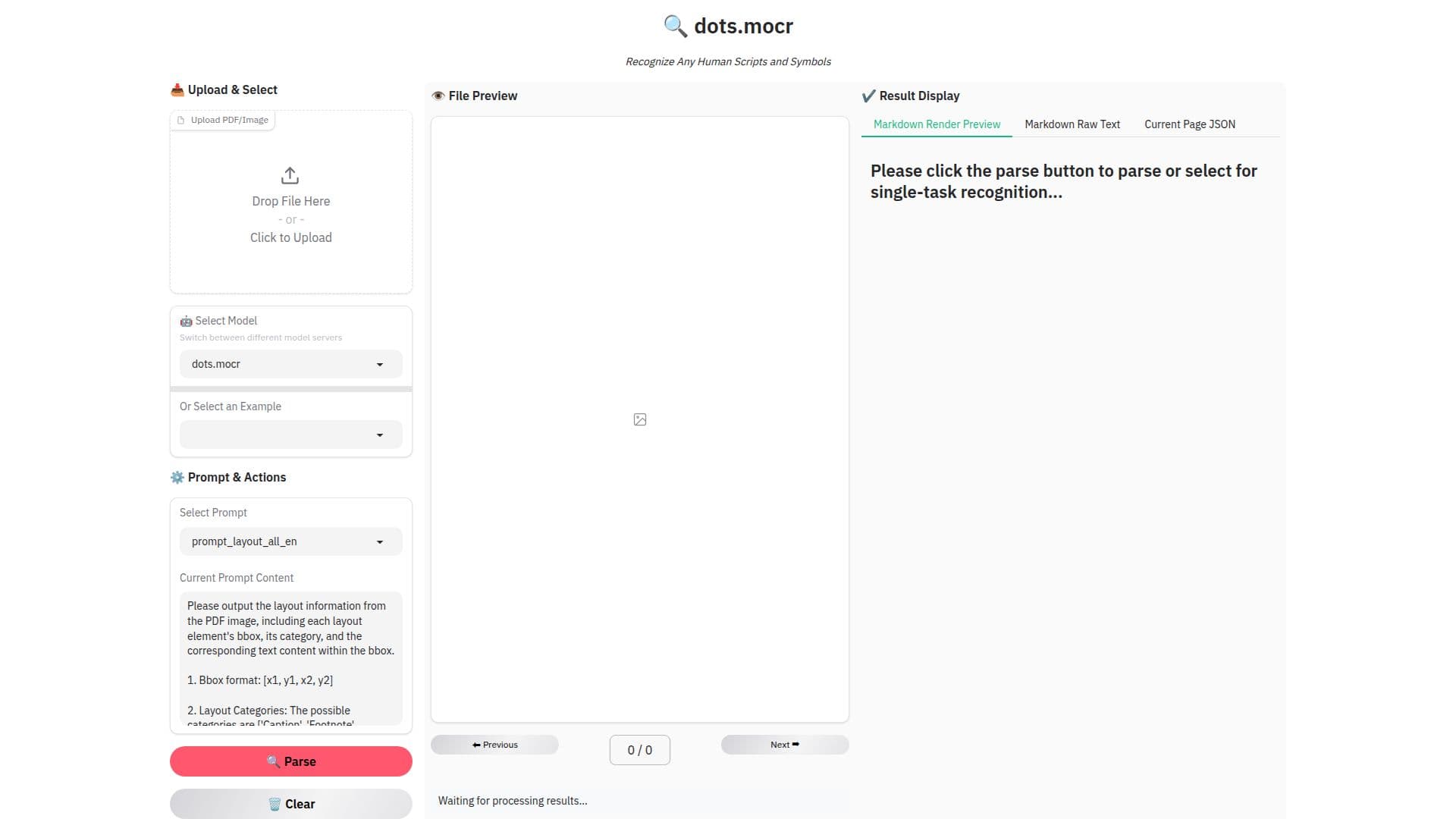
Dots.OCR is an AI-powered tool designed for optical character recognition. It allows users to upload documents, process them, and extract text efficiently. The tool supports single-task recognition and provides a user-friendly interface for managing document processing tasks.

Visit Website
Share
Dots.OCR screenshot

Description

Dots.OCR is a sophisticated AI tool that specializes in optical character recognition (OCR). It is designed to help users efficiently extract text from various types of documents. The process begins with users uploading their documents through a simple interface. Once uploaded, users can select specific tasks for recognition, ensuring that the tool focuses on the desired areas of the document.

The tool offers a prompt and actions feature, allowing users to customize the OCR process according to their needs. After processing, users can preview the file to ensure accuracy before finalizing the results. This step is crucial for maintaining the integrity of the extracted text.

Dots.OCR is particularly beneficial for industries that require frequent document digitization, such as legal, healthcare, and finance. By automating the text extraction process, it reduces manual labor and increases efficiency. The tool's design emphasizes ease of use, making it accessible to users with varying levels of technical expertise.

While the tool does not explicitly mention pricing or integration options, its focus on single-task recognition and result display highlights its capability to handle specific OCR tasks effectively. Dots.OCR is a valuable asset for any organization looking to streamline their document processing workflows.

Dots.OCR's Core Features

  • Upload documents for OCR processing

  • Select specific tasks for recognition

  • Preview files before finalizing results

  • Customize OCR process with prompts and actions

  • Single-task recognition capability

  • Efficient text extraction

  • User-friendly interface

  • Automates document digitization

How to use Dots.OCR?

  1. Upload: Add your document for processing

  2. Select: Choose specific tasks for recognition

  3. Preview: Check the file for accuracy

  4. Finalize: Confirm and save the extracted text

Dots.OCR's Use Cases

  • Document digitization
  • Legal document processing
  • Healthcare record management
  • Financial data extraction
  • Educational material digitization

FAQ from Dots.OCR

Dots.OCR Reviews

Loading...

Popular AI Tools Like Dots.OCR

OLOCR is a free online AI OCR tool that extracts text from images and PDFs. It offers high accuracy with optional AI correction for cleaner results. No software installation is…

AI Document & PDF Tools

Image to Text Converter is a free online tool that uses OCR technology to extract text from images, photos, and scanned documents. It supports multiple formats and languages,…

Computer Vision Tools

ocrX is a free online image to text converter that supports over 100 languages. Upload images to extract text and save it as TXT, PDF, or Word files. No sign-up required.

AI Document & PDF Tools

ScantextAI instantly converts images, photos, and scanned documents into editable text using advanced OCR technology. Extract text accurately from various image formats and save…

Computer Vision Tools

OnlineOCR.net is a free OCR tool that converts images to text, allowing users to extract text from images and PDF files. It supports conversion to Word files, making it a…

AI Document & PDF Tools

Imagetotextocr is an AI-powered OCR tool that converts images into editable text quickly and accurately. It offers a fast, secure, and user-friendly experience without requiring…

Computer Vision Tools

Mistral AI offers advanced document AI and OCR solutions that enable organizations to extract, understand, and analyze documents efficiently. With multilingual support and…

AI Document & PDF ToolsHealthcare & Life Sciences

Alphamoon is an AI-powered intelligent document processing platform designed to automate the reading, classification, and extraction of data from any document. It optimizes…

AI Document & PDF ToolsFinance & Banking