Description
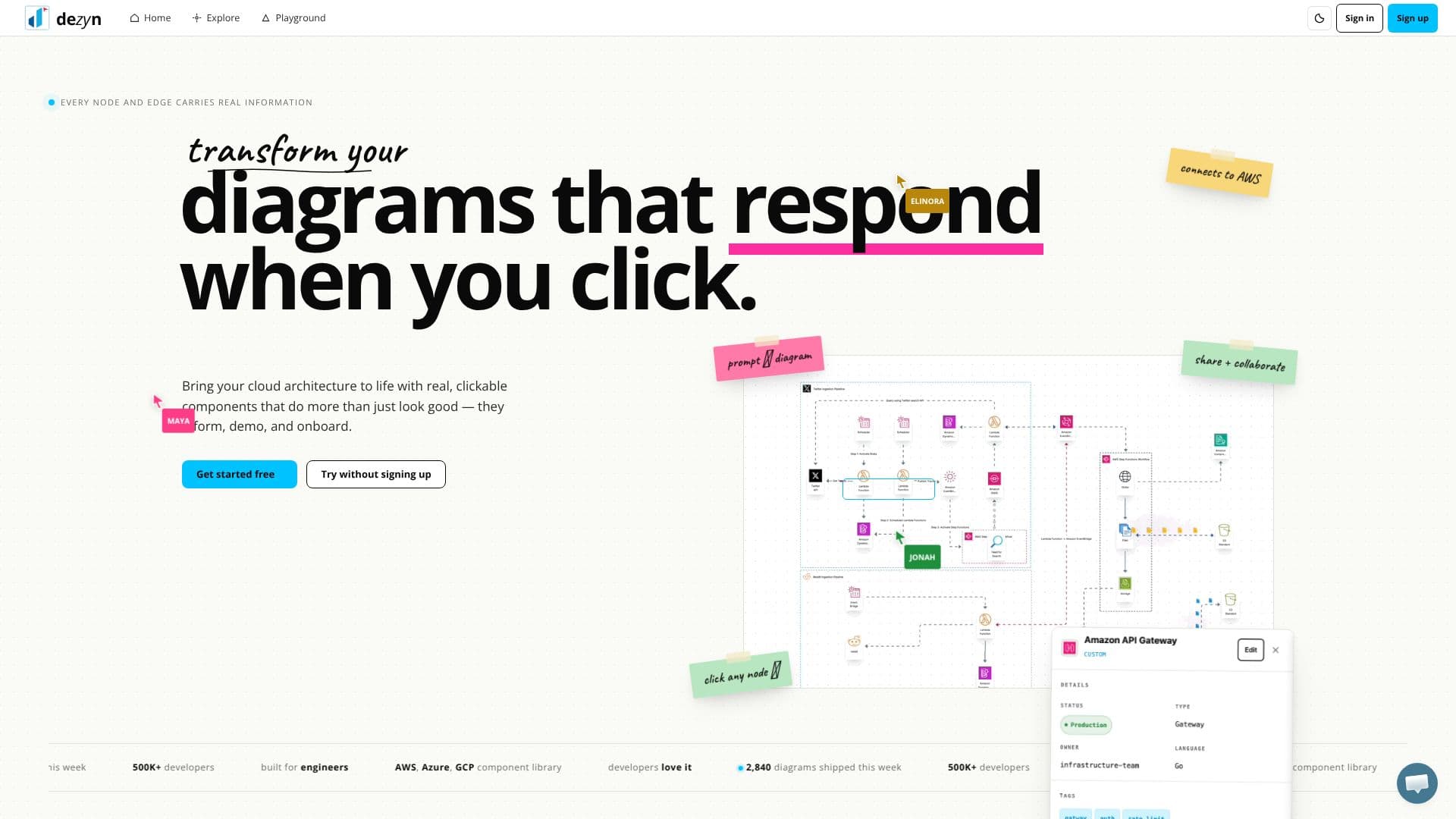
Dezyn offers a powerful and intuitive platform for building interactive cloud architecture diagrams, designed to bring your infrastructure visualizations to life. Unlike static drawing tools, Dezyn's components are dynamic, providing real information and responding to user interactions. This makes diagrams more informative, effective for demos, and valuable for onboarding new team members.
Read More
The core of Dezyn's functionality lies in its ability to transform plain text descriptions into polished architecture diagrams. Users can simply type a sentence or upload a wireframe, and Dezyn's AI will draft the architecture, infer connections, and lay out the components cleanly, allowing for easy editing thereafter. This AI-powered feature significantly speeds up the initial diagram creation process.
Dezyn distinguishes itself with "rich clickable components." Every node and edge in a diagram can carry real properties beyond just labels. Clicking on a service can reveal its configuration, dependencies, or link to its runbook, embedding rich metadata directly within the visualization. This depth of information is crucial for engineers and technical teams managing complex systems.
Complementing its interactive nature, Dezyn boasts an extensive component library. It includes icons for major cloud providers like AWS, GCP, and Azure, alongside over 4,400 general icons for infrastructure and AI brands. This comprehensive library eliminates the need for asset hunting, allowing users to quickly find and drag components onto their canvas.
Furthermore, Dezyn enables "dynamic animations" to visualize data flows and system behavior. Users can animate traffic along edges, simulate failures, or scrub through timelines, creating diagrams that explain themselves effectively. This visual storytelling capability is invaluable for presentations and technical deep dives.
Collaboration is a key aspect of Dezyn, offering "seamless live collaboration." Multiple users can work on the same canvas simultaneously, with visible cursors, comments, and real-time updates. This feature supports both asynchronous reviews and synchronous whiteboard sessions without the hassle of merge conflicts or exporting static files.
Dezyn is built for engineers and developers who need to design, visualize, and communicate complex systems efficiently. Its "no sign-up needed" approach for initial use lowers the barrier to entry, making it accessible for quick ideation or immediate diagramming needs. The platform scales from individual use to team collaboration, offering flexible pricing plans that start with a free tier.
- CategoryAI DevOps & Cloud Tools
- Pricing ModelFreemium
- DeploymentCloud
- PlatformsWeb
Dezyn Architecture Diagram Builder's Core Features
Interactive architecture diagrams
Drag-and-drop component builder
AWS, Azure, GCP icon library
AI-powered prompt-to-diagram generation
Clickable nodes with embedded information
Dynamic animation of data flows
Real-time collaborative editing
Extensive component library with 4,400+ general icons
No sign-up required for initial use
Scalable for solo users and teams
Embeddable diagrams
How to use Dezyn Architecture Diagram Builder?
Access Dezyn: Visit dezyn.io in your browser.
Create Diagram: Use drag-and-drop components or type a description for AI generation.
Enhance Diagram: Add rich information to nodes and edges, and apply dynamic animations.
Collaborate: Invite team members to edit and comment on the diagram in real-time.
Share Diagram: Export or share a live link of your interactive diagram.
Dezyn Architecture Diagram Builder's Use Cases
- Cloud Architecture Design
- System Visualization
- Onboarding New Hires
- Technical Demos
- Collaborative Design Sessions
- AI-Assisted Diagramming
- Documentation Enhancement