
ToolPotion
AI Advisor
Submit a Tool (Free)

Develop Log

AI AppsAI Video EditorsFreemium · iOS, iPadOS

Develop Log is an iPhone and iPad app for color grading Apple Log and DJI D-Log M footage. It offers official restore LUTs, film looks, and DaVinci-style controls for precise adjustments. The app includes an AI colorist feature that grades footage step-by-step, allowing users to fine-tune every change. It supports various Log formats and provides real-time previews.

Visit Website
Share
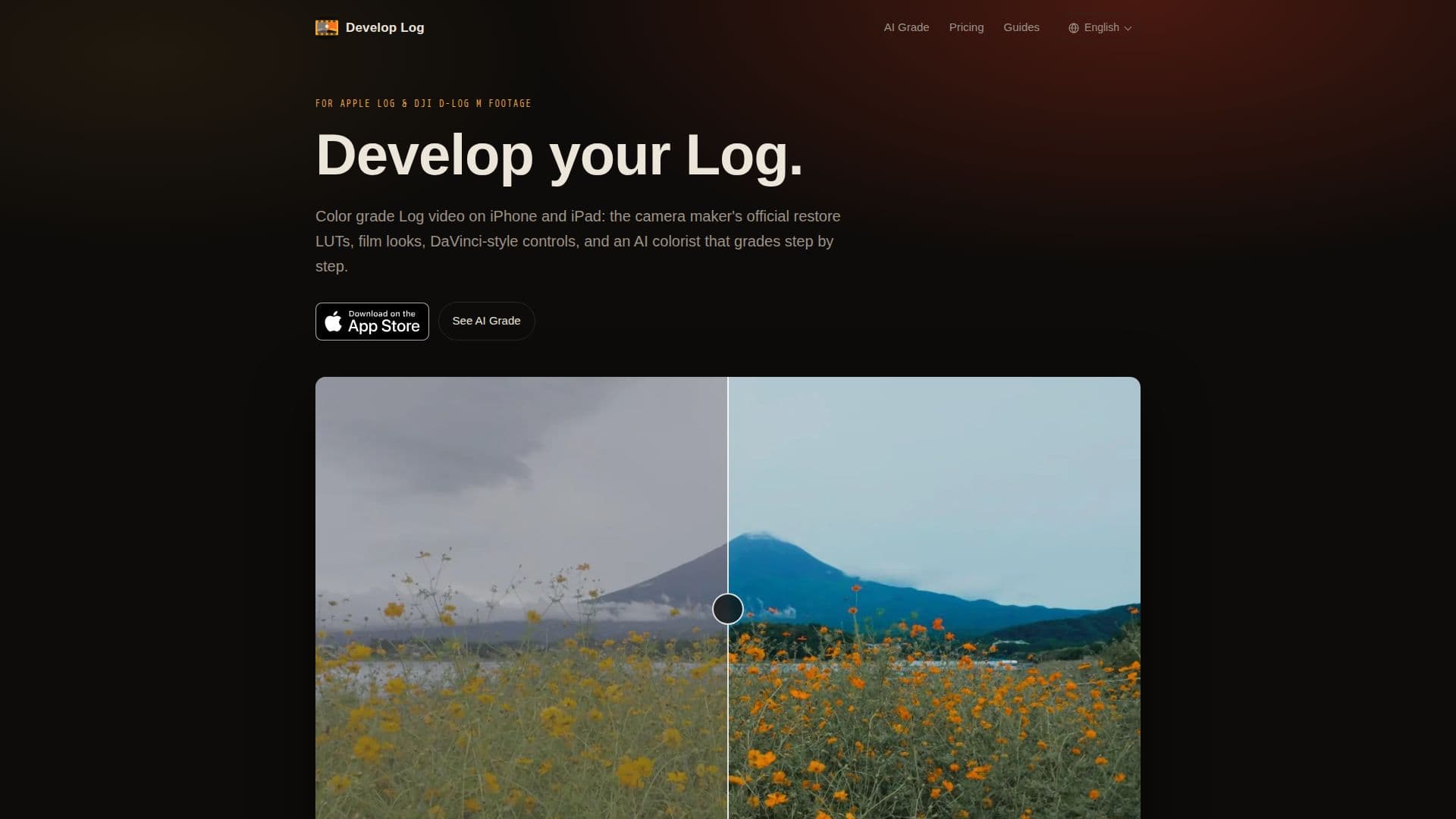
Develop Log screenshot

Develop Log is a dedicated application for iPhone and iPad designed to color grade professional Log video footage, specifically Apple Log, Apple Log 2, and DJI D-Log M. The app provides a comprehensive suite of tools for colorists and filmmakers, enabling them to achieve high-quality grades directly on their mobile devices.

Read More

The core functionality includes official restore LUTs from camera manufacturers, ensuring an accurate starting point for grading. Users can apply various film looks and utilize DaVinci-style controls for detailed adjustments, including exposure, white balance, contrast, wheels, and curves. The app supports multi-layer grading, allowing users to address the whole frame first (primary grading), then specific colors and subjects (secondary grading with Color Range, HSL, and Portrait masks), and finally add filmic textures like grain, halation, vignette, sharpening, and denoise.

A standout feature is the AI Grade, an AI colorist powered by Anthropic's Claude. This AI reads the footage scopes and works through the grading process one step at a time, using only the app's own tools. Users can describe the desired look or provide a reference image, and the AI will suggest adjustments. Every change made by the AI is presented as a slider, allowing users to undo or fine-tune it manually. Frames and messages are sent to the AI only with user agreement.

Develop Log is built for mobile use, offering a smooth real-time preview even for 4K footage, rendered on the GPU in 16-bit color. It includes features like before/after comparison, undo/redo, self-saving projects, and basic editing tools like trim, crop, and rotate. The app supports HEVC 10-bit SDR/HDR export and can turn any graded moment into a Live Photo. It also preserves shooting information and allows users to import .cube LUTs or save their own custom looks.

The app supports a wide range of footage formats, including Apple Log, Apple Log 2, DJI D-Log M, DJI D-Log, DJI D-Log2, HLG, and Rec.709, with automatic format recognition. Pricing includes a free tier for basic features, a Pro subscription for advanced tools and a weekly AI allowance, and a Max subscription for heavy daily AI Grade use with a significantly larger allowance. AI Top-Ups are also available for additional AI allowance.

  • CategoryAI Video Editors
  • Pricing ModelFreemium
  • DeploymentCloud
  • PlatformsiOS, iPadOS

  • Color grade Apple Log and DJI D-Log M footage

  • Official restore LUTs from camera makers

  • DaVinci-style color controls (exposure, white balance, contrast, wheels, curves)

  • Official film looks

  • AI Grade colorist powered by Anthropic's Claude

  • Multi-layer grading: Primary, Secondary, Texture

  • Secondary grading with Color Range, HSL, and Portrait masks

  • Texture adjustments: grain, halation, vignette, sharpening, denoise

  • Import .cube LUTs and save custom looks

  • HEVC 10-bit SDR / HDR export

  • Live Photos creation from graded video

  • Real-time 4K footage preview on GPU (16-bit color)

  • Before/after compare, undo, and redo functionality

  • Trim, crop, and rotate video

  • Automatic format recognition for Log footage

  • White balance in Kelvin with eyedropper and auto options

  1. Import Footage: Open the app and import your Apple Log, DJI D-Log M, or other supported video footage from your iPhone or iPad.

  2. Apply Restore LUT: Start by applying the camera maker's official restore LUT to convert your flat Log footage to a standard Rec.709 or HDR base.

  3. Perform Primary Grade: Use exposure, white balance, contrast, wheels, and curves to make global adjustments to the entire frame.

  4. Refine with Secondary Grade: Utilize Color Range, HSL, or Portrait masks to adjust specific colors, skin tones, or separate subjects from backgrounds.

  5. Add Texture and Finish: Apply filmic textures like grain, halation, vignette, sharpening, or denoise for a polished look.

  6. Use AI Grade: Describe your desired look or provide a reference image to the AI colorist, which will suggest and apply adjustments step-by-step.

  7. Export Video: Export your graded video in HEVC 10-bit SDR or HDR, or save a moment as a Live Photo.

  • Color Grade Apple Log Footage
  • Edit DJI D-Log M Video
  • Achieve Film Looks
  • Automated Color Correction
  • Secondary Color Adjustments
  • HDR Video Production
  • Custom Look Creation
  • Mobile Video Editing

Develop Log Reviews

Loading...

Popular AI Tools Like Develop Log

Leumos AI

AI Apps

Leumos AI is a web-based video color grading studio that operates entirely in your browser. It allows users to match video footage to a reference still, apply custom grades, and…

AI Video EditorsMedia & Entertainment

Ranked #88 for Enhancing video quality

View Tool

AI Apps

Web-based video color grading studio that operates entirely in your browser. It allows users to match video footage to a reference still, apply custom grades, and…Leumos AI is a web-based video color grading studio that operates entirely in your browser. It allows users to match video footage to a reference still, apply custom grades, and…

AI Video EditorsMedia & Entertainment
Ranked #88 for Enhancing video quality

fylm.ai

AI Apps

fylm.ai is a cloud-based AI-powered colour grading tool that simplifies the process of creating cinematic looks. It offers seamless integration with popular software, real-time…

AI Video EditorsMedia & Entertainment

Ranked #51 for Enhancing video quality

View Tool

AI Apps

Cloud-based AI-powered colour grading tool that simplifies the process of creating cinematic looks. It offers seamless integration with popular software, real-time…fylm.ai is a cloud-based AI-powered colour grading tool that simplifies the process of creating cinematic looks. It offers seamless integration with popular software, real-time…

AI Video EditorsMedia & Entertainment
Ranked #51 for Enhancing video quality

Adobe Premiere is professional video editing software that allows users to edit, trim, and enhance videos with precision. It features AI workflows for faster project completion…

AI Video Editors

Ranked #6 in AI Video Editors

View Tool

Professional video editing software that allows users to edit, trim, and enhance videos with precision. It features AI workflows for faster project completion…Adobe Premiere is professional video editing software that allows users to edit, trim, and enhance videos with precision. It features AI workflows for faster project completion…

AI Video Editors
Ranked #6 in AI Video Editors

Narrative

AI Apps

Narrative is an AI video editor that simplifies the editing process. Describe your desired edit in plain words, and it automatically cuts your footage, builds the timeline, and…

AI Video Editors

Ranked #129 in AI Video Editors

View Tool

AI Apps

AI video editor that simplifies the editing process. Describe your desired edit in plain words, and it automatically cuts your footage, builds the timeline, and…Narrative is an AI video editor that simplifies the editing process. Describe your desired edit in plain words, and it automatically cuts your footage, builds the timeline, and…

AI Video Editors
Ranked #129 in AI Video Editors

Colourlab AI is an AI color-grading system from a Hollywood-based research lab, built around a patented matching engine that works inside DaVinci Resolve, including its free…

AI Video EditorsMedia & Entertainment
View Tool

AI color-grading system from a Hollywood-based research lab, built around a patented matching engine that works inside DaVinci Resolve, including its free…Colourlab AI is an AI color-grading system from a Hollywood-based research lab, built around a patented matching engine that works inside DaVinci Resolve, including its free…

AI Video EditorsMedia & Entertainment
See the Top 250 AI Apps

Roll is an AI-powered video production studio that transforms smartphone footage into professional, studio-quality videos. It simplifies remote video calls, adds special effects,…

AI Video Editors

Ranked #59 for Enhancing video quality

View Tool

AI-powered video production studio that transforms smartphone footage into professional, studio-quality videos. It simplifies remote video calls, adds special effects,…Roll is an AI-powered video production studio that transforms smartphone footage into professional, studio-quality videos. It simplifies remote video calls, adds special effects,…

AI Video Editors
Ranked #59 for Enhancing video quality

Aftertake

AI Apps

Aftertake is an open-source AI video studio that allows users to generate, recast, enhance, and cut video on their own machines. It utilizes open-weight models and native ComfyUI,…

AI Video Editors

Ranked #73 for Enhancing video quality

View Tool

AI Apps

Open-source AI video studio that allows users to generate, recast, enhance, and cut video on their own machines. It utilizes open-weight models and native ComfyUI,…Aftertake is an open-source AI video studio that allows users to generate, recast, enhance, and cut video on their own machines. It utilizes open-weight models and native ComfyUI,…

AI Video Editors
Ranked #73 for Enhancing video quality

KineMaster

AI Apps

KineMaster is a comprehensive mobile video editing app available on iOS and Android. It offers features like multi-layer editing, AI-assisted tools, and 4K video support, making…

AI Video EditorsMedia & Entertainment

Ranked #17 in AI Video Editors

View Tool

AI Apps

Comprehensive mobile video editing app available on iOS and Android. It offers features like multi-layer editing, AI-assisted tools, and 4K video support, making…KineMaster is a comprehensive mobile video editing app available on iOS and Android. It offers features like multi-layer editing, AI-assisted tools, and 4K video support, making…

AI Video EditorsMedia & Entertainment
Ranked #17 in AI Video Editors
1 of 8