
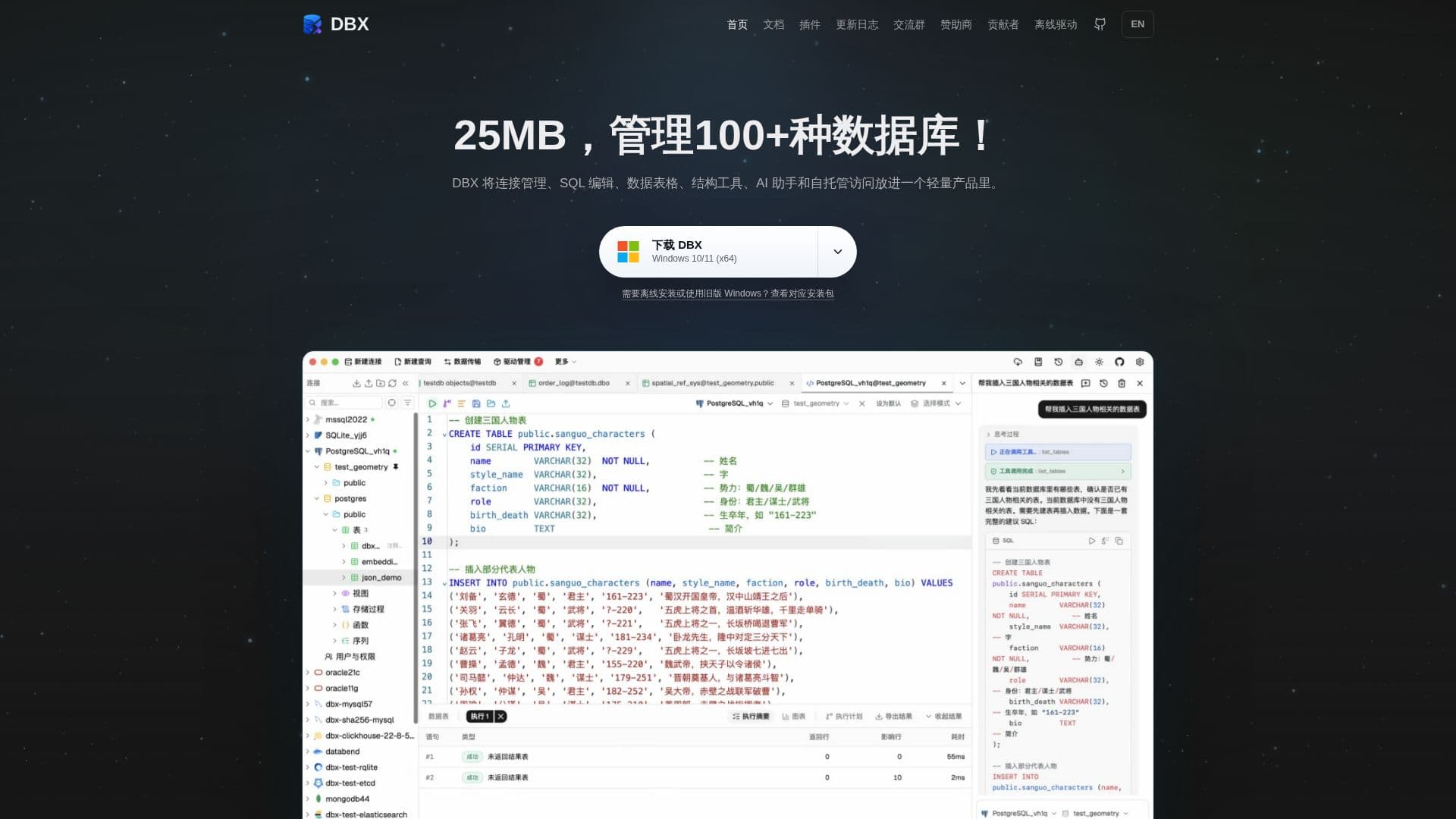
Description
DBX is a free and open-source database management tool designed to unify the management of over 100 types of SQL, NoSQL, vector, time-series, and embedded databases, as well as message queues. It consolidates connection management, SQL editing, data tables, structural tools, AI assistance, and self-hosted access into a single, lightweight product, typically under 25MB.
Read More
The tool provides desktop clients for Windows, macOS, and Linux, alongside Docker self-hosting for browser-based access. A key feature is its AI assistant, which can generate, explain, optimize, and fix SQL queries, and connect to AI programming agents via MCP Server. Users can browse database structures, compare schemas, edit data, and perform import/export operations.
DBX is built around core workflows such as writing and executing SQL with a CodeMirror 6 editor that supports metadata completion, formatting, query history, and selected SQL execution. It offers virtual scrolling tables for browsing and editing data, with inline editing, WHERE/ORDER BY controls, SQL preview, and export tools. For structural management, it allows viewing databases, schemas, tables, fields, indexes, foreign keys, and triggers in a sidebar. Data migration capabilities include schema comparison, table import, database export, SQL file execution, and cross-engine data transfer.
The platform is praised for its small footprint and comprehensive features, making it an attractive alternative to more resource-intensive or expensive tools. It supports a wide array of database types, each with specialized interfaces tailored to their data models, rather than a generic query box. This includes dedicated viewers for document, key-value, search, graph, vector, time-series, and message queue systems.
DBX emphasizes security with multi-layered restrictions, including database account permissions, read-only connections, and production environment protection that requires explicit confirmation for write operations. It also offers auditable changes by previewing SQL in data editing and schema comparison workflows. AI features are designed with safety in mind; the AI Ask model generates responses without executing SQL, and the Agent model requires manual review of generated SQL in production environments. Sensitive credentials are stored separately and can be encrypted.
- CategoryAI SQL & Database Tools
- Pricing ModelFree
- DeploymentDesktop, Docker Self-Hosted
- PlatformsWindows, macOS, Linux
DBX's Core Features
Unified management for 100+ database types (SQL, NoSQL, vector, time-series, embedded, message queues)
SQL editing with CodeMirror 6, metadata completion, formatting, query history
AI assistance for SQL generation, explanation, optimization, and bug fixing
Docker self-hosting and browser access
Desktop clients for Windows, macOS, and Linux
Structure browsing (databases, schemas, tables, fields, indexes, foreign keys, triggers)
Schema comparison and migration tools (table import, database export, SQL file execution)
Data editing with virtual scrolling tables, inline editing, WHERE/ORDER BY controls
Import and export data (CSV, TSV, JSON, Excel)
Support for MCP Server to connect AI programming agents
Read-only connection enforcement for critical environments
Production environment protection with explicit write confirmation
Auditable changes with SQL preview before execution
Secure storage and optional AES-GCM encryption for sensitive credentials
Specialized interfaces for different database types (e.g., Redis, MongoDB, vector databases)
How to use DBX?
Install DBX: Download and install the desktop client for Windows, macOS, or Linux, or deploy via Docker.
Create Connection: Open DBX, click 'New Connection', select your database type, and fill in connection details or paste a URL.
Configure Security: Set up read-only connections, production environment protection, and MCP strategies for AI access.
Write SQL: Use the CodeMirror 6 editor with auto-completion and formatting to write and execute queries.
Browse Data: View and edit data in virtual scrolling tables, apply filters, and preview generated SQL.
Manage Structure: Explore database objects, compare schemas, and perform structural changes.
Integrate AI: Utilize the AI assistant for SQL generation, optimization, or connect external AI agents via MCP Server.
DBX's Use Cases
- Unified Database Management
- SQL Development & Optimization
- Data Browsing & Editing
- Database Structure Analysis
- Data Migration & Transfer
- AI-Assisted Database Operations
- Self-Hosted Database Access
- Local Database File Management