Description
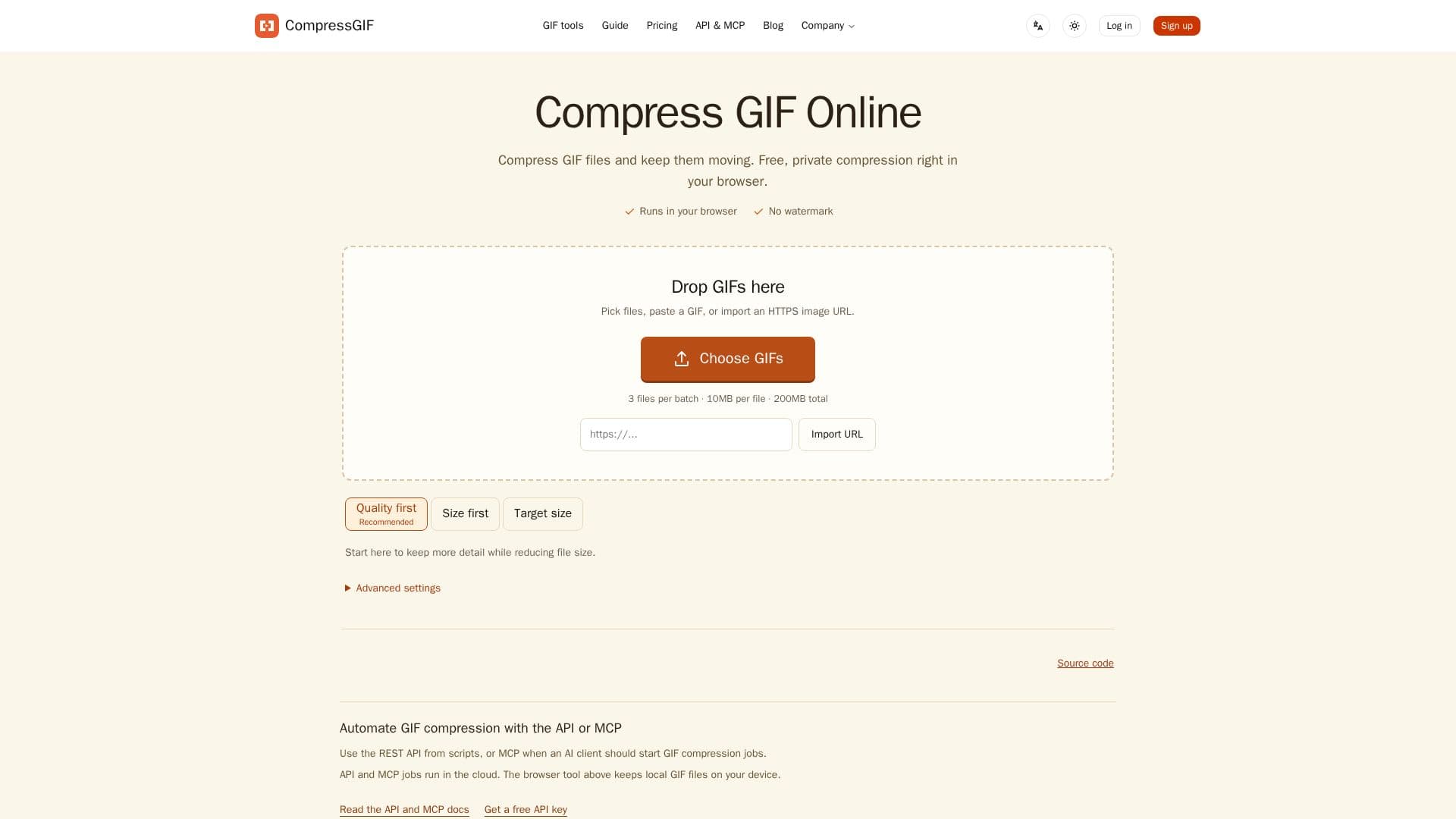
CompressGIF provides a free and private online service for compressing GIF files directly within your browser. This tool enables users to significantly reduce the size of their animated GIFs while maintaining animation quality and timing. It supports various compression targets, including presets like 100KB, 256KB, 512KB, 1MB, and up to 10MB, allowing users to optimize GIFs for different platforms such as Discord, Slack, X (Twitter), and Gmail.
Read More
The compression process is designed to be user-friendly, offering three main modes: "Quality first" for preserving detail, "Size first" for prioritizing smaller file sizes, and "Target size" for meeting specific upload limits. Users can preview the compressed animation alongside the original to compare quality, text legibility, edges, and gradients before downloading. The browser-based tool ensures that GIF contents remain on the user's device, providing a private compression experience without requiring uploads or an account.
For more advanced needs, CompressGIF offers a REST API and MCP (Machine Learning Client Protocol) for automated GIF compression. The API allows developers to integrate GIF compression into scripts, with cloud processing for larger files. A free API tier provides 500 credits per month, while paid Developer plans offer 5,000 credits and support larger input files up to 20MB. These cloud-based services require a verified Gmail sign-in but no credit card for the free tier.
The platform also includes features like batch processing, allowing Free users to compress up to 3 files and Pro users up to 50 files at a time. Pro users also benefit from custom target sizes and ZIP downloads for multiple compressed files. CompressGIF utilizes Gifsicle 1.96 for its compression engine, applying techniques such as lossy compression, color reduction, and frame/transparency optimization to achieve smaller file sizes. The tool prioritizes retaining original dimensions and frame timing by default, only resizing if explicitly chosen by the user or as a last resort to meet a target size.
- CategoryImage Generation & Editing
- Pricing ModelFreemium
- DeploymentCloud, Browser
- PlatformsWeb
CompressGIF's Core Features
Free online GIF compression in browser
Multiple target size presets (100KB, 256KB, 512KB, 1MB, up to 10MB)
Local processing for privacy (no upload, account, or watermark)
Preview original vs. compressed animation
Three compression modes: Quality first, Size first, Target size
REST API for automated GIF compression
MCP for AI client integration
Free API access with 500 monthly credits
Batch processing (up to 3 files free, 50 files Pro)
Custom target size for Pro users
ZIP download for Pro users
Lossy compression and color reduction options
Frame and transparency optimization
Retains original dimensions and frame timing by default
Supports GIF compression for Discord, Slack, X, Gmail
Browser-based video-to-GIF and GIF-to-MP4 conversion (Pro/Developer)
How to use CompressGIF?
Add GIF files: Choose, drag, paste, or import a direct HTTPS image URL for your GIF files.
Select compression settings: Choose 'Quality first', 'Size first', or a target preset. Pro users can enter a custom target size.
Compress the GIF: Click the 'Compress' button to start the compression process.
Review and download: Compare sizes, savings, and preview the animation. Check if your target was met, then download individual GIFs or a Pro ZIP.
CompressGIF's Use Cases
- Optimizing Reaction GIFs
- Preparing Interface Recordings
- Creating Short Tutorials
- Fitting Upload Limits
- Email Attachments
- Website Animations
- Automated Compression Workflows
- Converting Video to GIF
- Converting GIF to MP4