Description
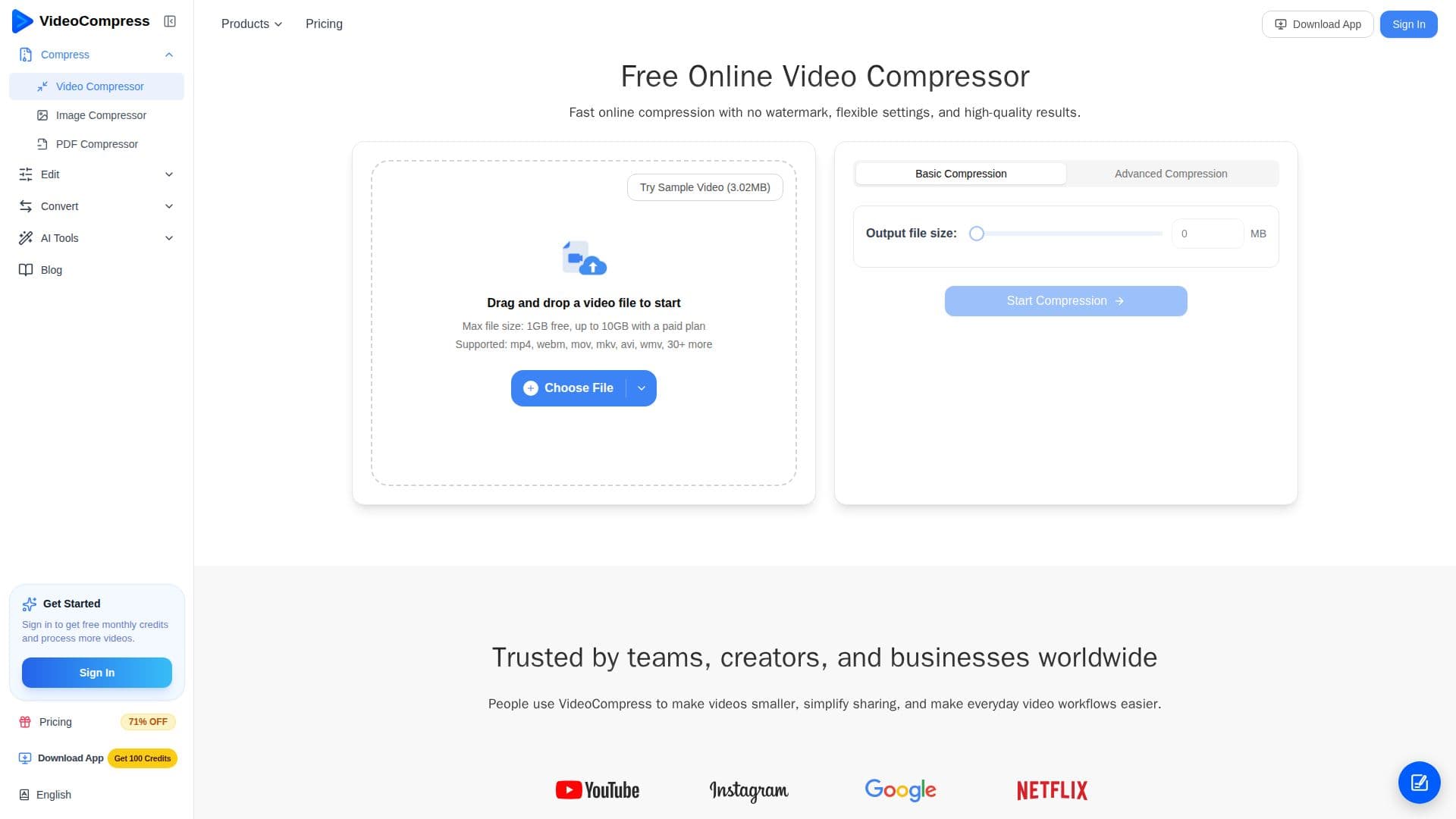
VideoCompress is an online video compressor that reduces the file size of videos quickly and without a watermark. It supports MP4, MOV, MKV, AVI, WebM, and more than 40 formats, with flexible settings that let users set a target size or fine-tune output quality, bitrate, and resolution.
Read More
The web tool runs entirely in the browser using secure cloud processing, so there are no downloads and no heavy load on the user's device. Files can be added by drag-and-drop, from Google Drive or Dropbox, or via a video URL. To protect privacy, uploaded video data is automatically deleted from the servers within 24 hours after compression. The free tier handles files up to 1 GB, and paid plans support up to 10 GB.
A VideoCompress desktop app for macOS and Windows processes files locally with no cloud uploads, enabling faster processing, offline use, batch compression, and no file-size limits on paid plans. It also bundles related video and audio tools such as video conversion, video-to-GIF, audio recording, audio extraction, and audio compression.
Pricing is credit-based, from a free plan with 30 credits per month to Basic, Pro, and Premium tiers, where compressing a 5-minute 1080p video costs about one credit. VideoCompress reports over 200,000 users.
- CategoryAI Video Editors
- Pricing ModelFreemium
- DeploymentCloud, Desktop app
- PlatformsWeb, Windows, macOS
VideoCompress's Core Features
Free online video compression with no watermark
Support for 40+ formats including MP4, MOV, MKV, and AVI
Target-size mode or advanced quality, bitrate, and resolution control
Cloud-based, browser-only processing
Import from device, Google Drive, Dropbox, or URL
Automatic file deletion within 24 hours
Desktop app for macOS and Windows with offline, batch processing
Extra video and audio tools in the desktop app
How to use VideoCompress?
Upload your video: Drag and drop a file, import from cloud storage, or paste a URL.
Select a compression mode: Set a target size or use advanced settings for quality.
Compress: Let VideoCompress process the file in the browser.
Download: Save the compressed video, ready to share or store.
VideoCompress's Use Cases
- Compress for email
- Fit upload limits
- Free up storage
- Faster sharing of large files