
ToolPotion
AI Advisor
Submit a Tool (Free)

Claude Sessions Pro

AI AppsProductivityOne-time purchase · Mac, Windows, Linux

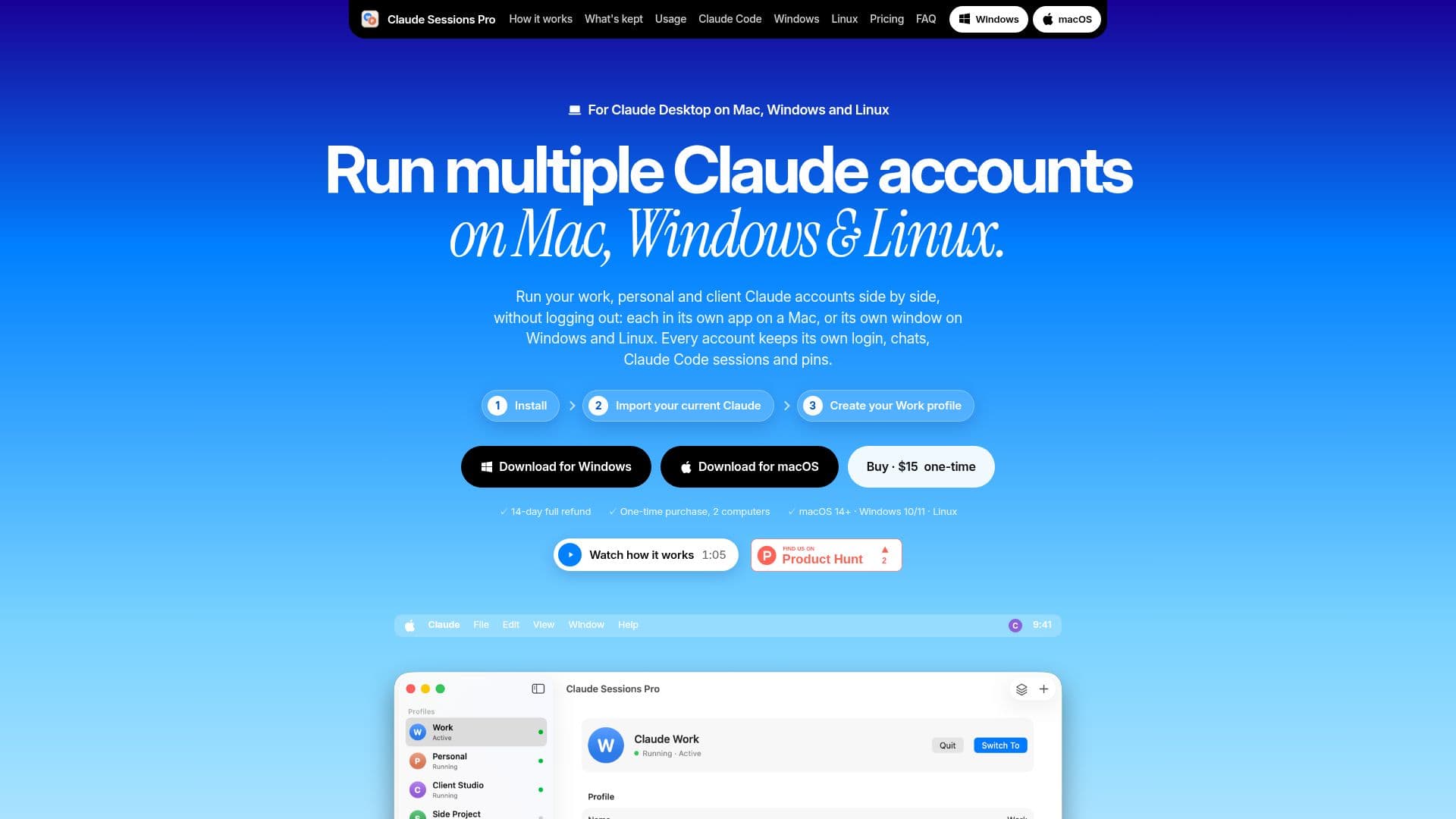
Claude Sessions Pro is a desktop application for Mac, Windows, and Linux that enables users to run multiple Claude accounts simultaneously. It allows each account to operate in its own dedicated app or window, maintaining separate logins, chats, Claude Code sessions, and pins. This tool is ideal for managing work, personal, and client Claude accounts side-by-side without constant logging in and out.

Visit Website
Share
Claude Sessions Pro screenshot

Claude Sessions Pro is a dedicated application designed to enhance the user experience for Claude Desktop by allowing multiple accounts to run concurrently on Mac, Windows, and Linux operating systems. This eliminates the need for users to log out and back in when switching between different Claude profiles, such as work, personal, or client accounts.

Read More

The application creates a separate instance of the Claude Desktop app for each account. On a Mac, each account functions as its own distinct application with its own Dock icon, enabling easy switching via Cmd-Tab or a menu bar switcher. For Windows users, each account opens in its own Claude window, clearly titled with its respective name, and can be managed through a tray switcher. Linux users on Ubuntu 22.04+ or Debian 12+ also get separate Claude windows with unique icons and names.

Key functionalities include the preservation of individual account data, such as logins, chats, Claude Code sessions, pinned sessions, settings, and connectors. This ensures that work-related projects and personal conversations remain distinct and organized. The tool supports both Google and email sign-in methods, ensuring a secure and seamless login experience for each profile.

Claude Sessions Pro also integrates a usage limit tracker, displaying each account’s session (5-hour) and weekly usage, along with reset times. Users receive alerts at 80% and 95% of their usage limits, helping them manage their interactions effectively. The application automatically updates itself and keeps all Claude profiles current by downloading and installing new Claude Desktop versions from Anthropic, ensuring compatibility and access to the latest features.

This tool is particularly beneficial for professionals who manage multiple projects or clients, allowing them to maintain clear separation between different workstreams. It ensures that each account's usage limits are tracked independently and that specific settings and connectors remain tied to their respective profiles. The one-time purchase covers usage on up to two computers across Mac, Windows, or Linux, with an option to add more computers for an additional fee. A 14-day full refund policy is also in place.

  • CategoryProductivity
  • Pricing ModelOne-time purchase
  • DeploymentDesktop app
  • PlatformsMac, Windows, Linux

  • Run multiple Claude accounts simultaneously

  • Each account operates in its own dedicated app or window

  • Separate logins, chats, and Claude Code sessions per account

  • Preserves pinned sessions and settings for each profile

  • Supports Google and email sign-in for all accounts

  • Integrated usage limit tracker with alerts (80% and 95%)

  • Automatic updates for Claude Desktop and Claude Sessions Pro

  • Imports existing Claude setup into new profiles

  • Mac: Each account has its own Dock icon and menu bar switcher

  • Windows: Each account in its own titled window with tray switcher

  • Linux: Each account in its own window with unique icon and name

  • Claude Code CLI with separate login per account

  • One-time purchase for a lifetime license

  • License covers up to 2 computers (Mac, Windows, Linux)

  • 14-day full refund policy

  1. Install: Download and install Claude Sessions Pro for your operating system (Mac, Windows, or Linux).

  2. Import Current Claude: Choose to move your existing Claude setup into a new profile, copying your login, chats, and settings.

  3. Create Work Profile: Click the '+' button, name your new profile (e.g., 'Work'), and sign in with your work Claude account.

  4. Manage Accounts: Run multiple Claude accounts side-by-side and switch between them using Cmd-Tab (Mac), the menu bar switcher (Mac), or the tray icon (Windows/Linux).

  • Manage Work & Personal Accounts
  • Client Project Management
  • Developer Workflow
  • Usage Limit Monitoring
  • Seamless Account Switching
  • Organized Digital Workspace

Claude Sessions Pro Reviews

Loading...

Popular AI Tools Like Claude Sessions Pro

Claude Desktop Multi-API allows users to manage multiple windows with different APIs simultaneously. It supports official Claude subscriptions alongside custom or third-party…

AI Agent Builders
View Tool

Allows users to manage multiple windows with different APIs simultaneously. It supports official Claude subscriptions alongside custom or third-party…Claude Desktop Multi-API allows users to manage multiple windows with different APIs simultaneously. It supports official Claude subscriptions alongside custom or third-party…

AI Agent Builders
See the Top 250 AI GitHub Repos

Infinitus

AI Apps

Infinitus is a free, open-source menu bar app for macOS and Linux that manages a fleet of Claude Code accounts. It features live usage gauges, automatic account rotation, session…

AI Coding Assistants
View Tool

AI Apps

Free, open-source menu bar app for macOS and Linux that manages a fleet of Claude Code accounts. It features live usage gauges, automatic account rotation, session…Infinitus is a free, open-source menu bar app for macOS and Linux that manages a fleet of Claude Code accounts. It features live usage gauges, automatic account rotation, session…

AI Coding Assistants
See the Top 250 AI Apps

Palomino

AI Apps

Palomino is a macOS application that allows users to run multiple AI agents like Claude Code, Codex, and Pi in one window. It offers unlimited workspaces and agents, all rendered…

AI Coding Assistants

Ranked #225 in Productivity

View Tool

AI Apps

MacOS application that allows users to run multiple AI agents like Claude Code, Codex, and Pi in one window. It offers unlimited workspaces and agents, all rendered…Palomino is a macOS application that allows users to run multiple AI agents like Claude Code, Codex, and Pi in one window. It offers unlimited workspaces and agents, all rendered…

AI Coding Assistants
Ranked #225 in Productivity

Automater Lite is a free desktop companion that centralizes your AI agent interactions. It provides a searchable library of every session, flags when an agent requires your…

Productivity

Ranked #71 in Productivity

View Tool

Free desktop companion that centralizes your AI agent interactions. It provides a searchable library of every session, flags when an agent requires your…Automater Lite is a free desktop companion that centralizes your AI agent interactions. It provides a searchable library of every session, flags when an agent requires your…

Productivity
Ranked #71 in Productivity

CLI Manager is a macOS desktop tool that centralizes the management of CLI agents like Claude Code, Codex CLI, and Gemini CLI. It allows users to organize projects, rename agents,…

Automation & Agents

Ranked #158 in Productivity

View Tool

MacOS desktop tool that centralizes the management of CLI agents like Claude Code, Codex CLI, and Gemini CLI. It allows users to organize projects, rename agents,…CLI Manager is a macOS desktop tool that centralizes the management of CLI agents like Claude Code, Codex CLI, and Gemini CLI. It allows users to organize projects, rename agents,…

Automation & Agents
Ranked #158 in Productivity

Barside

AI Apps

Barside is a local-first desktop app that combines notes, tasks, a reading inbox, video meetings, password management, and AI agents. It offers a free alternative to multiple…

AI Personal Assistants
View Tool

AI Apps

Local-first desktop app that combines notes, tasks, a reading inbox, video meetings, password management, and AI agents. It offers a free alternative to multiple…Barside is a local-first desktop app that combines notes, tasks, a reading inbox, video meetings, password management, and AI agents. It offers a free alternative to multiple…

AI Personal Assistants
See the Top 250 AI Apps

AgentHub

AI Apps

AgentHub is a native macOS app designed for monitoring Claude Code and Codex CLI sessions, managing worktrees, and using embedded simulators. It enhances productivity by allowing…

AI DevOps & Cloud Tools
View Tool

AI Apps

Native macOS app designed for monitoring Claude Code and Codex CLI sessions, managing worktrees, and using embedded simulators. It enhances productivity by allowing…AgentHub is a native macOS app designed for monitoring Claude Code and Codex CLI sessions, managing worktrees, and using embedded simulators. It enhances productivity by allowing…

AI DevOps & Cloud Tools
See the Top 250 AI Apps

Claude

AI Apps

Claude is Anthropic's AI assistant designed for problem solvers. It provides tools for generating code, visualizing data, and creating content across various platforms, enhancing…

AI Chatbots

Ranked #1 in AI Apps

View Tool

AI Apps

Anthropic's AI assistant designed for problem solvers. It provides tools for generating code, visualizing data, and creating content across various platforms, enhancing…Claude is Anthropic's AI assistant designed for problem solvers. It provides tools for generating code, visualizing data, and creating content across various platforms, enhancing…

FeaturedAI Chatbots
Ranked #1 in AI Apps
1 of 8