Description
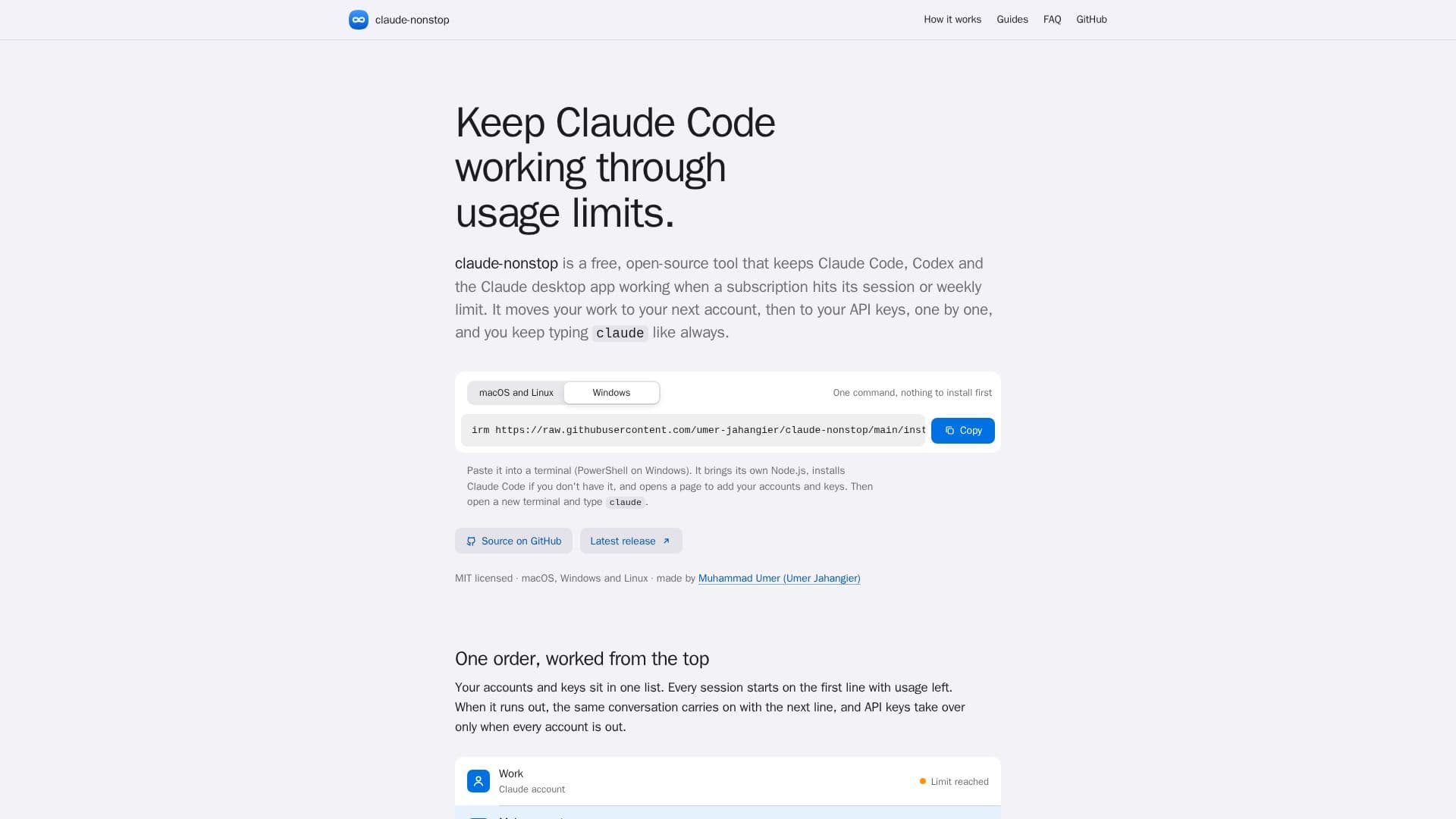
claude-nonstop is a free and open-source utility developed by Umer Jahangier, an AI and full-stack engineer. Its primary function is to ensure uninterrupted operation of Claude Code, Codex, and the Claude desktop app when users encounter session or weekly usage limits. The tool achieves this by automatically switching to the next available Claude account or, if all accounts are exhausted, to Anthropic or OpenAI API keys, one by one.
Read More
This local gateway solution runs on your computer, supporting macOS, Windows, and Linux. It includes its own Node.js installer, simplifying setup. When a Claude subscription reaches its limit, claude-nonstop reopens the same conversation on the next available resource using `claude --resume`, allowing users to continue their work without interruption. If no other accounts or API keys are available, it intelligently waits for the current limit to reset.
The tool is highly versatile, extending its functionality beyond Claude Code to include Codex, Cursor, and the Claude desktop app. It can utilize both Claude and ChatGPT accounts, as well as Anthropic and OpenAI API keys. For tools running on different services, claude-nonstop translates requests between Anthropic's and OpenAI's formats, including tool calls and streaming, ensuring compatibility.
Security is a core aspect of claude-nonstop. All operations, including API key storage, occur locally on the user's computer. API keys are encrypted at rest using AES-256-GCM, with the encryption key secured by the operating system's credential store (macOS Keychain, Windows DPAPI, or Linux Secret Service). Keys are only sent to their respective services, and the local gateway accepts connections exclusively from the user's machine, ensuring data privacy and security. The project is licensed under the MIT license, emphasizing its open-source nature and commitment to transparency.
- CategoryAI Coding Assistants
- Pricing ModelFree
- DeploymentRuns locally
- PlatformsmacOS, Windows, Linux
claude-nonstop's Core Features
Automatic Account Switching for Claude
API Key Failover for Continuous Operation
Supports Claude Code, Codex, Cursor, and Claude Desktop App
Compatible with Claude and ChatGPT Accounts
Works with Anthropic and OpenAI API Keys
Local Gateway for Request Translation
Secure Local Storage of API Keys (AES-256-GCM Encryption)
Cross-Platform Compatibility (macOS, Windows, Linux)
Open-Source and Free (MIT License)
Self-Updating from GitHub Releases
Unified Conversation History Across Accounts
Mid-Request API Key Switching
Import Cloud Sessions and Codex Threads
Merge Multiple Chats into One Conversation
Installer Includes Node.js
How to use claude-nonstop?
Install claude-nonstop: Paste the provided one-line command into your terminal (PowerShell on Windows) to install the tool and its dependencies, including Node.js.
Add Accounts and Keys: The installer will open a web page where you can add your Claude and ChatGPT accounts, as well as Anthropic and OpenAI API keys.
Configure Order: Arrange your accounts and keys in the desired order for usage, with subscription accounts typically prioritized over API keys.
Start a Session: Open a new terminal and type `claude` to begin using Claude Code, which will automatically utilize your configured accounts and keys.
Continue Work: If an account hits its usage limit, claude-nonstop will automatically switch to the next available resource, allowing you to continue typing `claude` as usual.
Manage Chats: Use features like `claude --resume` to access shared conversation history or merge chats from different accounts and tools.
claude-nonstop's Use Cases
- Uninterrupted AI Coding
- Multi-Account Management
- API Key Failover
- Cross-Platform AI Development
- Unified AI Chat History
- Integrating Diverse AI Services
- Secure Local AI Workflow
- Enhanced Codex Functionality