Description
Claude Monitor is a free and open-source browser extension designed to help users track their Claude AI usage across various plans, including Free, Pro, Max, and Claude Code. It addresses the challenge of monitoring usage limits, especially since Claude no longer displays these limits for Free accounts directly on its website.
Read More
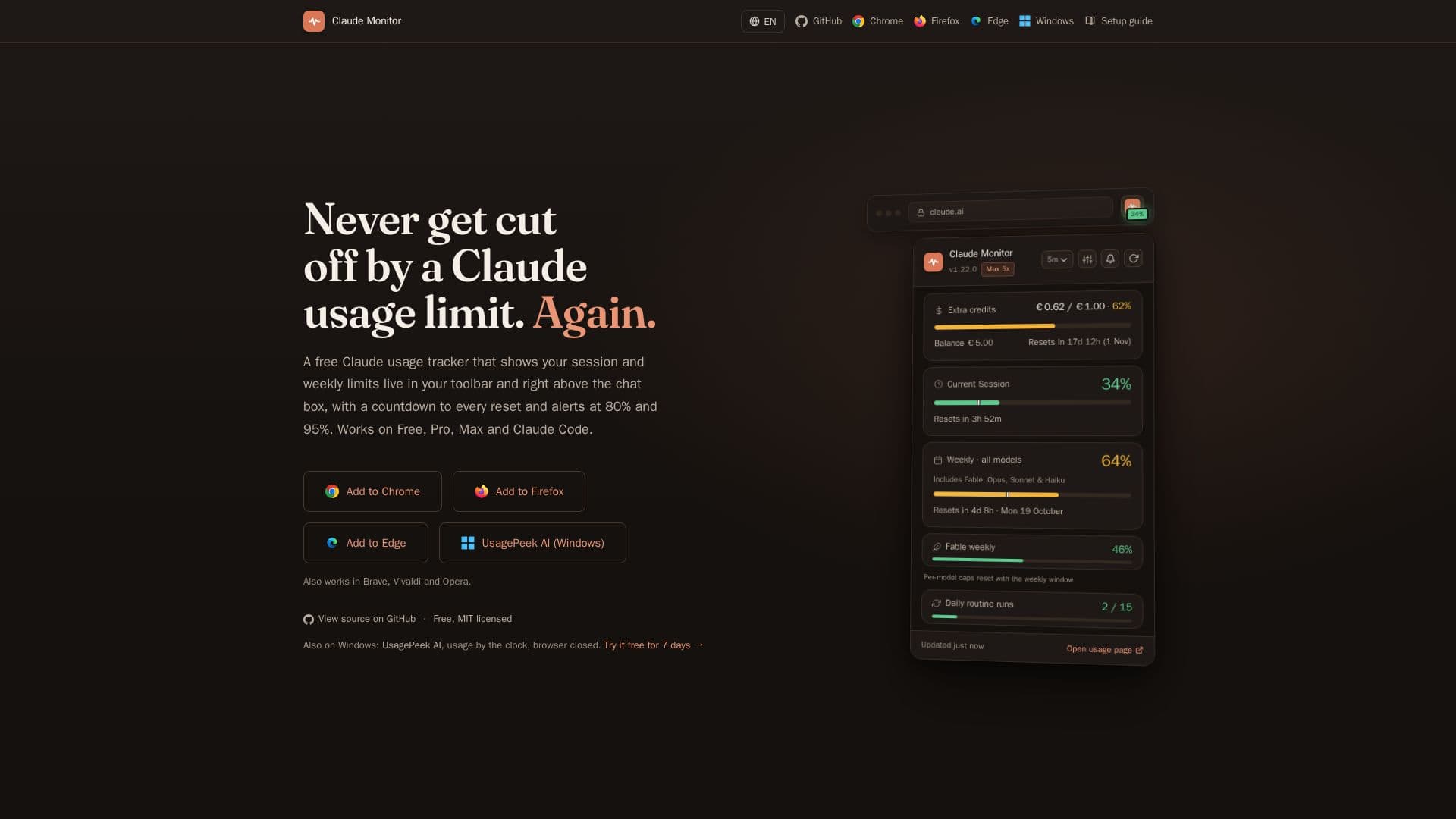
The extension integrates seamlessly into your browsing experience, showing your current session and weekly usage limits live in your browser toolbar. A color-coded badge provides an at-a-glance overview, while a single click reveals a detailed breakdown of session, weekly, and per-model caps, along with usage credits and routine runs. For an even more integrated experience, an optional usage bar can be displayed directly above the Claude chat box, updating with each message sent.
Key functionalities include a live countdown to every limit reset, ensuring users know exactly when their usage windows will refresh. To prevent unexpected cutoffs, Claude Monitor sends desktop notifications when usage approaches critical thresholds, specifically at 80% and 95% of a limit. These alert thresholds are customizable in the extension's settings.
Privacy is a core design principle of Claude Monitor. It runs entirely within your browser, requiring no account, ads, or telemetry. The full source code is available on GitHub under the MIT license, allowing for complete transparency and community review. The extension makes read-only requests to specific Claude AI usage paths and, if enabled, scans replies only for usage figures, never storing or transmitting user prompts, replies, projects, or files.
While Claude Monitor is a free browser extension, its creators also offer UsagePeek AI, a separate Windows application for tracking AI usage even when the browser is closed. This provides an alternative for users seeking continuous monitoring outside the browser environment. Claude Monitor ensures that users, regardless of their Claude AI subscription tier, can effectively manage and anticipate their usage, preventing interruptions in their workflow.
- CategoryProductivity
- Pricing ModelFree
- DeploymentBrowser extension
- PlatformsChrome, Firefox, Edge
Claude Monitor's Core Features
Live Claude AI usage tracking in browser toolbar
Displays 5-hour session and weekly usage limits
Countdown to every limit reset
Desktop notifications at 80% and 95% usage thresholds
Optional usage bar above Claude chat box
Supports Free, Pro, Max, Ultra, Team, and Claude Code plans
Tracks per-model caps and usage credits
Open-source under MIT license
No account required, no ads, no telemetry
Runs entirely in the browser
Privacy-focused: no chat data stored or sent
Customizable alert thresholds
View full usage breakdown with one click
Tracks monthly extra-usage spend and prepaid balance for pay-as-you-go
How to use Claude Monitor?
Install Extension: Add Claude Monitor to your desktop Chrome, Firefox, or Edge browser from the respective add-on store.
Access Claude AI: Navigate to claude.ai and sign in to your account.
Monitor Usage: View your session and weekly limits directly in the browser toolbar badge.
View Details: Click the toolbar badge for a full breakdown of all limits, credits, and reset countdowns.
Enable Chat Bar (Optional): Go to the extension's settings and enable the "Show a usage bar above the chat box" option to see limits directly in the chat interface.
Receive Alerts: Get desktop notifications when your usage approaches 80% and 95% of a limit.
Claude Monitor's Use Cases
- Preventing Usage Cutoffs
- Managing Free Plan Usage
- Optimizing Paid Plan Usage
- Tracking Claude Code Usage
- Receiving Proactive Alerts
- Understanding Limit Resets