Description
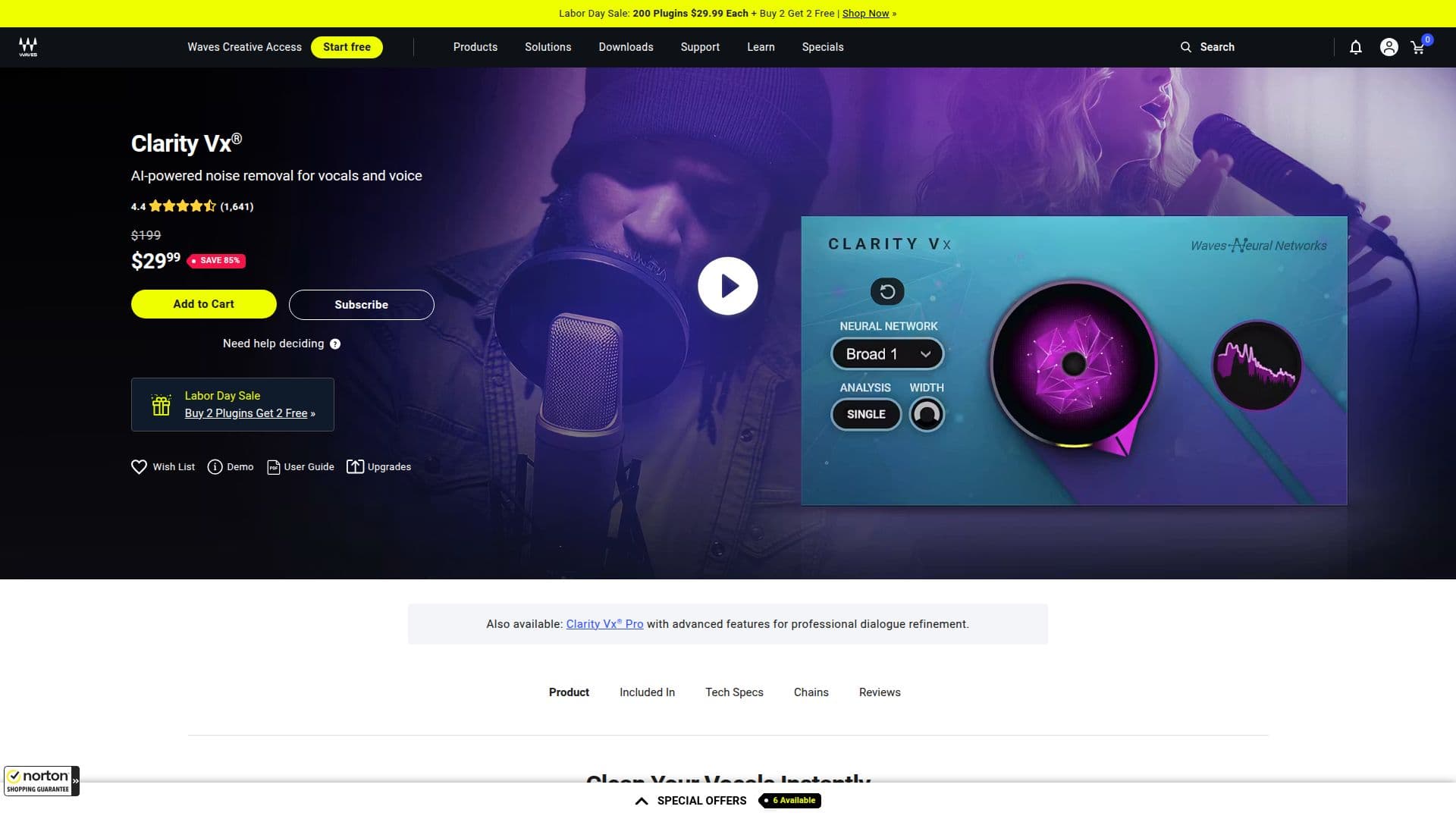
Clarity Vx® is an advanced audio processing tool that specializes in cleaning vocals from unwanted background noise. This innovative plugin is powered by Waves Neural Networks, which allows it to deliver high-quality results at impressive speeds. Whether you're working on a music production, podcast, or video project, Clarity Vx® ensures that your vocals are pristine and ready for any mix.
Read More
The primary function of Clarity Vx® is to isolate and enhance vocal tracks by removing distracting noise elements. This is particularly beneficial in environments where background sounds can interfere with the clarity of the vocal performance. The plugin is designed to be user-friendly, allowing both novice and experienced audio engineers to achieve professional results without extensive technical knowledge.
Clarity Vx® is part of a broader suite of audio solutions offered by Waves, which is recognized as an industry standard in audio creation. The plugin integrates seamlessly with various digital audio workstations (DAWs), making it a versatile choice for audio professionals. Users can expect a straightforward installation process and the ability to demo the plugin before committing to a purchase, ensuring that it meets their specific needs.
In addition to its core functionality, Clarity Vx® is included in Waves Creative Access subscriptions, which provide access to a wide range of audio plugins and tools. This subscription model allows users to stay updated with the latest versions and features, enhancing their audio production capabilities over time. With Clarity Vx®, you can elevate your vocal recordings, ensuring they stand out in any mix, and deliver high-quality audio that meets the demands of today's media landscape.
- CategoryAI Audio Editors
- Pricing ModelSubscription
- DeploymentCloud
- PlatformsWindows, Mac
Clarity Vx®'s Core Features
Noise Reduction
Vocal Isolation
Fast Processing
User-Friendly Interface
Seamless DAW Integration
Powered by Neural Networks
Demo Mode Available
Part of Waves Creative Access
How to use Clarity Vx®?
Install the plugin: Download and install Clarity Vx® via Waves Central.
Load the plugin: Open your DAW and load Clarity Vx® on the vocal track you want to clean.
Adjust settings: Use the intuitive interface to adjust noise reduction settings according to your needs.
Preview changes: Listen to the processed audio to ensure the desired vocal clarity is achieved.
Finalize: Once satisfied, finalize your mix and export the audio.
Clarity Vx®'s Use Cases
- Music Production
- Podcasting
- Video Production
- Live Sound
- Voiceovers