ToolPotion
AI Advisor
Submit a Tool (Free)

Chopstick

Chopstick is a macOS application that observes repetitive actions on your Mac and automatically generates custom notch widgets. It integrates with your existing coding agent, such as Claude Code or Copilot, to build these widgets. The tool keeps your activity log local, ensuring privacy while enhancing productivity by automating frequent tasks directly on your desktop.

Visit Website
Share
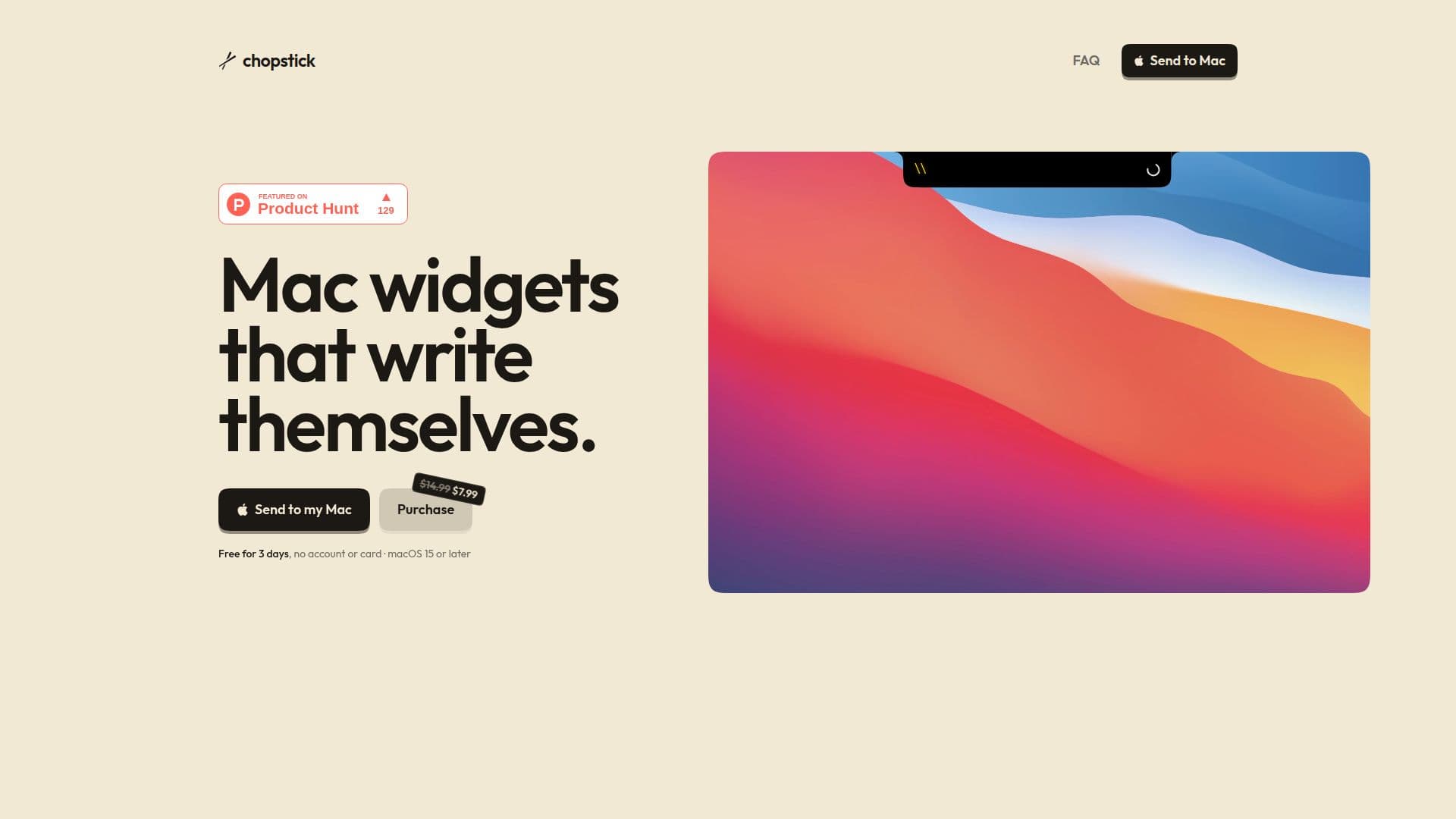
Chopstick screenshot

Chopstick is a unique macOS application designed to streamline repetitive tasks by automatically creating custom widgets for your Mac's notch. It intelligently monitors your activity, identifying patterns and recurring actions, and then leverages your preferred coding agent to build personalized widgets that automate these processes.

Read More

The application is built with privacy in mind, ensuring that your activity log remains entirely local on your Mac. It never uploads your data, records characters typed, or saves screen images. Detailed information like screen text, copied text, and full web addresses are automatically deleted after 30 days, providing robust data protection. When your coding agent analyzes your activity for widget ideas, the data it accesses is handled in the same secure manner as any other information you share with that agent.

Chopstick offers flexibility by integrating with a range of popular coding agents, including Claude Code, Codex, Gemini CLI, Cursor, Copilot, and OpenCode. This means you don't need an additional AI subscription to use its core functionality; it works with the tools you already have. Users can start with pre-made widgets or describe their own ideas, allowing their chosen agent to construct a tailored solution.

The application is available for a one-time payment of $14.99, which includes all future updates. A 3-day free trial is offered, requiring no account or credit card, allowing users to experience its full capabilities before committing. Chopstick runs on macOS 15 or later and requires minimal permissions to start, with optional permissions like Accessibility, Input Monitoring, Automation, and Screen Recording enabling more comprehensive functionality while still operating with fewer if desired.

By adapting to your workflow and providing customizable automation, Chopstick aims to enhance productivity for Mac users who perform frequent, repeatable actions, transforming them into convenient, self-writing widgets.

  • CategoryWorkflow Automation
  • Pricing ModelOne-time purchase
  • DeploymentDesktop app
  • PlatformsmacOS

  • Automatic Widget Generation: Creates Mac notch widgets based on repetitive user actions.

  • Local Activity Log: Keeps all user activity data stored locally on the Mac.

  • Privacy-Focused: Does not upload data, record characters, or save screen images.

  • Data Deletion Policy: Deletes detailed activity data (screen text, copied text, web addresses) after 30 days.

  • Coding Agent Integration: Works with existing coding agents like Claude Code, Codex, Gemini CLI, Cursor, Copilot, or OpenCode.

  • No Extra AI Subscription: Utilizes user's existing coding agent subscriptions.

  • Pre-made Widgets: Offers a selection of ready-to-use widgets to start.

  • Custom Widget Description: Allows users to describe and build their own widgets.

  • One-Time Payment: Purchase includes all future updates.

  • Free 3-Day Trial: Full-featured trial available without account or card.

  • macOS Compatibility: Supports macOS 15 and later versions.

  • Flexible Permissions: Operates with minimal permissions, with optional enhancements for deeper integration.

  • Adaptive Workflow: Designed to be flexible and customizable to individual work styles.

  • Inspired by Alcove: Built with a focus on customization and user adaptation.

  1. Install Chopstick: Download and install the application on your Mac (macOS 15 or later).

  2. Start Trial: Begin the 3-day free trial without needing an account or payment details.

  3. Observe Activity: Allow Chopstick to monitor your repetitive actions on your Mac.

  4. Select/Describe Widgets: Choose from pre-made widgets or describe a custom widget idea.

  5. Integrate Coding Agent: Connect Chopstick with your existing coding agent (e.g., Copilot, Claude Code).

  6. Generate Widgets: Let your coding agent build the custom notch widgets based on your descriptions or observed patterns.

  7. Utilize Widgets: Access and use the newly created widgets directly from your Mac's notch.

  8. Manage Permissions: Adjust accessibility and monitoring permissions as needed for enhanced functionality.

  • Automating Repetitive Mac Tasks
  • Custom Workflow Enhancement
  • Developer Productivity
  • Data Privacy-Focused Automation
  • Quick Access to Common Functions
  • Personalized Mac Experience

Chopstick Reviews

Loading...

Popular AI Tools Like Chopstick

Konxios

AI Apps

Konxios is an AI-powered operating system designed to automate tasks, manage workflows, and enhance productivity. It provides intelligent assistance for developers, creators, and…

Workflow Automation
View Tool

AI Apps

AI-powered operating system designed to automate tasks, manage workflows, and enhance productivity. It provides intelligent assistance for developers, creators, and…Konxios is an AI-powered operating system designed to automate tasks, manage workflows, and enhance productivity. It provides intelligent assistance for developers, creators, and…

Workflow Automation
See the Top 250 AI Apps

Sugarbug

AI Apps

Sugarbug is a workflow intelligence platform that connects your tools into a living knowledge graph, providing automatic meeting prep, task tracking, and people context, helping…

Workflow Automation

Ranked #182 in Workflow Automation

View Tool

AI Apps

Workflow intelligence platform that connects your tools into a living knowledge graph, providing automatic meeting prep, task tracking, and people context, helping…Sugarbug is a workflow intelligence platform that connects your tools into a living knowledge graph, providing automatic meeting prep, task tracking, and people context, helping…

Workflow Automation
Ranked #182 in Workflow Automation

AirJelly

AI Apps

AirJelly is a proactive AI desktop companion that monitors your workflow, captures tasks, and provides insights across apps like Slack, Zoom, and Google Docs. It offers a free…

AI Personal Assistants

Ranked #82 in AI Note-Taking Apps

View Tool

AI Apps

Proactive AI desktop companion that monitors your workflow, captures tasks, and provides insights across apps like Slack, Zoom, and Google Docs. It offers a free…AirJelly is a proactive AI desktop companion that monitors your workflow, captures tasks, and provides insights across apps like Slack, Zoom, and Google Docs. It offers a free…

AI Personal Assistants
Ranked #82 in AI Note-Taking Apps

runCLAUDErun is a free native macOS app that schedules and automates Claude Code tasks, letting you run code reviews, testing, documentation, and analysis on a schedule without…

Workflow Automation
View Tool

Free native macOS app that schedules and automates Claude Code tasks, letting you run code reviews, testing, documentation, and analysis on a schedule without…runCLAUDErun is a free native macOS app that schedules and automates Claude Code tasks, letting you run code reviews, testing, documentation, and analysis on a schedule without…

Workflow Automation
See the Top 250 AI Apps

NotchBar

AI Apps

NotchBar integrates AI coding agents like Claude Code, Codex, and Cursor directly into your Mac's notch or a floating island. It allows for one-click approval of agent actions,…

AI Coding Assistants

Ranked #99 for Explaining code

View Tool

AI Apps

Integrates AI coding agents like Claude Code, Codex, and Cursor directly into your Mac's notch or a floating island. It allows for one-click approval of agent actions,…NotchBar integrates AI coding agents like Claude Code, Codex, and Cursor directly into your Mac's notch or a floating island. It allows for one-click approval of agent actions,…

AI Coding Assistants
Ranked #99 for Explaining code

Ottermind

AI Apps

Ottermind is an AI agent workspace designed for real work. It connects tools, retains project context, and delivers editable results across web, desktop, and mobile platforms,…

AI Personal Assistants

Ranked #64 in AI Personal Assistants

View Tool

AI Apps

AI agent workspace designed for real work. It connects tools, retains project context, and delivers editable results across web, desktop, and mobile platforms,…Ottermind is an AI agent workspace designed for real work. It connects tools, retains project context, and delivers editable results across web, desktop, and mobile platforms,…

AI Personal Assistants
Ranked #64 in AI Personal Assistants

Bloblings

AI Apps

Bloblings is a free, native macOS app that provides a visual companion for each Claude Code session. It offers a unique way to track coding activities with animated pets that act…

AI Coding Assistants
View Tool

AI Apps

Free, native macOS app that provides a visual companion for each Claude Code session. It offers a unique way to track coding activities with animated pets that act…Bloblings is a free, native macOS app that provides a visual companion for each Claude Code session. It offers a unique way to track coding activities with animated pets that act…

AI Coding Assistants
See the Top 250 AI Apps

AgentDock

AI Apps

AgentDock is a Mac application designed for developers managing multiple AI coding agents. It consolidates interactions into a single interface, allowing users to monitor,…

Coding & Development
View Tool

AI Apps

Mac application designed for developers managing multiple AI coding agents. It consolidates interactions into a single interface, allowing users to monitor,…AgentDock is a Mac application designed for developers managing multiple AI coding agents. It consolidates interactions into a single interface, allowing users to monitor,…

Coding & Development
See the Top 250 AI Apps
1 of 8