Description
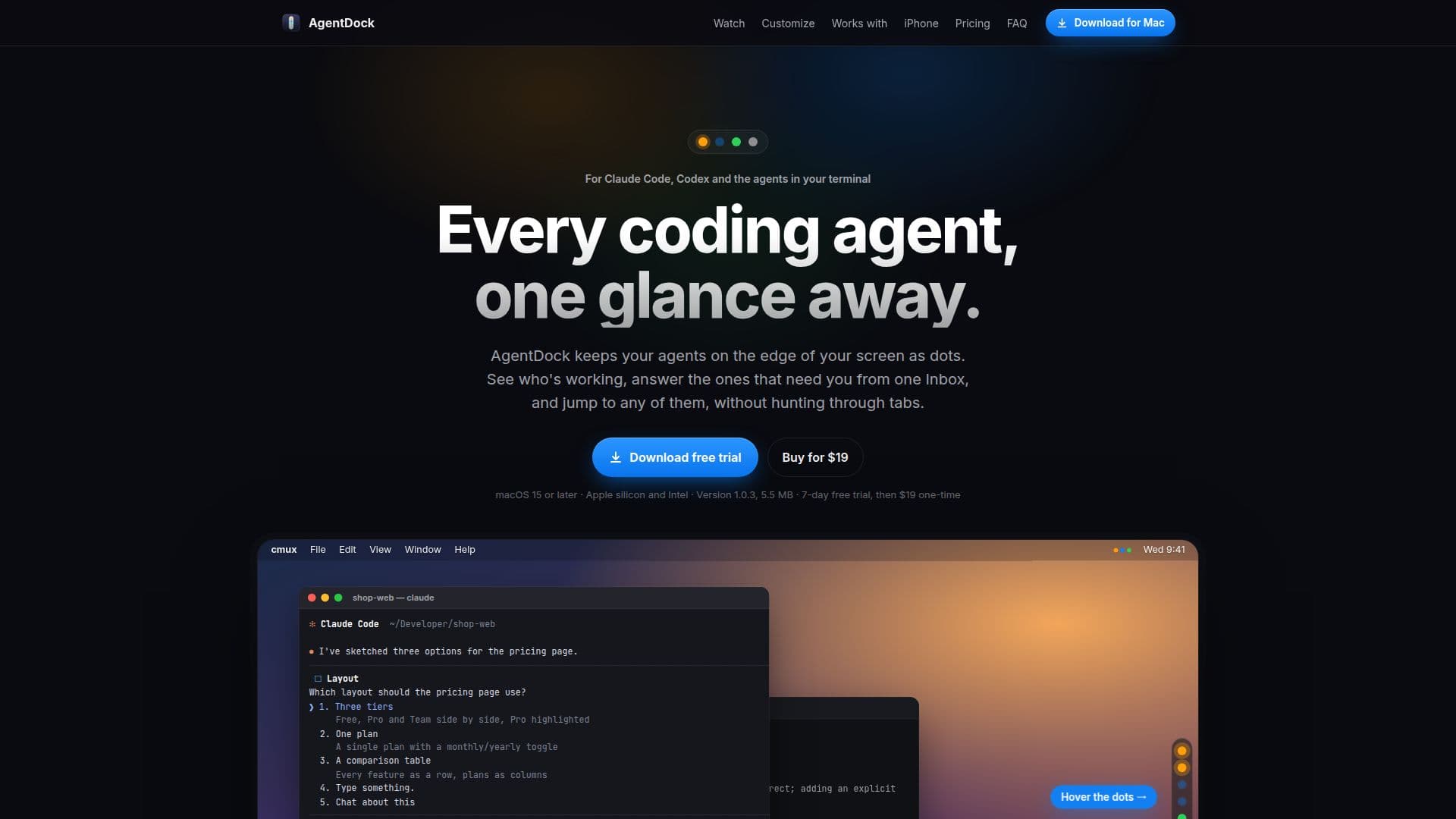
AgentDock is a specialized Mac application tailored for developers who work with multiple AI coding agents simultaneously. It provides a unified interface where users can monitor and interact with agents such as Claude Code, Codex, and Gemini. The app displays each agent as a dot on the screen's edge, indicating their status: active, needing attention, or completed. This visual representation allows developers to quickly assess which agents require their input.
Read More
The application collects questions and permission prompts from all agents into a single Inbox, which can be addressed with a simple keystroke. This feature streamlines the communication process, enabling developers to respond to agents' queries efficiently. Additionally, AgentDock allows users to send messages to any agent from any application by pressing the Option key twice, typing the message, and selecting the desired agent.
AgentDock is compatible with macOS 15 or later and does not require an account, ensuring that all data remains on the user's Mac. It is available for a one-time purchase of $19, following a 7-day free trial. The app supports up to three Macs per license and offers free updates for all 1.x versions.
The app integrates seamlessly with various terminal applications, including cmux, tmux, iTerm, WezTerm, and kitty, allowing users to type responses directly into the agent's terminal. It also supports Git branch tracking, enabling users to differentiate between sessions on the same repository. AgentDock's design is flexible, allowing users to customize the position of agent dots on the screen and choose between different visual styles.
AgentDock is particularly beneficial for developers who need to manage multiple coding agents efficiently, providing a centralized platform to streamline their workflow. The app's focus on privacy ensures that no data is sent off the user's Mac, making it a secure choice for developers.
- CategoryCoding & Development
- Pricing ModelOne-time purchase
- DeploymentDesktop app
- PlatformsmacOS 15 or later
AgentDock's Core Features
Unified interface for multiple AI agents
Single Inbox for agent queries
Quick message sending with ⌥⌥
Visual status indicators for agents
Integration with terminal applications
Git branch tracking for sessions
Customizable interface and positioning
Privacy-focused with no data sent off-device
How to use AgentDock?
Install: Download and install AgentDock on macOS 15 or later
Configure: Set up agent connections and customize interface settings
Use: Monitor and interact with agents via the unified interface
Optimize: Adjust settings for notifications and agent management
AgentDock's Use Cases
- Multi-agent management
- Centralized communication
- Git branch tracking
- Terminal integration
- Privacy-focused development