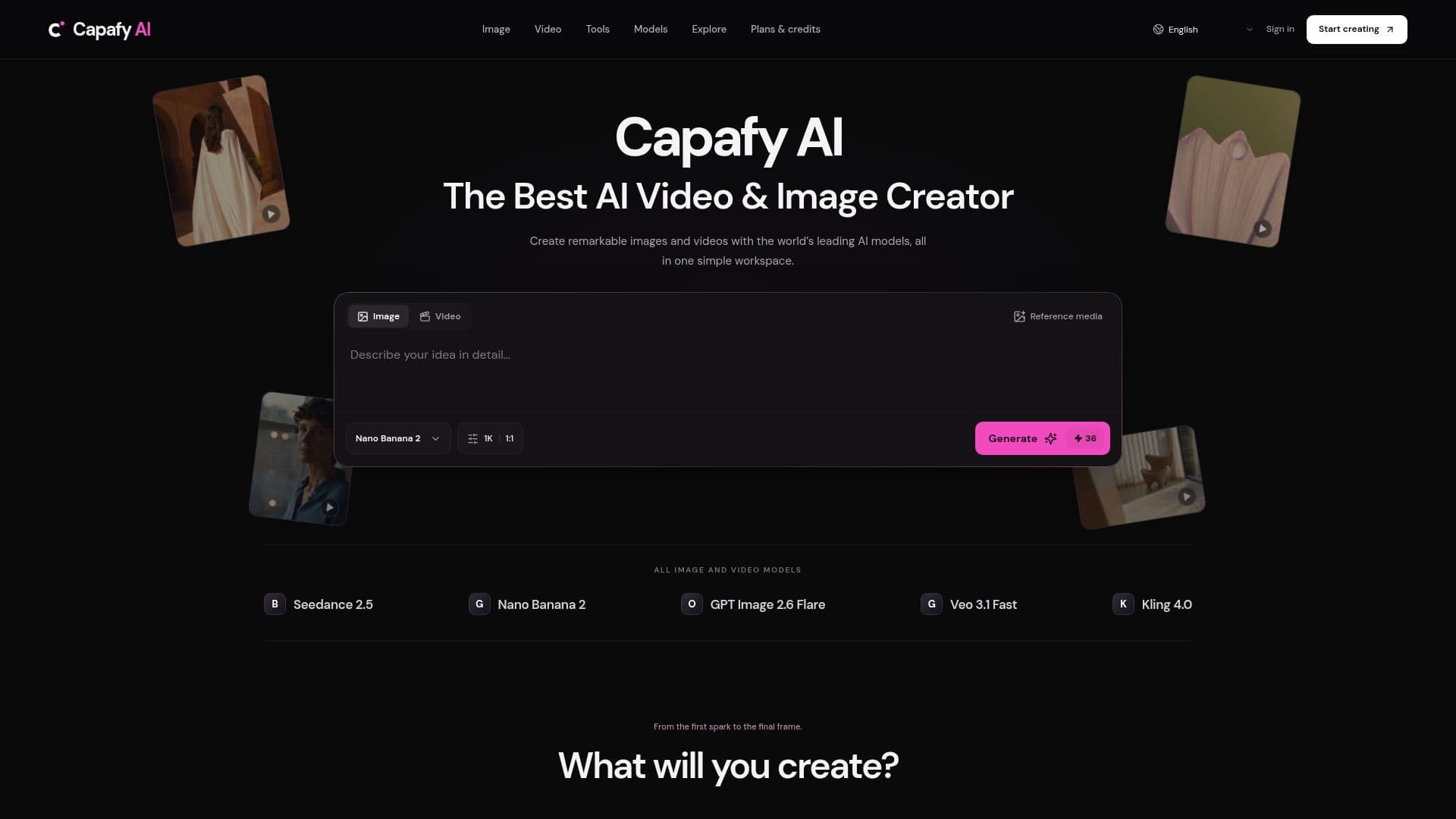
Description
Capafy AI provides a comprehensive workspace for creating AI-generated videos and images. The platform allows users to transform text prompts or reference photos into visual content using a selection of advanced AI models, including Seedance, Kling, Veo, and Nano Banana. It emphasizes a structured creative process, guiding users to treat prompts as short creative briefs by identifying the subject, surroundings, mood, and framing.
Read More
Users can choose between generating still images to explore appearances or illustrate concepts, and videos to establish action, atmosphere, or sequences. The platform supports uploading reference images to provide visual context to models, with controls to specify desired qualities to retain or change. Capafy AI also features a private creation library where users can inspect task statuses, revisit completed assets, and mark favorites. It retains associated prompts, enabling users to iterate on ideas and download desired outputs for further development.
For those interested in character-driven content, Capafy AI offers an "AI Fruit Story Generator" that creates vertical episodes with talking fruit characters. This specialized tool allows users to reuse characters with consistent looks and voices across episodes, supports 12 dialogue languages, and automatically generates scripts and captions. It's designed for creating engaging, short-form video series suitable for platforms like TikTok, Reels, and Shorts.
The platform operates on a credit-based system, with pricing plans for individual creators and studios. Credits are consumed upon successful generation, but returned if a task fails. Capafy AI supports explicit collaboration for team projects, allowing shared assets and comments within defined roles and permissions, rather than automatic public publishing. It also provides focused editors for smaller creative tasks like meme, emoji, and sticker generation, as well as tools for creating before-and-after videos and applying the Ken Burns effect to photos.
- CategoryAI Video Generators
- Pricing ModelSubscription, Prepaid Packs
- DeploymentCloud
- PlatformsWeb
Capafy AI's Core Features
AI Video Generation with adjustable duration and resolution
AI Image Generation with reference image support and adjustable resolution
Multiple AI Models supported (e.g., Seedance, Kling, Veo, Nano Banana)
Private Creative Library for managing generated assets
Credit-based Pricing with transparent quotes before generation
Automatic Credit Return for failed generation tasks
Prompt Retention for revisiting and iterating on ideas
Team Collaboration with shared assets and permissions
AI Fruit Story Generator for character-driven vertical videos
Reusable Characters with consistent look and voice for series
Multi-language Dialogue Support (12 languages for AI Fruit Story)
Automatic Captions for generated videos
AI Meme Generator for captioned stills or moving punchlines
AI Emoji and Sticker Generator from text or photos
Before and After Video Generator from two photos
How to use Capafy AI?
Build a Brief: Define the subject, audience, mood, and framing for your visual.
Choose Studio & Model: Select the appropriate studio (image or video) and an AI model that fits your task.
Provide Inputs: Write your prompt in ordinary language and upload reference images if supported.
Review Settings & Credits: Confirm format settings, check the required credits, and press Generate.
Monitor & Refine: Inspect task status in your creation library, and if needed, revise your prompt for another attempt.
Organize & Download: Mark useful results as favorites, download assets, and integrate them into your projects.
Collaborate (Optional): Share assets within team projects and gather feedback from collaborators.
Capafy AI's Use Cases
- Early Creative Explorations
- Presentation Assets
- Social Media Content
- Character-Driven Series
- Visualizing Concepts
- Marketing Campaigns
- Meme and Sticker Creation
- Before and After Visuals
- Adding Motion to Photos
- Team Project Collaboration