Description
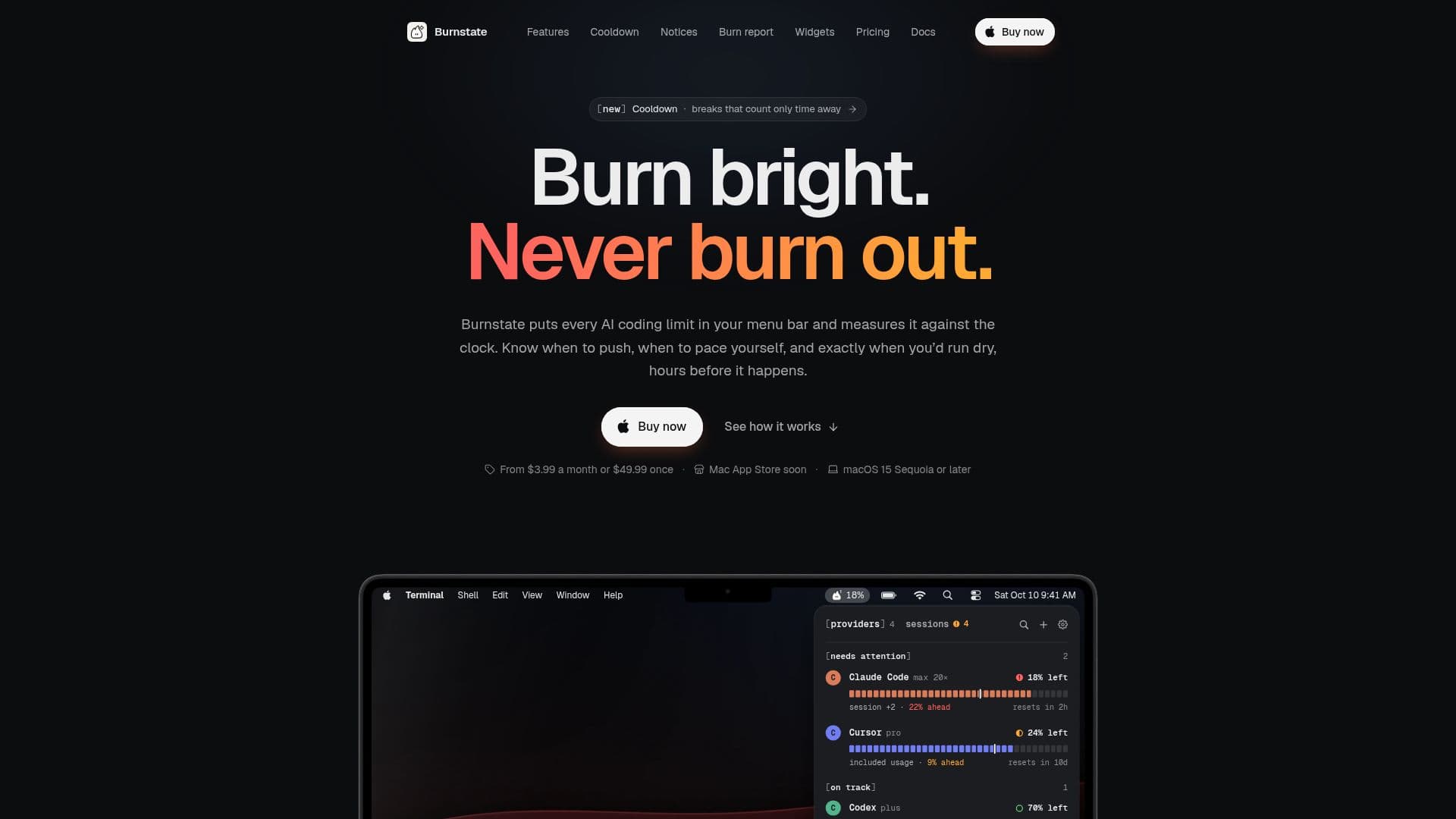
Burnstate is a native macOS application designed to help developers monitor and manage their AI coding limits from various providers directly within their menu bar. It integrates with popular AI tools such as Claude Code, Codex, Cursor, Vercel, and Setapp AI, displaying current usage against set limits like sessions, weekly windows, billing cycles, or credit balances. The application provides a unique "run-out forecast," indicating exactly when a user might hit their limits based on their current pace, hours before it happens.
Read More
Beyond simple limit tracking, Burnstate offers several advanced features to enhance the AI coding workflow. It presents notice cards for approaching limits, resets, finished turns, and ended sessions, ensuring users are always informed. For Claude Code users, Burnstate allows answering permission prompts and multiple-choice questions directly from these cards, streamlining the interaction without needing to switch to the terminal. It also calculates per-session tokens, estimated costs based on published API prices, and provides an AI summary from local logs.
A key feature is "Cooldown," which offers intelligent break reminders after 90 minutes of continuous keyboard activity, around meal times, and at the end of the day. These breaks only count time spent away from the keyboard, and users can even assign tasks to idle AI agents before stepping away, receiving a summary of their work upon return. Burnstate also generates shareable burn reports, detailing up to a year of usage history, including tokens, streaks, peak days, and models used, with all data packed into the link itself to ensure privacy.
The application prioritizes user privacy and data security. It connects to providers by reading existing logins on the Mac or facilitating secure sign-ins through the browser or API keys, storing credentials in the Keychain. All token and cost computations are performed from local logs on the user's Mac, and no account or analytics data is sent to Burnstate's servers. AI insights, when requested, are processed via Setapp AI. Burnstate supports macOS 15 Sequoia or later, with Apple Intelligence features requiring macOS 26 Tahoe on Apple silicon Macs. It is available as a direct one-time purchase, a subscription, or through Setapp, with a Mac App Store edition coming soon.
- CategoryProductivity
- Pricing ModelOne-time purchase, Subscription
- DeploymentDesktop Application
- PlatformsmacOS
Burnstate's Core Features
Real-time AI coding limit tracking in menu bar
Run-out forecast for various AI providers
Supports Claude Code, Codex, Cursor, Vercel, and Setapp AI
Notice cards for limits, resets, and session events
Answer Claude Code prompts and questions from cards
Per-session token and estimated cost calculation from local logs
AI summary from local logs
Cooldown: intelligent break reminders based on keyboard activity
Desktop and Notification Center widgets for usage overview
Shareable burn reports of up to a year's usage history
No account, no analytics, local data processing
Connects securely to providers via existing logins or API keys
CLI updates for Claude Code and Codex
Pause individual provider tracking
Keyboard shortcuts for navigation
How to use Burnstate?
Install Burnstate: Download and open the application, then paste your license key during the welcome tour.
Connect AI Tools: Click Ember in the menu bar, press ⌘N, and select 'connect' for each AI tool you use.
Monitor Limits: Observe the usage bars and the white tick in the menu bar to understand your burn rate against the clock.
Answer Agent Prompts: Respond to Claude Code permission prompts and multiple-choice questions directly from floating cards.
Manage Breaks: Utilize Cooldown for break reminders and hand off tasks to idle agents before stepping away.
Generate Reports: Create a shareable burn report of your AI usage history, including tokens and costs, without uploading data.
Customize Notifications: Adjust settings for which types of notice cards appear and when Cooldown reminders are triggered.
Burnstate's Use Cases
- AI Usage Monitoring
- Cost Management
- Productivity Pacing
- Interactive AI Agent Management
- Work-Life Balance
- Usage Reporting
- Local Data Privacy
- Developer Workflow Optimization