
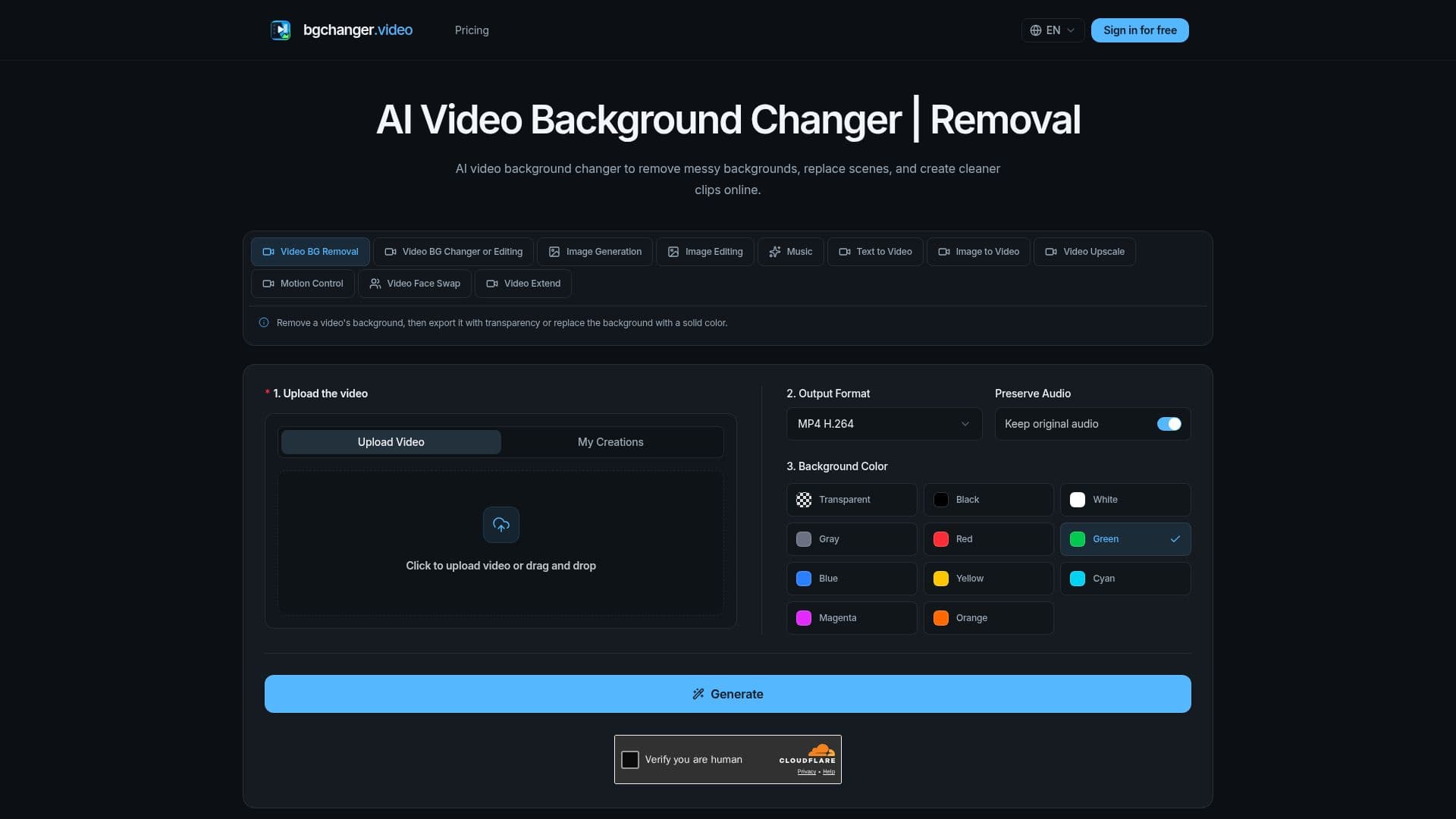
Description
bgchanger.video offers a free and intuitive online AI video background changer designed for quick and efficient video editing. This tool allows users to easily remove unwanted backgrounds from their video clips or replace them with transparent, solid-color, or custom scenes. It caters to a wide range of needs, from professional video production and advertising to social media content creation and personal projects.
Read More
The platform simplifies the complex task of video background manipulation into a straightforward workflow. Users can upload their source video, and the AI-powered system processes the footage to isolate the subject. After background removal, users have the option to export the video with a transparent alpha channel, making it suitable for further compositing, or choose a solid background color such as white, black, or green for immediate use. This flexibility supports various creative and practical applications, including generating clean product clips, creating engaging social ads, and producing creator content.
One of the key advantages of bgchanger.video is its no sign-up policy, which streamlines the user experience and allows for immediate access to its features. The tool is particularly useful for workflows requiring character replacement, where key visual elements in a source video can be swapped with reference assets while preserving the original camera motion and action timing. This capability is ideal for scenarios where a consistent subject needs to be placed in different environments or contexts.
Examples provided on the site demonstrate the tool's effectiveness in producing high-quality outputs, showcasing transparent, white, black, and green background versions from a single source video. The process involves uploading the video, choosing the desired background type (transparent or solid color), setting the output format (MP4, WebM, MOV, MKV, or GIF), and then generating and downloading the final result. The option to preserve original audio is also available, ensuring that the integrity of the clip's sound is maintained.
bgchanger.video aims to provide a fast and accessible solution for anyone looking to enhance their video content by cleaning up backgrounds or creating dynamic new scenes. Its focus on simplicity, combined with powerful AI capabilities, makes it a valuable asset for editors, marketers, and content creators seeking professional results without extensive technical knowledge or software installations.
- CategoryAI Video Editors
- Pricing ModelFreemium
- DeploymentCloud
- PlatformsWeb
bgchanger.video's Core Features
AI Video Background Removal
AI Video Background Replacement
Create Transparent Video Backgrounds
Replace Backgrounds with Solid Colors (White, Black, Green)
No Sign-up Required
Online Video Processing
Supports Multiple Output Formats (MP4, WebM, MOV, MKV, GIF)
Preserves Original Audio
Character Replacement Capability
Suitable for Product Demos and Social Ads
Workflow for Creator Content
Green-Screen Workflow Support
Flexible Credit and Plan Pricing
How to use bgchanger.video?
Upload Source Video: Click to upload your video or drag and drop the file onto the platform.
Choose Background: Select 'Transparent' for an alpha output or pick a solid color like White, Black, or Green.
Set Output Format: Choose your preferred output format from MP4, WebM, MOV, MKV, or GIF, with an option to preserve original audio.
Generate and Download: Run the AI background removal workflow, preview the result, and download your finished video.
bgchanger.video's Use Cases
- Transparent Video Exports
- Clean Product Clips
- Social Media Ads
- Creator Content
- Background Cleanup
- Green-Screen Workflows
- Character Replacement