Description
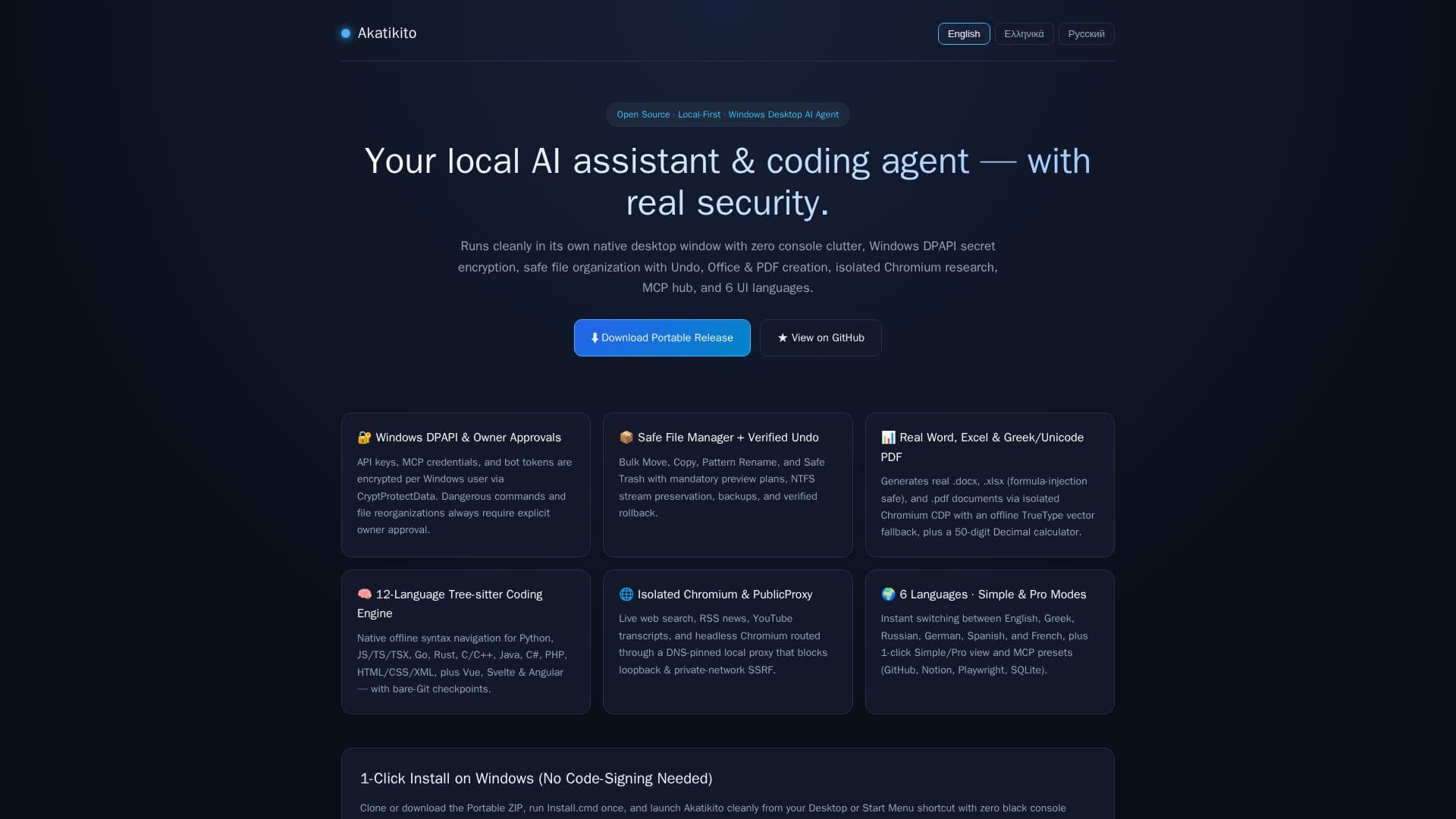
Akatikito AI is a free, open-source desktop AI assistant and coding agent designed specifically for Windows. It emphasizes a local-first approach, ensuring that AI operations and data processing occur directly on the user's machine, enhancing privacy and security. The application runs cleanly in its own native desktop window, eliminating console clutter and providing a streamlined user interface.
Read More
Security is a core tenet of Akatikito AI, featuring Windows DPAPI (Data Protection API) encryption for sensitive information such as API keys, MCP credentials, and bot tokens. This ensures that secrets are encrypted per Windows user, providing a robust layer of protection. Furthermore, dangerous commands and file reorganizations always require explicit owner approval, preventing accidental or unauthorized actions.
For developers, Akatikito AI includes a powerful 12-language Tree-sitter coding engine, offering native offline syntax navigation for a wide array of programming languages including Python, JavaScript/TypeScript/TSX, Go, Rust, C/C++, Java, C#, PHP, HTML/CSS/XML, Vue, Svelte, and Angular. It also integrates bare-Git checkpoints for version control.
Beyond coding, the tool offers a comprehensive safe file manager with features like Bulk Move, Copy, Pattern Rename, and Safe Trash. These operations come with mandatory preview plans, NTFS stream preservation, backups, and verified rollback capabilities, ensuring data integrity and user confidence. Akatikito AI can also generate real .docx, .xlsx (with formula-injection safety), and .pdf documents using an isolated Chromium CDP, supported by an offline TrueType vector fallback. A 50-digit Decimal calculator is also included.
For research and information gathering, Akatikito AI provides an isolated Chromium browser and PublicProxy. This enables live web search, RSS news feeds, and YouTube transcript retrieval, all routed through a DNS-pinned local proxy that blocks loopback and private-network SSRF, enhancing security during web interactions. The application supports instant switching between six UI languages: English, Greek, Russian, German, Spanish, and French, and offers 1-click Simple/Pro view modes along with MCP presets for platforms like GitHub, Notion, Playwright, and SQLite. Installation is straightforward, requiring a simple run of Install.cmd from a portable ZIP or clone.
- CategoryAI Coding Assistants
- Pricing ModelFree
- DeploymentDesktop
- PlatformsWindows
Akatikito AI's Core Features
Local-first desktop AI assistant for Windows
Open-source and security-hardened
Windows DPAPI encryption for API keys and credentials
Explicit owner approval for dangerous commands and file reorganizations
Safe File Manager with Bulk Move, Copy, Pattern Rename, Safe Trash
Verified Undo and rollback for file operations
Generates real .docx, .xlsx (formula-injection safe), and .pdf documents
Isolated Chromium CDP for document generation
Offline TrueType vector fallback for PDF creation
50-digit Decimal calculator
12-Language Tree-sitter Coding Engine for syntax navigation
Supports Python, JS/TS/TSX, Go, Rust, C/C++, Java, C#, PHP, HTML/CSS/XML, Vue, Svelte, Angular
Bare-Git checkpoints for coding projects
Isolated Chromium browser for live web search, RSS news, YouTube transcripts
DNS-pinned local proxy blocking loopback & private-network SSRF
Supports 6 UI languages: English, Greek, Russian, German, Spanish, French
1-click Simple/Pro view modes
MCP presets for GitHub, Notion, Playwright, SQLite
1-Click Install on Windows (Portable ZIP or clone)
How to use Akatikito AI?
Download Akatikito AI: Obtain the Portable ZIP file or clone the repository from GitHub.
Install on Windows: Run the Install.cmd script once to set up the application.
Launch Akatikito AI: Start the application from your Desktop or Start Menu shortcut.
Configure Security: Set up API keys and MCP credentials, which will be encrypted via Windows DPAPI.
Utilize Coding Engine: Access the 12-language Tree-sitter engine for syntax navigation and bare-Git checkpoints.
Manage Files: Use the safe file manager for bulk operations, renaming, and trash, with preview and undo features.
Generate Documents: Create Word, Excel, or PDF documents using the integrated tools.
Conduct Research: Use the isolated Chromium browser for web searches, RSS feeds, and YouTube transcripts.
Akatikito AI's Use Cases
- Local AI Assistance
- Secure Coding Environment
- Safe File Management
- Document Generation
- Secure Web Research
- Multilingual AI Interaction
- Developer Productivity
- Data Security for Developers