Description
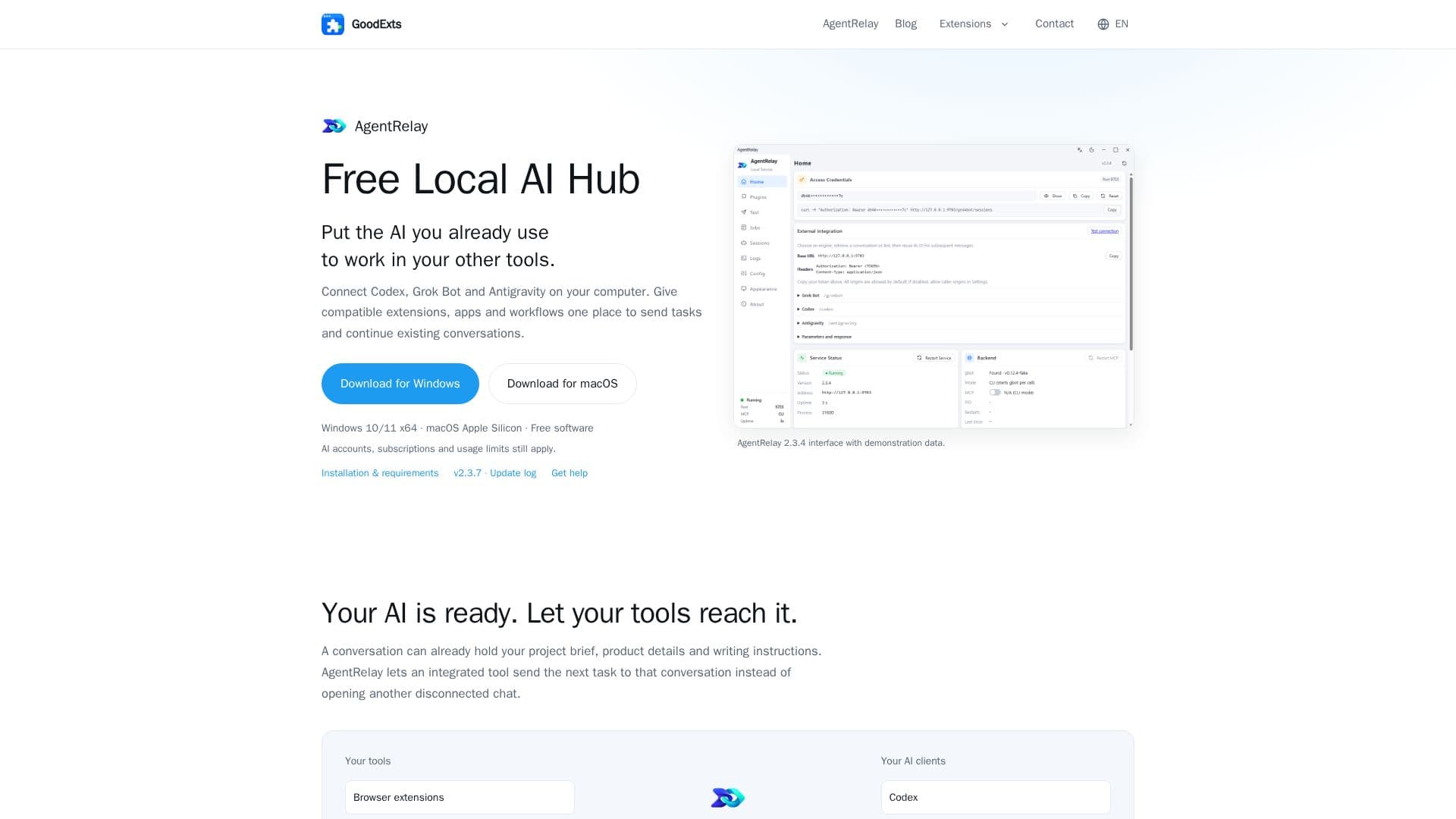
AgentRelay functions as a free local AI hub, designed to bridge your existing AI clients with various compatible tools on your Windows or macOS computer. It allows users to connect AI services such as Codex, Grok Bot, and Antigravity in one centralized location, enabling other applications, browser extensions, and scheduled workflows to interact with these AI clients seamlessly.
Read More
The core purpose of AgentRelay is to eliminate the need for opening disconnected chats for every AI task. Instead, it facilitates sending tasks to existing AI conversations that already hold project briefs, product details, or writing instructions. This ensures continuity and context across repeated requests, making project management more efficient. Users can choose an existing conversation or create a new one, keeping all related work together.
Key capabilities include conversation management, allowing users to find, filter, and organize their AI workspace by title, ID, or client. It supports batch actions like archiving, restoring, or deleting conversations, with state changes reflecting in the original AI client. AgentRelay also provides visibility into task results, allowing users to check a task by its ID and retrieve its reply, which is crucial for longer-running AI operations.
While AgentRelay provides the AI connection, compatible tools are responsible for scheduling, account access, and specific actions. This setup supports various workflow patterns, such as preparing overnight briefings by letting scheduled workflows collect material and send it to project conversations. It also enables managing multiple accounts with distinct briefs and conversations, preparing account-specific topics and drafts in batches.
AgentRelay is free to install and use, and it runs locally on your computer. It does not sell model credits or alter existing AI account subscriptions or usage limits. The platform is compatible with Windows 10/11 x64 and macOS Apple Silicon. It is not an Ollama alternative, as it connects existing AI clients rather than running or serving models itself. While the bridge runs locally, the connected AI services may still use external cloud services, and their network requirements and data policies apply.
- CategoryAI Agent Builders
- Pricing ModelFree
- DeploymentDesktop
- PlatformsWindows, macOS
AgentRelay's Core Features
Connects Codex, Grok Bot, and Antigravity
Unified interface for AI clients
Supports browser extensions, desktop apps, and scheduled workflows
Conversation management (find, filter, organize)
Batch actions for conversations (archive, restore, delete)
Context continuity across tasks and conversations
Task ID tracking and result retrieval
Local installation for Windows and macOS
Free to install and use
Supports multiple AI accounts with separate contexts
Enables scheduled AI workflows
Integration with tools like XFollower
Developer integration skill for custom connections
Local access token for external calls
Updates with backup and version restoration
How to use AgentRelay?
Open AgentRelay: Launch the installed application to access the local dashboard.
Choose Your AI: Open and sign in to a supported AI client (Codex, Grok Bot, Antigravity) and use the test page to select a Bot or conversation.
Connect a Compatible Tool: Copy the service address and access token from the AgentRelay dashboard into your compatible tool's settings.
Send and Follow-up Tasks: Send a test task from your integrated tool, then send follow-up tasks to continue conversations.
Manage Conversations: Use the AgentRelay interface to find, filter, and perform batch actions on your AI conversations.
Prepare Workflows: Configure scheduled workflows in compatible tools to automate tasks using AgentRelay's AI connection.
AgentRelay's Use Cases
- Automated Content Briefing
- Social Media Management
- Customer Support Automation
- Project Context Continuity
- AI-Assisted Writing
- Developer Tool Integration
- Organized AI Workspace