Description
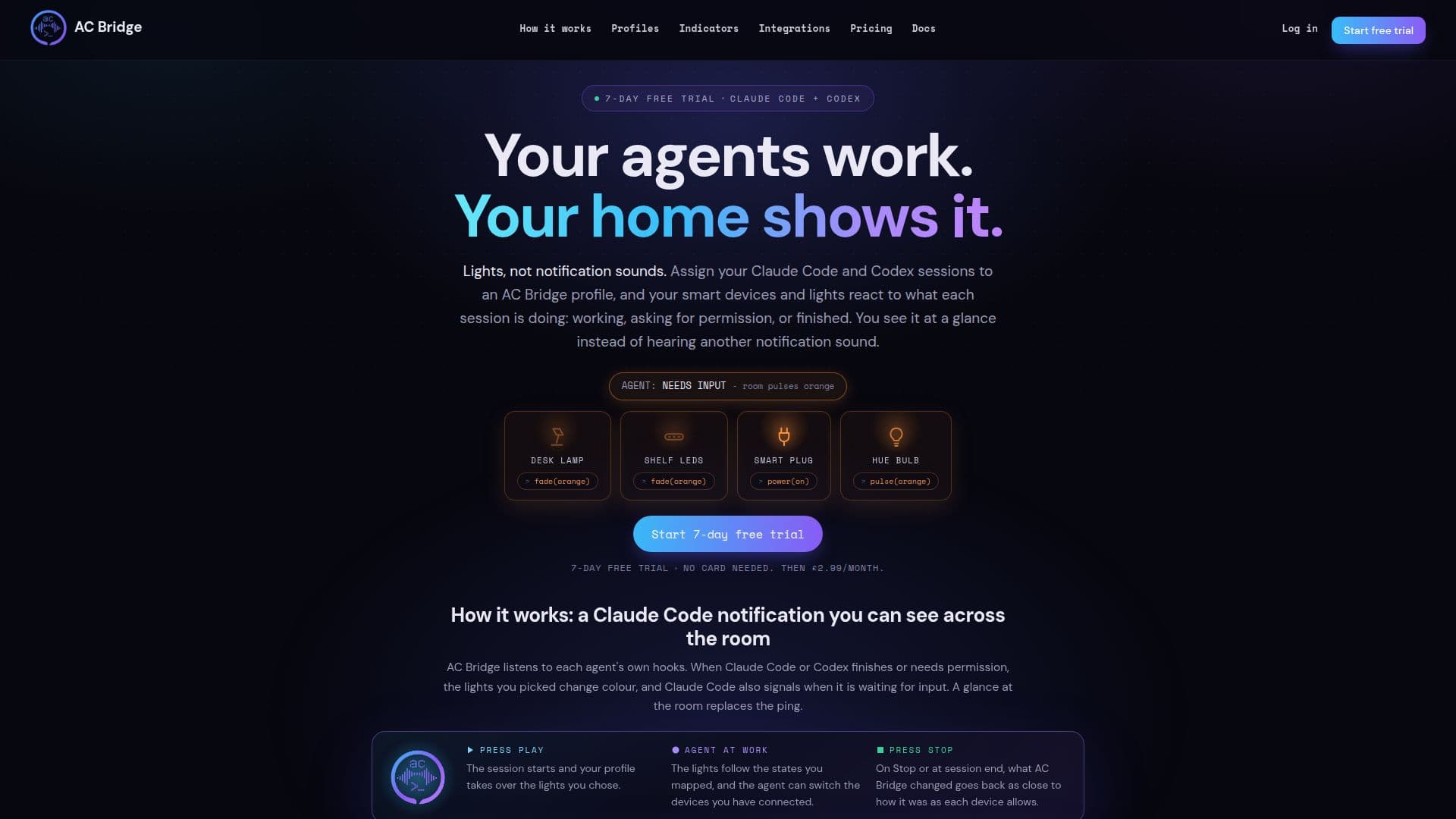
AC Bridge is a desktop application designed to provide quiet, ambient status notifications for Claude Code and Codex AI agents. It leverages your existing smart lights and plugs to visually communicate the state of your AI agents, eliminating the need for constant terminal checks or disruptive notification sounds. By turning smart devices into status indicators, AC Bridge allows users to monitor their AI agents' progress at a glance, whether they are cooking, reading, or watching a film.
Read More
The system works by listening to each agent's internal hooks. When Claude Code or Codex finishes a task, requires permission, or is waiting for input, the connected smart lights change color or display specific effects. For instance, green might indicate a finished API shipment, red a permission request, and violet a plan ready state. This visual feedback loop helps users stay informed without interrupting their workflow, providing a more integrated and less intrusive monitoring experience.
AC Bridge supports a wide range of smart home devices, directly driving 16 brands on your local area network (LAN), in addition to devices managed by Home Assistant. This local control ensures that device keys remain on your machine, enhancing privacy and security by avoiding cloud round trips for status updates. The application also allows Claude Code and Codex to control devices as part of a task, such as flipping a smart plug or setting a scene, with pre-approved permissions that can be revoked at any time.
Users can create custom profiles to map agent states to specific device scenes and colors, tailoring the visual feedback to their preferences and project needs. A single lamp can follow multiple Claude Code and Codex sessions, or each repository can have its own dedicated light. The application offers 29 states for Claude Code and 19 for Codex, along with nine lighting effects, including flash, strobe, pulse, fade, and meter, which can be applied to various light types.
AC Bridge operates on a single pricing plan of £2.99 per month, following a 7-day free trial that requires no card to start. The trial simply ends if a card isn't added, ensuring no unexpected charges. The desktop app is compatible with Windows, macOS, and Linux, and integrates directly with the Claude Code or Codex agent already running on the user's machine, requiring no additional API keys or model costs.
- CategoryOther AI Tools
- Pricing ModelSubscription
- DeploymentDesktop app
- PlatformsWindows, macOS, Linux
AC Bridge's Core Features
Ambient AI agent status lights
Supports Claude Code and Codex agents
Integrates with smart lights and plugs
Visual notifications for agent states (working, blocked, done)
Customizable color and effect mapping for agent states
Local LAN device control for 16+ brands
Home Assistant integration
Agents can drive devices as part of tasks
Multiple agent sessions can share one lamp
Profiles for per-project or per-agent device control
Desktop app for Windows, macOS, and Linux
7-day free trial without credit card
Privacy-focused: no prompts, code, or transcripts collected
29 Claude Code states and 19 Codex states supported
9 lighting effects available
How to use AC Bridge?
Install the app: Download and install the AC Bridge desktop app for Windows, macOS, or Linux from your account after signing in.
Finish first-run setup: Sign in to the app, which will check for Claude Code or Codex and install the necessary plugin for session state reporting.
Add your devices: Scan your network to find smart lights, plugs, and LED strips from supported brands, or link integrations like Home Assistant, Hue Bridge, SmartThings, Tuya, Meross, eWeLink, MQTT, and Govee.
Create a profile: Make a new profile and select the agent states you want to monitor, then choose the desired device actions (color, brightness, effect) for each state.
Bind and start: Bind your created profile to a project folder, press 'Start' in the app, and then open Claude Code or Codex in that folder to begin monitoring.
Monitor agent activity: Observe your smart lights and plugs as they visually indicate the real-time status of your AI agents, replacing constant terminal checks.
AC Bridge's Use Cases
- Visual AI Agent Monitoring
- Ambient Status Notifications
- Smart Home Automation by AI
- Customizable Agent Feedback
- Multi-Agent Workflow Management
- Developer Productivity Enhancement