Description
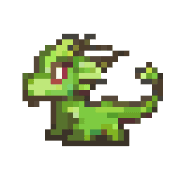
Sprite Stacking is an open-source GitHub project that introduces an agent skill capable of converting traditional 2D pixel art into interactive, fake-3D sprites. This technique allows developers and artists to take four distinct pixel art views of an object (typically front, back, left, and right) and combine them to create a single sprite that can be spun and viewed from multiple angles, simulating a three-dimensional appearance.
Read More
The core functionality of this repository revolves around the processing and rendering of these stacked sprites. It provides the necessary code and methodology to achieve this visual transformation, making it a valuable resource for game developers, digital artists, and anyone interested in retro-style graphics with a modern twist. The project emphasizes compatibility with a range of AI coding assistants, indicating its utility in an AI-assisted development workflow.
Key capabilities include the conversion of multiple 2D views into a single rotatable sprite, enabling a pseudo-3D effect without complex 3D rendering engines. This approach is particularly beneficial for projects that aim to maintain a pixel art aesthetic while adding depth and interactivity. The repository also includes various files such as `README.md`, `LICENSE`, and `tests`, suggesting a well-structured and documented project.
The target audience for Sprite Stacking includes developers working on pixel art games, interactive experiences, or creative coding projects. It's also relevant for those exploring the intersection of AI and graphic design, especially with the explicit mention of compatibility with AI coding tools. The value proposition lies in its ability to simplify the creation of dynamic, rotatable pixel art assets, enhancing visual engagement without requiring extensive 3D modeling skills.
While the project offers a unique solution for fake-3D sprites, its primary limitation, as indicated by a commit message, includes warnings on 1px parts that might blink when rotated, suggesting potential visual artifacts in specific scenarios. The project is actively maintained, with recent commits addressing various aspects, including performance and visual quality.
- CategoryAI Game Development Tools
- Pricing ModelOpen source
- DeploymentCloud
- PlatformsWeb
Sprite Stacking's Core Features
Converts four pixel art views into fake-3D sprites
Enables spinning and rotation of generated sprites
Compatible with Claude Code for AI-assisted development
Supports Codex for code generation and completion
Integrates with Cursor for enhanced coding experience
Works with OpenCode for open-source AI coding
Utilizes Gemini CLI for command-line AI interactions
Compatible with Pi for various AI development tasks
Includes a `README.md` for project documentation
Provides a `LICENSE` file for usage terms
Contains `tests` for functionality validation
Warns on 1px parts that blink when rotated
Repository includes `media` for visual examples
Features `skills/sprite-stacking` for core functionality
Managed with Git for version control
Getting Started with Sprite Stacking
Clone the Repository: Use `git clone` to download the Sprite Stacking project to your local machine.
Explore Project Files: Navigate through the repository to understand the structure, including `README.md`, `LICENSE`, and source code.
Review Documentation: Read the `README.md` file for an overview of the agent skill and its capabilities.
Integrate with AI Coding Assistants: Utilize compatible AI tools like Claude Code, Codex, or Gemini CLI to interact with and extend the project.
Implement Sprite Stacking: Apply the agent skill to your pixel art assets, providing four distinct views for conversion.
Test and Refine: Run the provided tests and adjust parameters to optimize the fake-3D sprite generation and rotation for your specific needs.
Sprite Stacking's Use Cases
- Pixel Art Game Development
- Interactive Digital Art
- AI-Assisted Graphic Design
- Educational Demonstrations
- Prototyping Game Mechanics
- Visual Asset Creation