Description
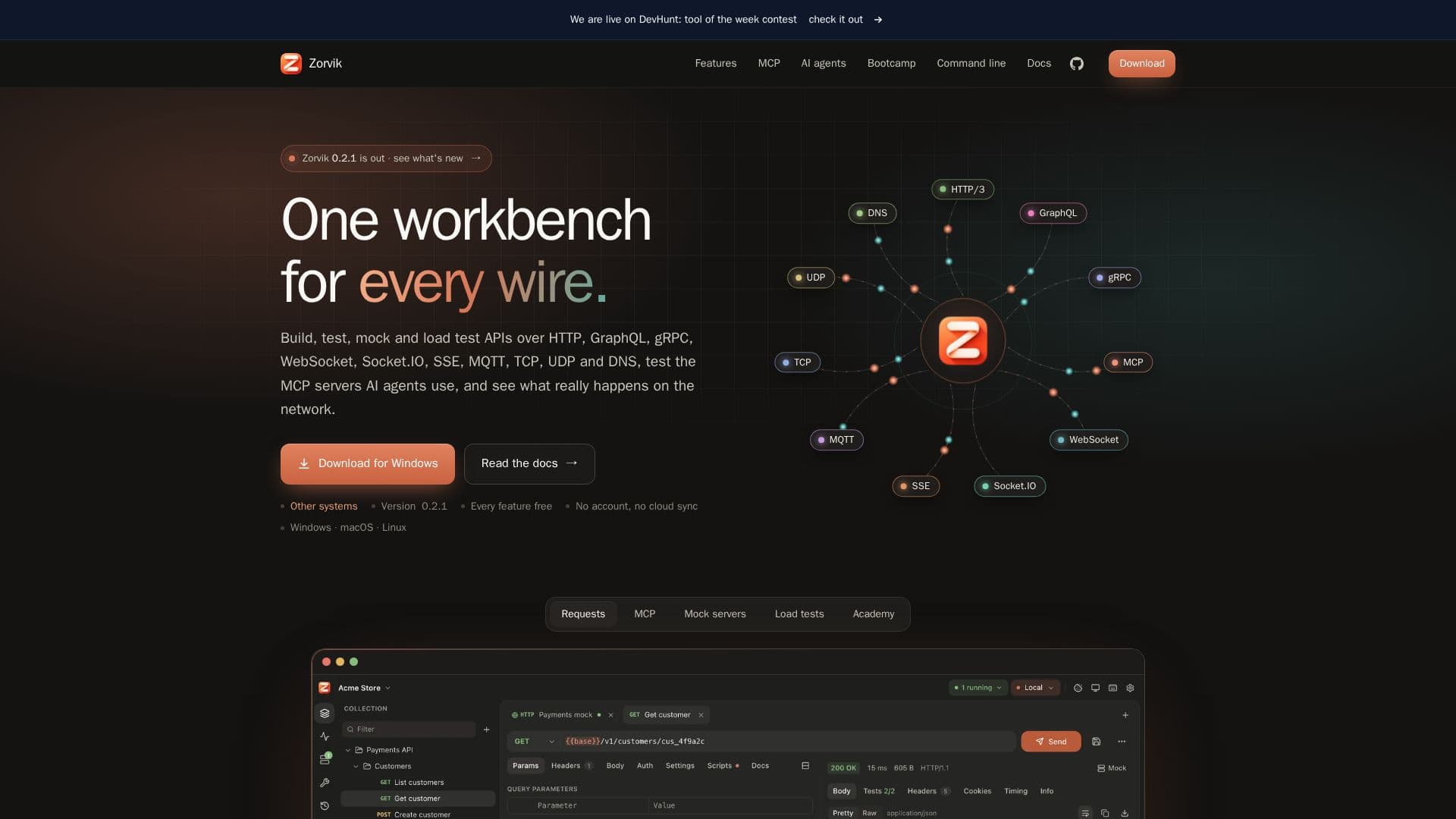
Zorvik is a versatile, open-source desktop application that enables users to build, test, mock, and load test APIs across a wide range of protocols including HTTP, GraphQL, gRPC, WebSocket, Socket.IO, SSE, MQTT, TCP, UDP, and DNS. It is designed to work locally on Windows, macOS, and Linux, ensuring that all features are free and accessible without the need for an account or cloud sync.
Read More
The application provides a unified workbench for API development and testing, allowing users to see detailed network interactions and honest metrics for every request. Zorvik supports Postman-compatible scripts, enabling seamless integration with existing workflows. Users can mock routes with parameters, templates, delays, faults, CORS, and forwarding, and conduct load tests directly on their laptops.
Zorvik is particularly beneficial for testing MCP servers, which are crucial for AI agents. It allows users to see what AI agents see, test tools and schemas, and build MCP servers for custom agent use. The application supports various transport methods including Streamable HTTP, HTTP+SSE, and stdio, and provides robust safety features to ensure secure operations.
The platform is built for AI agents such as Claude Code, Codex, Gemini CLI, and Cursor, enabling them to drive Zorvik over MCP while users monitor each step. Zorvik also includes a Training Bootcamp for users new to APIs and networks, offering hands-on learning with practice servers and a comprehensive lab guide.
Zorvik is committed to privacy and security, with secret values remaining local and no tracking or cloud sync involved. It is open-source under MIT or Apache-2.0 licenses, developed by the LibreGuild community, and continuously updated through GitHub.
- CategoryAI Code Review & Testing
- Pricing ModelFree
- DeploymentLocal
- PlatformsWindows, macOS, Linux
Zorvik's Core Features
Open-source desktop application
Supports multiple protocols
Postman-compatible scripts
Mock routes and load tests
MCP server testing
Training Bootcamp included
Local-first approach
Free for all users
How to use Zorvik?
Configure: Set up your workspace with YAML files
Use: Build and test APIs across supported protocols
Optimise: Conduct load tests and mock routes
Monitor: Inspect network interactions and metrics
Zorvik's Use Cases
- API Development
- MCP Server Testing
- Network Inspection
- Load Testing
- Mocking Routes