
Description
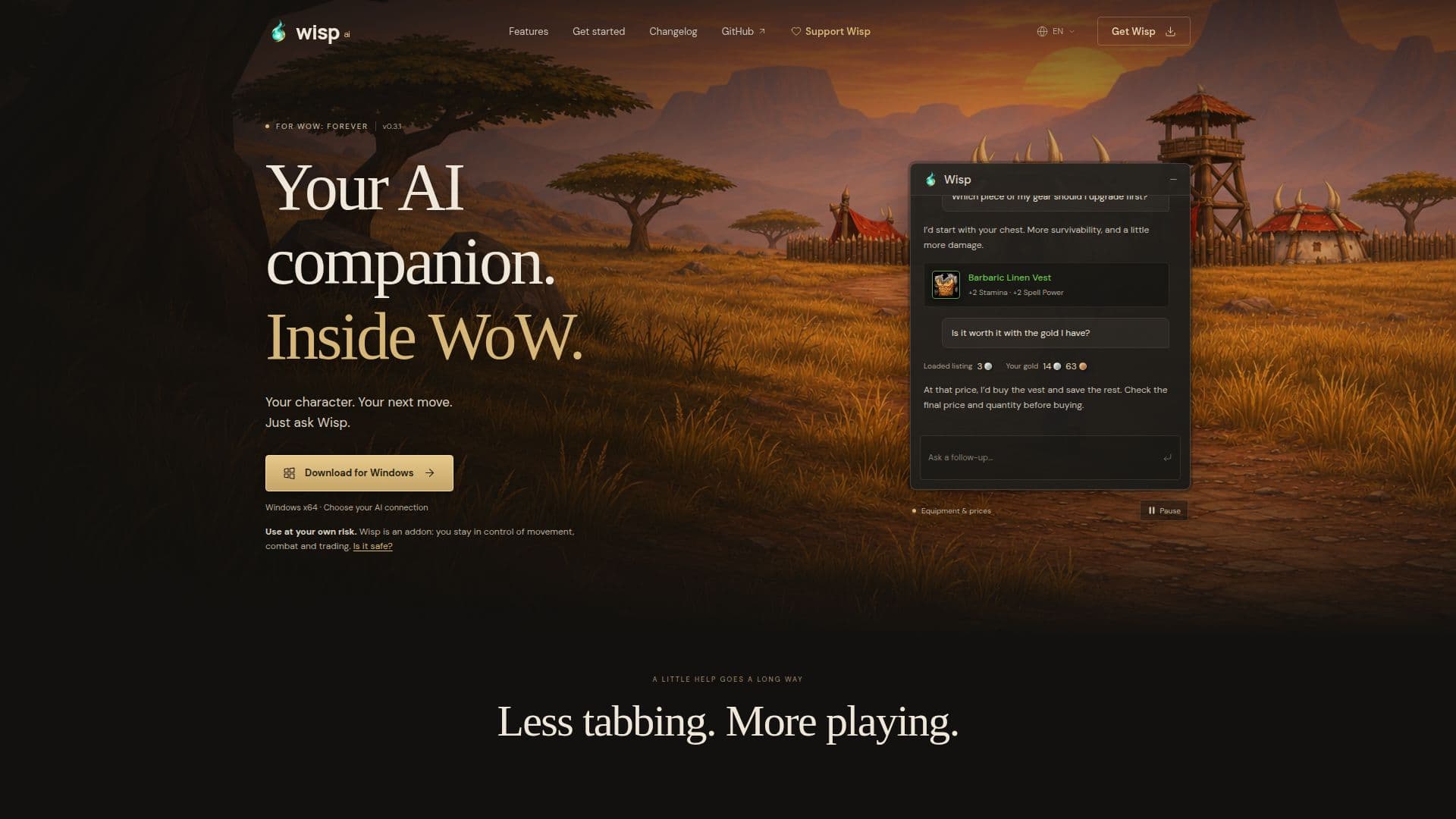
Wisp AI serves as an intelligent companion designed specifically for players of World of Warcraft: Forever on Windows. This open-source application integrates directly into the game, offering a suite of AI-powered features to enhance the gameplay experience by reducing the need for constant tabbing out.
Read More
The core functionality of Wisp AI revolves around providing contextual assistance based on a player's character and in-game activities. Users can ask Wisp to identify their next gear upgrade, weighing potential replacements against current equipment, level, and gold. It also assists with inventory management, helping players understand the utility of items in their bags and suggesting what to keep, craft, or sell based on professions and plans.
For questing and progression, Wisp AI can remember a player's chosen guide and provide the next steps upon leveling up, including learning new spell ranks or continuing quest routes. It can also look up quest chains, NPCs, and trainers, and even mark verified destinations on the in-game map. Macro creation is another key feature, allowing players to describe desired actions and have Wisp generate new macros using spells their character knows.
Wisp AI offers flexible AI connection options, supporting popular models like ChatGPT, Claude, Gemini, and OpenRouter, or even compatible local servers. Users can choose to use their existing subscriptions or provide API keys. The tool also integrates with various existing WoW addons such as Questie for locations, Auctionator for last-seen auction prices, Syndicator for cross-character inventory context, and Forever databases for item and crafting references, allowing for a richer, more informed AI interaction. Additionally, users can add their own tools via MCP connections.
The application is designed to be user-friendly, with a straightforward installation process for Windows and clear steps for connecting an AI provider. While Wisp AI assists with information and requested actions, it does not automate gameplay; players retain full control over movement, combat, targeting, and trading. It is an early release, with ongoing development and features like persistent panels and combat simulation in beta or experimental stages.
- CategoryAI Gaming Assistants
- Pricing ModelFree (Open Source)
- DeploymentDesktop App
- PlatformsWindows
Wisp AI's Core Features
Gear Upgrade Finder: Identifies optimal gear replacements based on current equipment, level, and priorities.
Macro Creator: Generates new in-game macros using known spells based on user descriptions.
Quest & Route Planner: Remembers guides, suggests next steps upon leveling, and marks destinations on the map.
Inventory Management: Analyzes bag contents to advise on items for professions, crafting, or selling.
Contextual In-Game Chat: Ask questions about items, spells, or units by hovering and using a shortcut.
Routine Automation: Sets up automated check-ins for events like level-ups, gear changes, or bag updates.
Memory & Preferences: Stores user preferences, goals, and guide notes for future conversations.
Auction Price Integration: Uses Auctionator data to weigh upgrade prices against available gold.
Game & Addon Settings Control: Previews and applies supported game and addon settings changes.
Persistent Panels & Trackers: Saves character panels to keep materials, gold, or progress in view.
Combat Simulation (Experimental): Compares supported combat setups and scenarios.
Multiple AI Model Support: Connects to ChatGPT, Claude, Gemini, OpenRouter, or local models.
Addon Integrations: Connects with Questie, Auctionator, Syndicator, and Forever databases for enhanced context.
Custom Tool Connections: Allows adding custom tools via MCP connections.
Open Source: The application is open source for transparency and community contributions.
How to use Wisp AI?
Install Wisp: Run the Windows installer, open the Wisp desktop app, select your WoW folder, and install the addon.
Connect AI Provider: In the desktop app, choose an AI connection option (ChatGPT sign-in, API key for providers like Anthropic/Google/OpenAI/OpenRouter, or a compatible local server).
Configure Model: Select a tool-calling model and set its context window for API/local connections, then set it as default.
Restart WoW: Fully exit and reopen World of Warcraft, then enable Wisp AI and its helper addons in the AddOns list.
Start Chatting: Log in to WoW, type `/wisp` in chat, and begin asking questions or setting up routines. Keep the desktop app running.
Use Inline Chat: In Wisp's in-game settings, bind a shortcut for inline chat, then hover an item/spell/unit and press the shortcut to ask in context.
Wisp AI's Use Cases
- Gear Optimization
- Macro Creation
- Quest & Progression Planning
- Inventory & Profession Management
- Contextual Information Retrieval
- Automated Routine Management
- Combat Analysis (Experimental)
- Game Settings Configuration