
Description
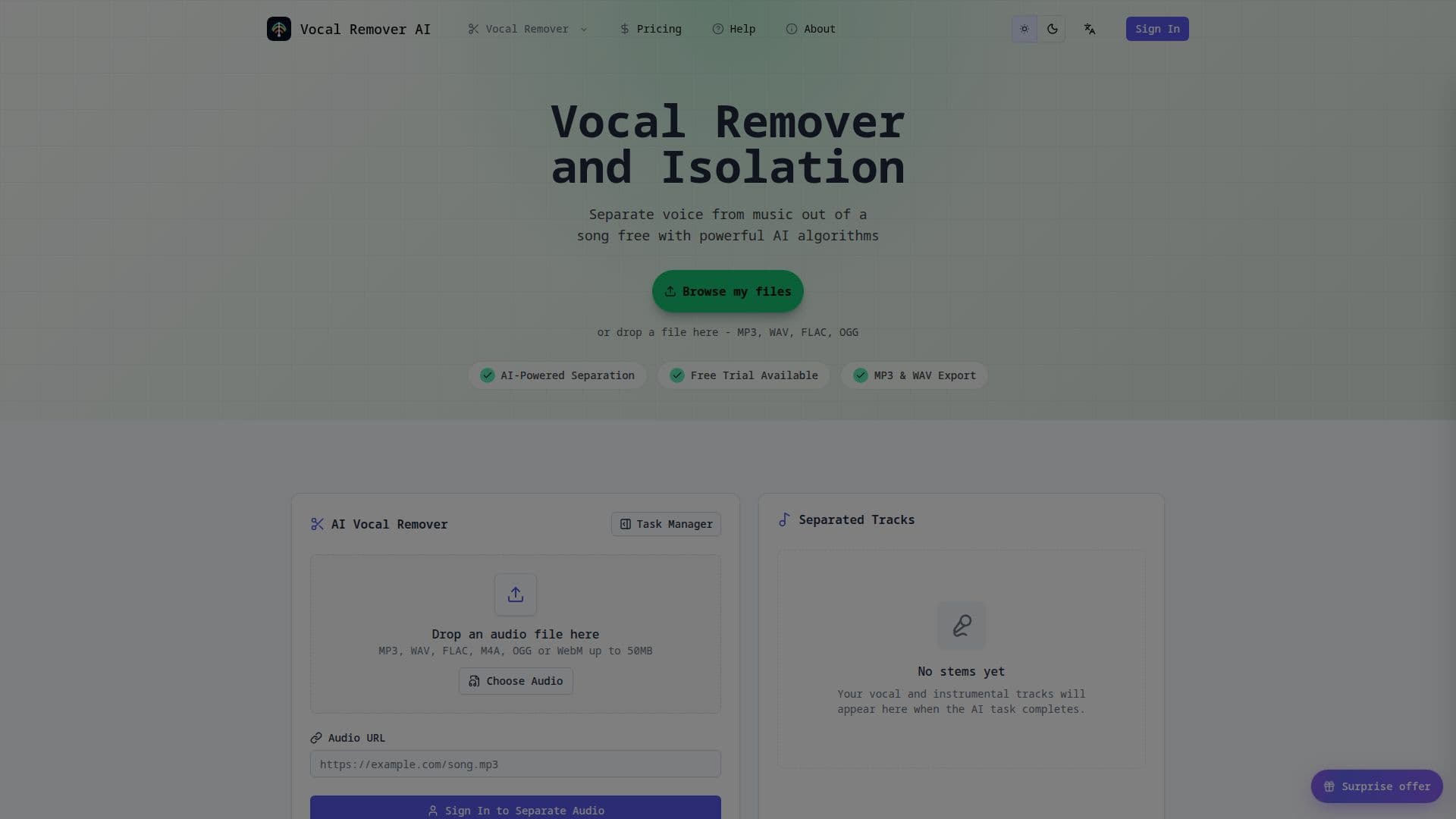
Vocal Remover AI is an online platform designed to quickly and efficiently separate vocal and instrumental tracks from various audio files. Utilizing advanced AI algorithms, the service processes uploaded audio to produce two distinct outputs: an isolated vocal track and a clean instrumental backing track. This functionality is ideal for a wide range of users, including musicians, content creators, DJs, and karaoke enthusiasts.
Read More
The platform supports popular audio formats such as MP3, WAV, FLAC, M4A, OGG, and WebM, with a file size limit of 50MB per upload. Users also have the option to paste a direct public URL to an audio file, provided it is publicly accessible and does not require a login or password. The processing time for most tracks is typically between one to three minutes, depending on factors like source length, file size, and current demand.
To use Vocal Remover AI, an account is required. This allows users to initiate separation tasks, monitor active jobs, manage their processing-time balance, and access recent results. A one-time free trial is available for new users, after which monthly plans starting at $9.99 or one-time processing packs can be purchased for additional usage. The pricing structure is transparent, showing included processing time and cost before commitment.
The tool is built for a fast and creator-friendly workflow, eliminating the need for desktop software installations. Users can preview both the vocal and instrumental outputs directly in the browser before downloading, enabling them to assess clarity and suitability for their projects. While the AI aims for high accuracy, results can vary based on the original mix quality, with dense arrangements or heavy effects potentially leading to some audible bleed or artifacts.
Vocal Remover AI emphasizes user privacy, stating that files are processed securely and never published or shared. The service also provides clear guidance on the legal aspects of using extracted audio, advising users to process audio they own or have permission to use, and to check relevant licenses before public distribution or commercial use. The interface is available in multiple languages, including English, Chinese, Japanese, German, French, Italian, Spanish, Traditional Chinese, and Korean, making it accessible to a global audience.
- CategoryAI Audio Editors
- Pricing ModelFreemium
- DeploymentCloud
- PlatformsWeb
Vocal Remover AI's Core Features
Separate vocals and instrumentals from audio files
Supports MP3, WAV, FLAC, M4A, OGG, WebM audio formats
Upload files up to 50MB
Paste direct public audio URLs for processing
Generates isolated vocal tracks (acapellas)
Generates instrumental backing tracks
In-browser preview of separated tracks
Download individual vocal or instrumental tracks, or both
Fast processing, typically 1-3 minutes per track
Account required for task management and balance tracking
Processing time estimates displayed before job start
Multilingual interface support
No desktop software installation required
Secure file processing and privacy-first approach
Access to recent results and task status tracking
How to use Vocal Remover AI?
Upload Audio: Choose an MP3, WAV, FLAC, M4A, OGG, or WebM file up to 50MB, or paste a direct public audio URL.
Run AI Isolation: Review the processing-time estimate, then initiate the separation to split the source into vocal and instrumental tracks.
Preview and Download: Play both results in the browser to compare clarity, then download the vocal track, backing track, or both.
Vocal Remover AI's Use Cases
- Craft Professional Remixes
- Create High-Fidelity Backing Tracks
- Streamline Audio Post-Production
- Sampling and Sound Design
- Vocal Extraction for Acapellas
- Instrumental Maker for Practice
- Dialogue Study and Transcription
- Mashup Drafts