
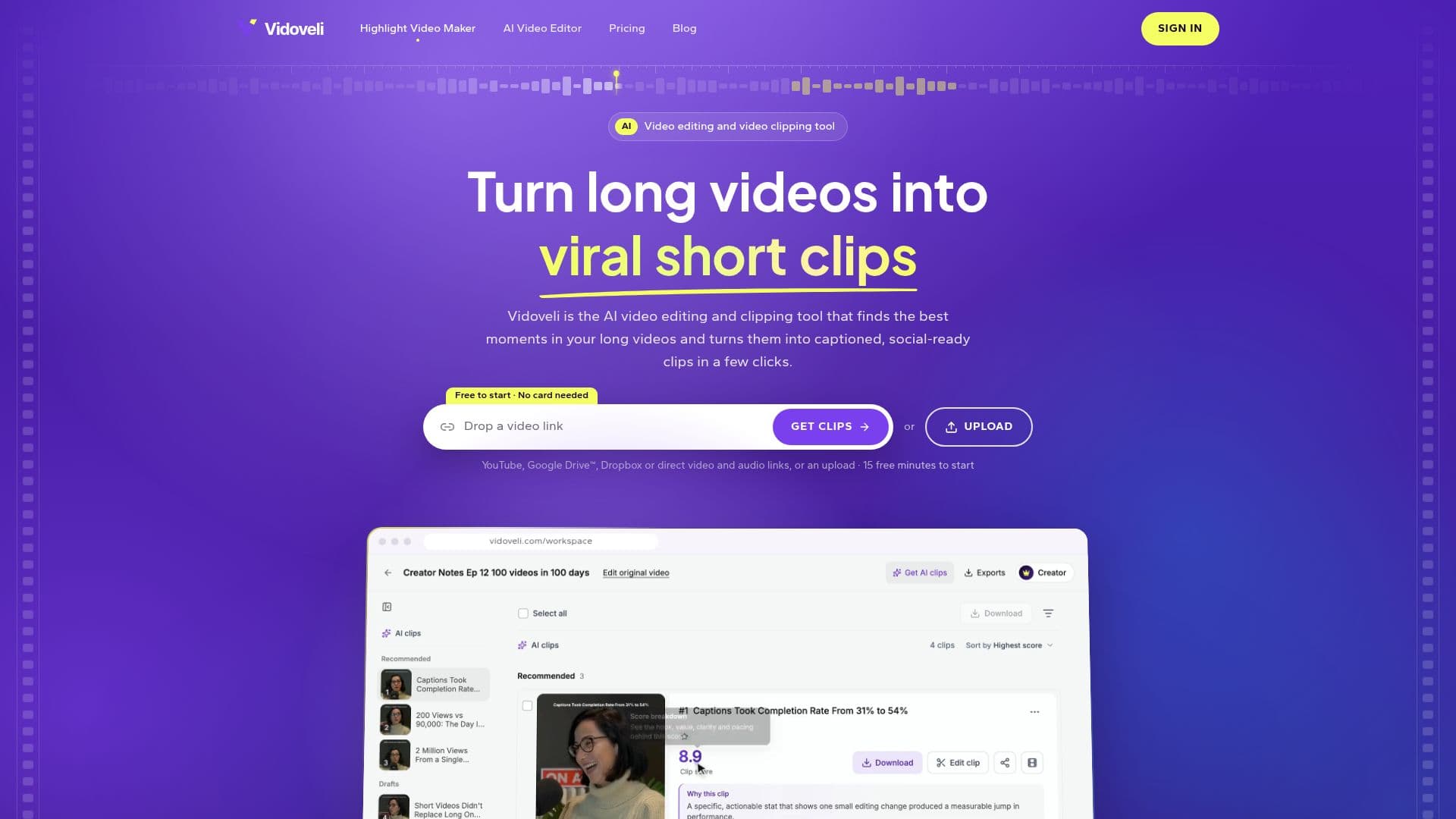
Description
Vidoveli is an AI-powered video editing and clipping tool designed to streamline the creation of short, engaging video content from longer source material. It caters to content creators, agencies, and freelancers who regularly produce long-form videos such as podcasts, interviews, webinars, and lessons, and need to repurpose them for social media platforms like TikTok, Instagram Reels, and YouTube Shorts.
Read More
The platform's core functionality revolves around its ability to analyze long videos, transcribe them in 40 languages, and intelligently identify the most impactful moments. These moments are then automatically converted into short, vertical clips, complete with animated captions and reframing to ensure the speaker remains in focus. Vidoveli reviews each potential clip based on factors like hook, value, clarity, and pacing, providing a score and a reason for its selection, allowing users to quickly assess and choose the best options.
Users can import videos by pasting links from YouTube, Google Drive, or Dropbox, direct video/audio file links, or by uploading files directly. The tool supports videos up to 10 hours long on paid plans and 2 hours on the free plan. A unique credit system is in place where one credit equals one minute of video processed by AI, but manual edits, trims, and exports do not consume credits. If an AI processing task fails, credits are returned.
Beyond automatic clipping, Vidoveli offers a full online video editor where users can fine-tune their clips. This includes editing by deleting words in the transcript, restyling or translating captions, changing aspect ratios, adding B-roll, music, and transitions, or precisely adjusting clip start and end points word by word. The editor works entirely in the browser, saving projects automatically, and requires no prior editing experience.
Vidoveli offers a Free plan with 15 initial credits and 720p exports. Paid plans, Creator ($9.90/month) and Business ($35/month), provide more credits, 1080p and 4K exports without watermarks, increased video length and storage limits, and additional features like team workspaces and brand kits. Users can also purchase one-time credit packs. The platform aims to simplify the video repurposing workflow, allowing creators to generate a week's worth of short clips from existing long videos efficiently.
- CategoryAI Video Editors
- Pricing ModelFreemium
- DeploymentCloud
- PlatformsWeb
Vidoveli's Core Features
AI Video Clipping: Automatically finds and extracts viral short clips from long videos.
Animated Captions: Adds dynamic, readable captions in 40 languages with automatic detection.
Video Reframing: Keeps the speaker in frame for various aspect ratios, including vertical video.
Multiple Import Options: Upload files or paste links from YouTube, Google Drive, Dropbox, or direct URLs.
Online Video Editor: Comprehensive browser-based editor for manual adjustments.
Edit by Text: Cut video clips by deleting words in the transcribed text.
Transcript Download: Export transcripts in TXT, SRT, and VTT formats.
Aspect Ratio Control: Supports 9:16, 1:1, 4:5, and 16:9 aspect ratios.
AI Post Suggestions: Generates suggested titles, descriptions, and hashtags for social media.
Watermark Removal: Paid plans offer exports without the Vidoveli watermark.
High-Quality Exports: Up to 4K resolution exports on Creator and Business plans.
Team Workspace: Business plan includes collaboration features for inviting team members.
Brand Kit: Store logos, music, and caption styles for consistent branding on Business plan.
Credit System: One credit equals one minute of AI-processed video; editing is free.
Free Trial: 7-day free trial for the Creator plan available.
How to use Vidoveli?
Upload Video: Paste a link from YouTube, Google Drive, Dropbox, or upload a video/audio file directly.
Select Clip Settings: Choose desired clip length and caption appearance.
Generate AI Clips: Click 'Get AI clips' to have Vidoveli transcribe and identify key moments.
Review and Edit: Open any recommended clip in the full online editor to trim, adjust captions, or add elements.
Export Clips: Download the final MP4 files in various aspect ratios and resolutions.
Share Content: Copy suggested post text for each platform and share your clips.
Vidoveli's Use Cases
- Social Media Content Creation
- Podcast Highlights
- Webinar and Interview Snippets
- Educational Content Repurposing
- Agency Client Deliverables
- Vlog and Talk Show Clips