Description
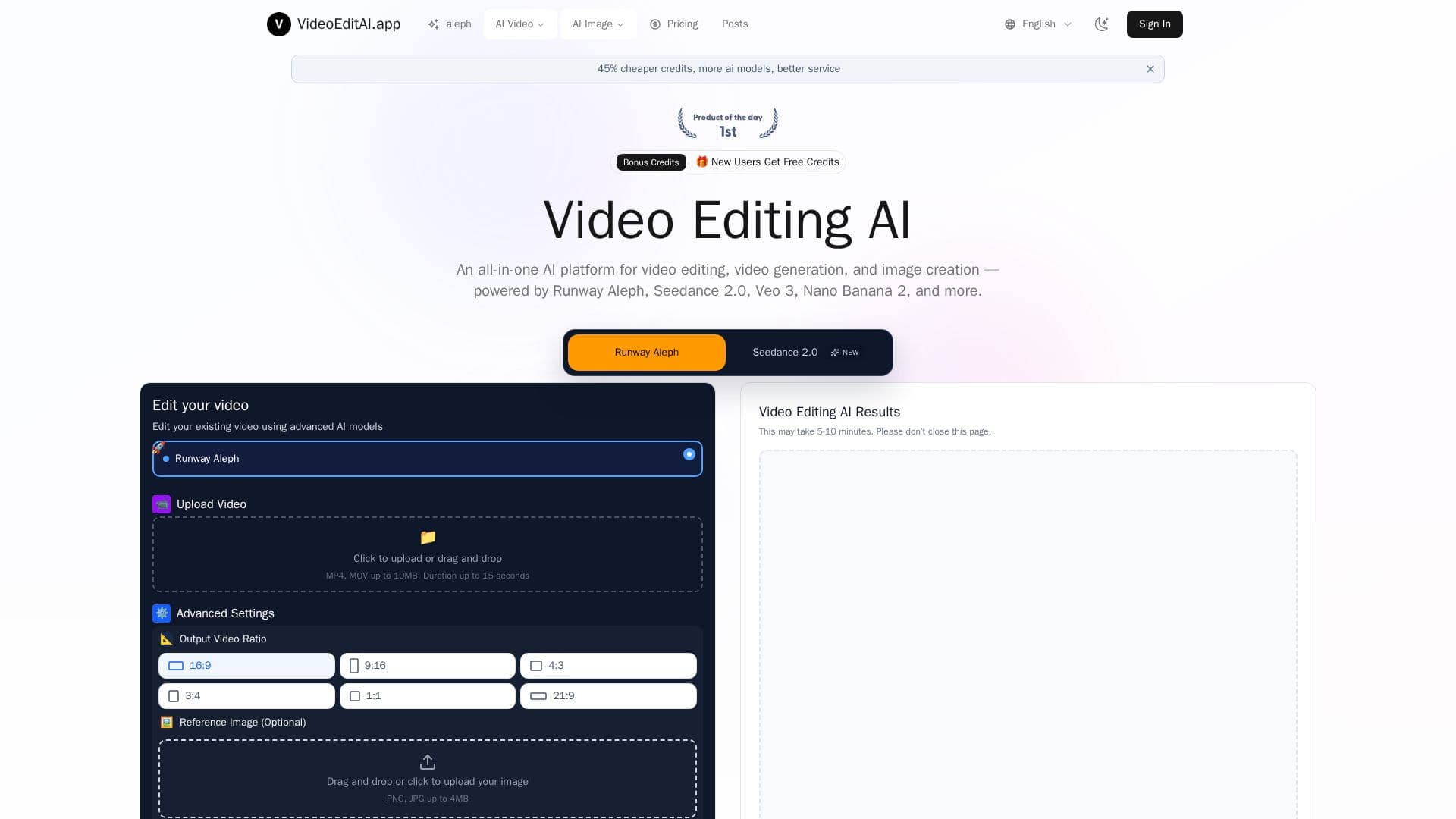
VideoEditAI.app is a multi-model AI platform that combines video editing, video generation, and image creation in one browser-based workspace. It brings together leading models including Runway Aleph, Seedance 2.0, Veo 3, Kling O1, and Nano Banana 2, and automatically routes each task to the model best suited for it, so users can switch between models with simple prompts and no technical expertise.
Read More
Its video editing capabilities cover 12 core tasks, including generating new camera angles, generating the next shot, style transfer, changing environments and time of day, adding or removing objects, changing or recoloring objects, applying motion from one video to a new first-frame image, altering character appearance, relighting shots, and green screen extraction. An AI prompt generator helps build higher-quality prompts optimized for video editing context, and the platform also generates AI video and images from text and imagery.
VideoEditAI.app offers free credits for new users and credit-based paid plans billed annually, with Basic (16,800 credits/year, 336 edits), Premium (43,200 credits/year, 864 edits), and Max (62,400 credits/year, 1,248 edits). It advertises credits up to 45% cheaper than individual platform pricing, does not charge for failed generations, never uses your content to train models without permission, and supports common formats like MP4, MOV, and AVI.
- CategoryAI Video Editors
- Pricing ModelPaid
- DeploymentCloud
- PlatformsWeb
VideoEditAI.app's Core Features
Multi-model platform with automatic task routing
Access to Runway Aleph, Kling O1, Veo, Seedance, and Nano Banana
12 video editing tasks including object add/remove and relighting
New camera angle and next-shot generation
Style transfer and environment/time-of-day changes
AI prompt generator optimized for video editing
Text-to-video and image generation
No charge for failed generations
How to use VideoEditAI.app?
Import your footage or prompt: Upload a video or image, or enter a text prompt.
Describe your goal: Tell the platform what you want to achieve, optionally referencing an uploaded image.
Pick the right model: The platform routes your task to the optimal AI model, or you choose one.
Generate and publish: Produce your edit or generation and export in minutes.
VideoEditAI.app's Use Cases
- In-context video editing
- Multi-model generation
- Environment and lighting changes
- Character and object editing
- Professional VFX workflows