Description
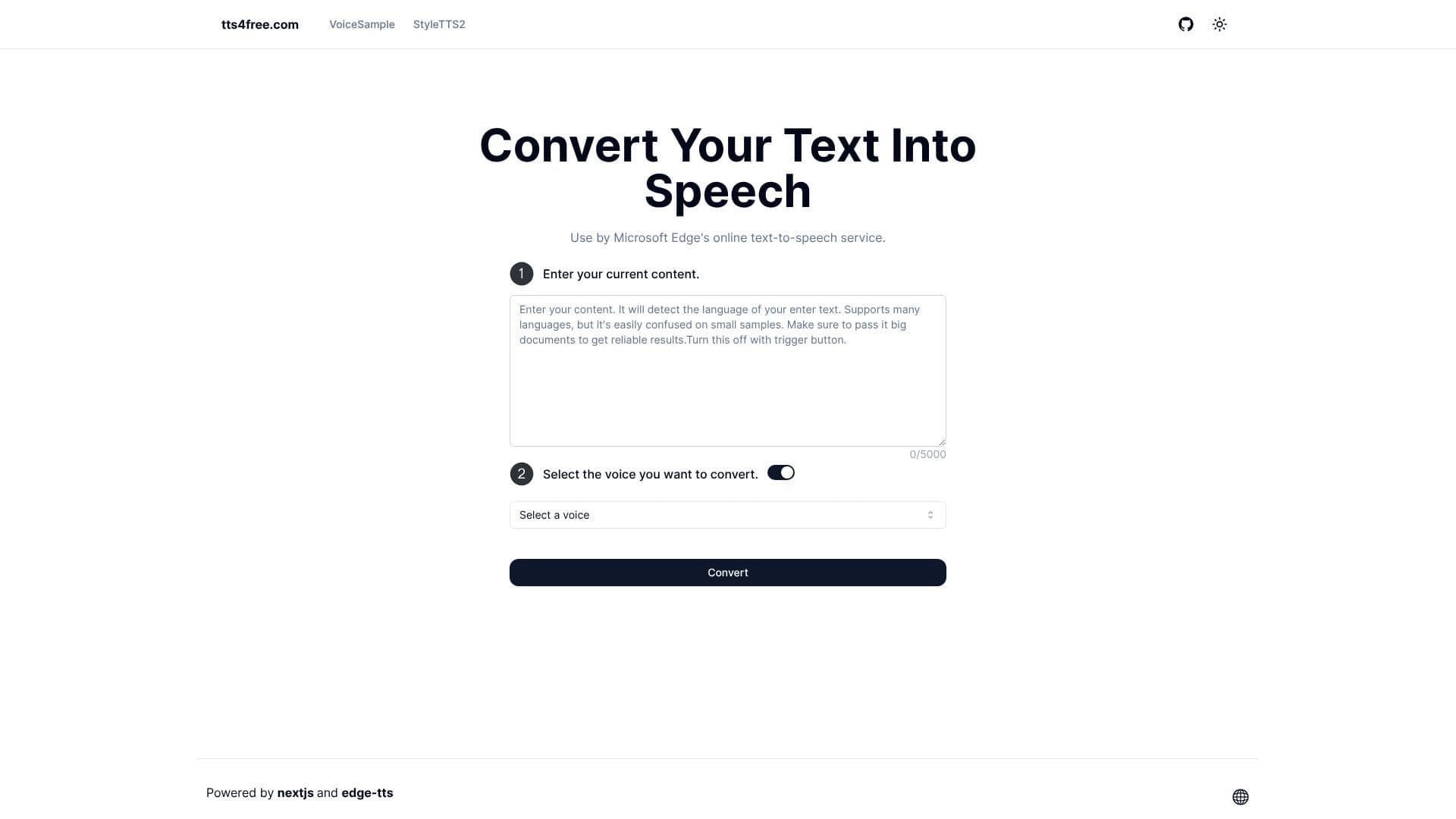
Free Text to Speech Online is a web-based application designed to transform written content into spoken audio. Leveraging Microsoft Edge's advanced text-to-speech technology, the platform provides natural pronunciation across a wide array of languages, exceeding twenty distinct options. Users can simply input their text, up to a limit of 5000 characters, and select from available voices to generate audio output.
Read More
The primary benefit of this tool is its accessibility and ease of use. It requires no registration, allowing for immediate utilization by anyone needing to convert text to speech. This makes it an ideal solution for content creators, educators, accessibility advocates, and individuals who require audio versions of written material for various purposes.
The service emphasizes speed and quality. The conversion process is designed to be fast, minimizing waiting times for users. The natural pronunciation aims to deliver an engaging listening experience, suitable for applications ranging from audiobook narration to voiceovers for presentations and educational content. The ability to choose from different voices further enhances its versatility, catering to diverse preferences and project requirements.
Key capabilities include multi-language support, a generous character limit for input, and voice selection. The platform's commitment to being free and registration-free democratizes access to text-to-speech technology, removing common barriers to entry. This makes it a valuable resource for personal projects, educational materials, or professional content development where budget or technical complexity might otherwise be a constraint.
- CategoryText to Speech
- Pricing ModelFree
- DeploymentCloud
- PlatformsWeb
TTS4Free's Core Features
Converts text into speech
Supports over 20 languages
Natural pronunciation
Fast conversion speed
Selectable voices
No registration required
Free to use
Up to 5000 character limit per conversion
Utilizes Microsoft Edge's TTS service
How to use TTS4Free?
Enter Text: Input your desired text into the provided text area.
Select Voice: Choose a voice from the available options.
Convert: Click the 'Convert' button to initiate the speech generation.
Listen/Download: Listen to the generated speech or download it for later use.
TTS4Free's Use Cases
- Content Creation
- Accessibility
- Education
- Language Learning
- Prototyping
- Personal Use