Description
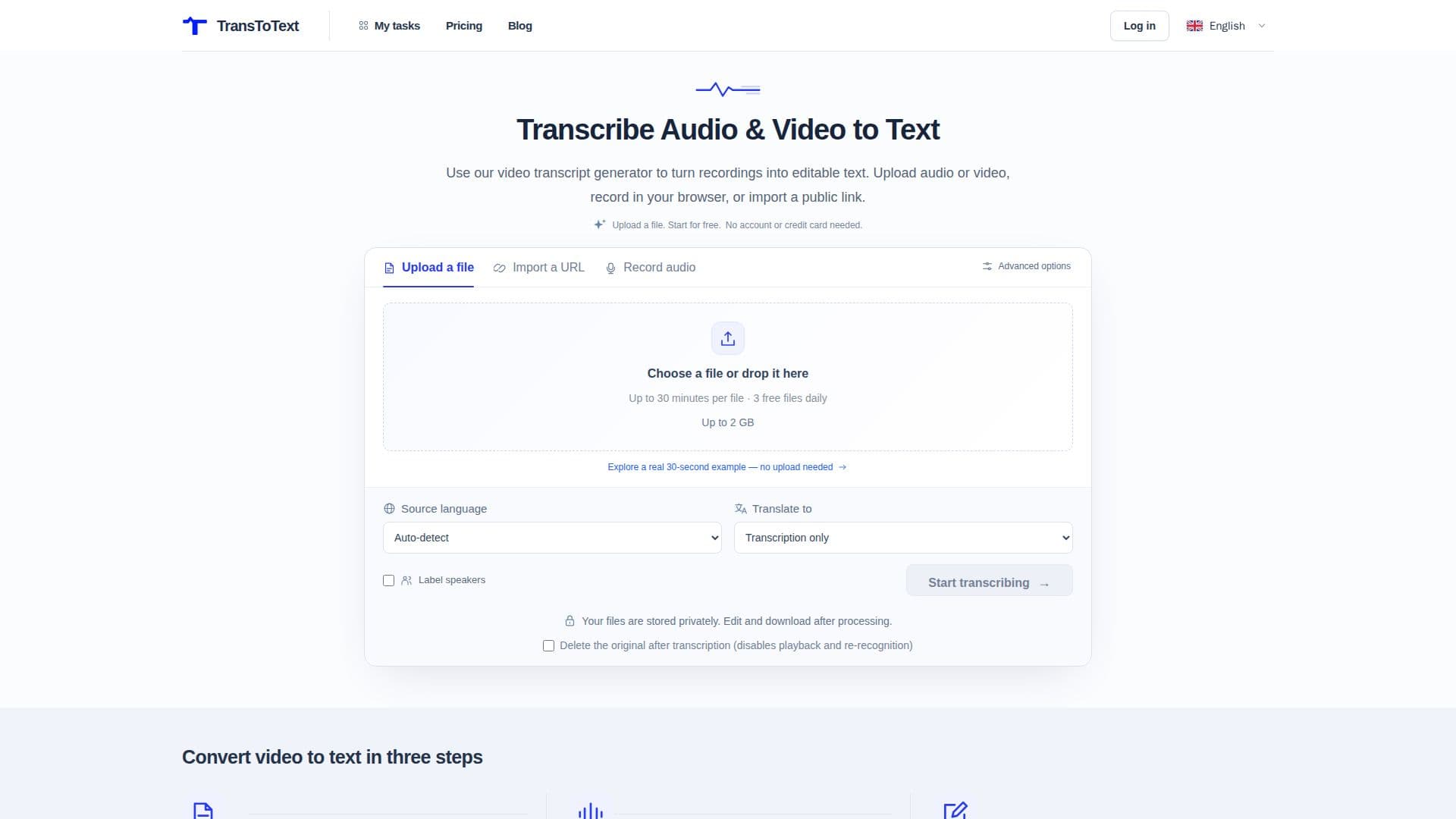
TransToText provides an online platform for converting audio and video recordings into editable text transcripts and timed subtitles. The service simplifies the process of transforming spoken content into written form, offering features like automatic language detection, speaker labeling, and translation capabilities.
Read More
Users can initiate transcription by uploading audio or video files directly, recording content within their browser, or importing public links from platforms like YouTube. The platform supports a wide array of audio and video formats, including M4A, MP3, WAV, FLAC, MP4, MOV, MKV, and WEBM, ensuring broad compatibility for various media types.
Once a recording is processed, users can access an intuitive editor to review and refine the generated transcript. This includes correcting words, adjusting timing for subtitles, and adding or editing speaker labels. The editor allows for replaying specific passages to ensure accuracy, which is particularly useful for complex conversations or technical content.
TransToText facilitates the creation of show notes for podcasts, detailed minutes for meetings (including Zoom calls), and captions for videos. For podcasts, users can extract key topics, guest quotes, and resources. For meetings, the tool helps capture decisions, action items, owners, and deadlines. The platform also supports generating timed subtitles in formats like SRT, VTT, ASS, TTML, Word, CSV, and JSON, with 16 formats available for original and translated tracks.
Beyond transcription, TransToText offers translation services, allowing users to convert transcripts into different languages. The tool first transcribes the speech and then translates it segment by segment, providing both original and translated versions for comparison. Users can download translated text or subtitle files.
A notable feature is the integration with external AI summarization tools. After transcription, users can prepare their edited transcripts or translations for use with AI clients like ChatGPT, Claude, or Codex. TransToText generates prompts and Markdown documents with timestamps and speaker labels, enabling these external AIs to extract topics, key points, decisions, and action items, or prepare study notes. It's important to note that TransToText prepares the material and connection but does not generate the summary itself or send content to providers automatically, emphasizing user control over data sharing.
TransToText operates on a freemium model, offering a free tier with daily task limits and a Pro subscription for extended features, including longer file lengths, increased batch processing, and longer cloud history retention. The service prioritizes user privacy, ensuring files use private storage, access is audited, and recordings are not used to train models. Users can also opt to delete original files immediately after transcription.
- CategoryAI Transcription Tools
- Pricing ModelFreemium
- DeploymentCloud
- PlatformsWeb
TransToText's Core Features
Transcribe audio to text
Transcribe video to text
Support for 36 audio file types (M4A, MP3, WAV, FLAC, etc.)
Support for 24 video file formats (MP4, MOV, MKV, WEBM, etc.)
In-browser audio/video recording
Import public media URLs (e.g., YouTube links)
Automatic language detection
Manual language selection for transcription
Speaker labeling for conversations
Online transcript editor with playback
Edit words and subtitle timing
Download transcripts in TXT, DOCX, Word, Markdown
Generate timed subtitles (SRT, VTT, ASS, TTML, JSON, CSV, LRC)
Translate transcripts into other languages
Add subtitles directly to video in browser (MP4 export)
Prepare transcripts for AI summarization (ChatGPT, Claude, Codex)
Cloud history for tasks (12 hours free, 30 days Pro)
Secure private storage for files
Option to delete original files after transcription
OAuth and personal key connections for AI clients
How to use TransToText?
Choose File: Upload an audio or video file, record in your browser, or paste a public link.
Set Languages: Auto-detect or select the spoken language, add translation or speaker labels if needed, then start transcription.
Review & Edit: Open the completed transcript, replay passages, correct words or timing, and edit speaker labels.
Download or Translate: Download your transcript or subtitles in various formats, or initiate a translation to a target language.
Prepare for AI: Select "Summarize with AI" to copy a prompt and transcript for use with external AI tools like ChatGPT or Claude.
Add Subtitles to Video: For video files, choose "Add subtitles to video" to embed original or translated subtitles directly into an MP4 export.
TransToText's Use Cases
- Podcast Transcription
- Meeting Minutes
- Video Subtitles & Captions
- Voice Memo Conversion
- Content Summarization Prep
- Multilingual Content Translation
- Academic Research
- Journalism & Media