Description
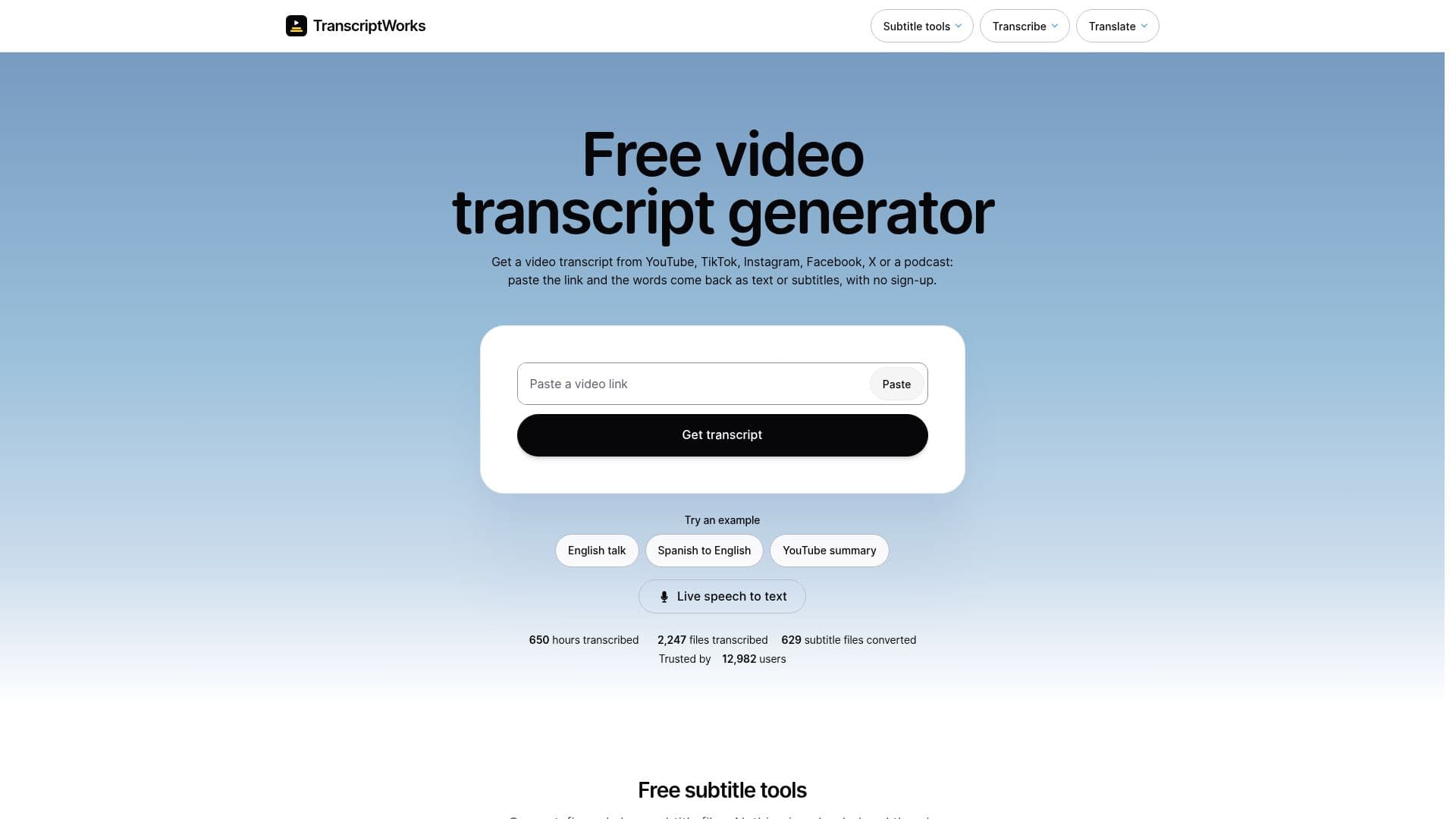
TranscriptWorks provides a comprehensive suite of free online tools designed for video transcription and subtitle management. The platform allows users to generate text transcripts from video links sourced from popular platforms such as YouTube, TikTok, Instagram, Facebook, X, and podcasts. Transcripts can be obtained as plain text or in various subtitle formats, including SRT, VTT, ASS, SSA, SMI, SUB, TXT, PDF, LRC, Enhanced LRC, SBV, and JSON, catering to diverse needs for editing, archiving, or accessibility.
Read More
Beyond transcription, TranscriptWorks offers over 55 subtitle tools for converting, fixing, and cleaning subtitle files. These tools handle tasks like converting TXT to SRT, VTT to SRT, SRT to VTT, and ASS to SRT. Users can also shift subtitle timings, remove line breaks, and extract subtitle tracks from MKV or MP4 files. A dedicated subtitle case converter helps fix ALL CAPS subtitles or change capitalization to sentence case, uppercase, or lowercase, which is particularly useful for older broadcast captions or specific editing requirements.
The platform extends its utility to meeting transcription, offering a free service for Microsoft Teams recordings. Users can download an MP4 recording from OneDrive or SharePoint and drop it into TranscriptWorks to get a transcript as text, Word document, SRT, or VTT. This feature is ideal for generating meeting minutes without a bot joining the call or requiring an account. The service supports recordings up to 90 minutes long, covering spoken words but not chat content.
TranscriptWorks also features a live translation tool for Microsoft Teams meetings. This allows users to open a Teams meeting in their browser, then use a separate tab on TranscriptWorks to get a live translation of the spoken conversation into their chosen language. The translation appears on the user's screen only, without being visible to other meeting participants. Users can copy or download the translation as a text file, SRT, VTT, or timed text for future reference. The service supports 38 languages and works on computers using Chrome or Edge browsers, providing a valuable resource for international teams, students, and job candidates.
- CategoryAI Transcription Tools
- Pricing ModelFree
- DeploymentCloud
- PlatformsWeb
TranscriptWorks's Core Features
Video Transcript Generation from Links
Support for YouTube, TikTok, Instagram, Facebook, X, Podcasts
Free Subtitle Conversion Tools
Subtitle Timing Adjustment
Subtitle Line Break Removal
Subtitle Extraction from Video Files (MKV, MP4)
Subtitle Case Conversion (ALL CAPS to Sentence Case, etc.)
Microsoft Teams Recording Transcription
Microsoft Teams Live Meeting Translation
Multiple Output Formats (SRT, VTT, ASS, TXT, PDF, JSON, etc.)
No Sign-Up Required
No File Uploads for Subtitle Tools
No Size Limits for Subtitle Files
Translation for 38 Languages
How to use TranscriptWorks?
Get Video Transcript: Paste a link from YouTube, TikTok, Instagram, X, Facebook, or a podcast, then press 'Get transcript' to receive the words as text or subtitles.
Convert Subtitles: Drop a subtitle file onto the tool, select the desired output format (e.g., TXT to SRT, VTT to SRT), and the conversion happens instantly.
Transcribe Teams Recording: Download the MP4 meeting recording from OneDrive or SharePoint, then drop the file onto the Teams transcription page to get the transcript.
Translate Teams Meeting Live: Open the Teams meeting in your browser, open TranscriptWorks in another tab, select 'I speak' and 'Translate to' languages, then press 'Listen to a tab' and share the Teams tab's audio.
Adjust Subtitle Timing: Use the 'Shift subtitle timing' tool by dropping your SRT file and specifying the time adjustment needed.
Fix Subtitle Capitalization: Drop an SRT file into the 'Subtitle Case Converter', choose the desired case (e.g., sentence case, UPPER CASE), and download the corrected file.
Download Transcripts/Translations: After processing, copy the text or download it in various formats like SRT, VTT, TXT, or PDF.
TranscriptWorks's Use Cases
- Video Content Accessibility
- Meeting Minutes Creation
- Subtitle File Preparation
- Content Repurposing
- Language Barrier Reduction
- Educational Content Review
- Media Archiving
- Video SEO Enhancement