
Description
TKCORE AI offers a comprehensive web-based workspace for AI-assisted content creation, integrating chat, structured writing tools, image generation, and audio production into a single platform. It is designed for creators, marketers, students, and teams who require repeatable content workflows and open-ended dialogue without the need to switch between multiple disconnected applications.
Read More
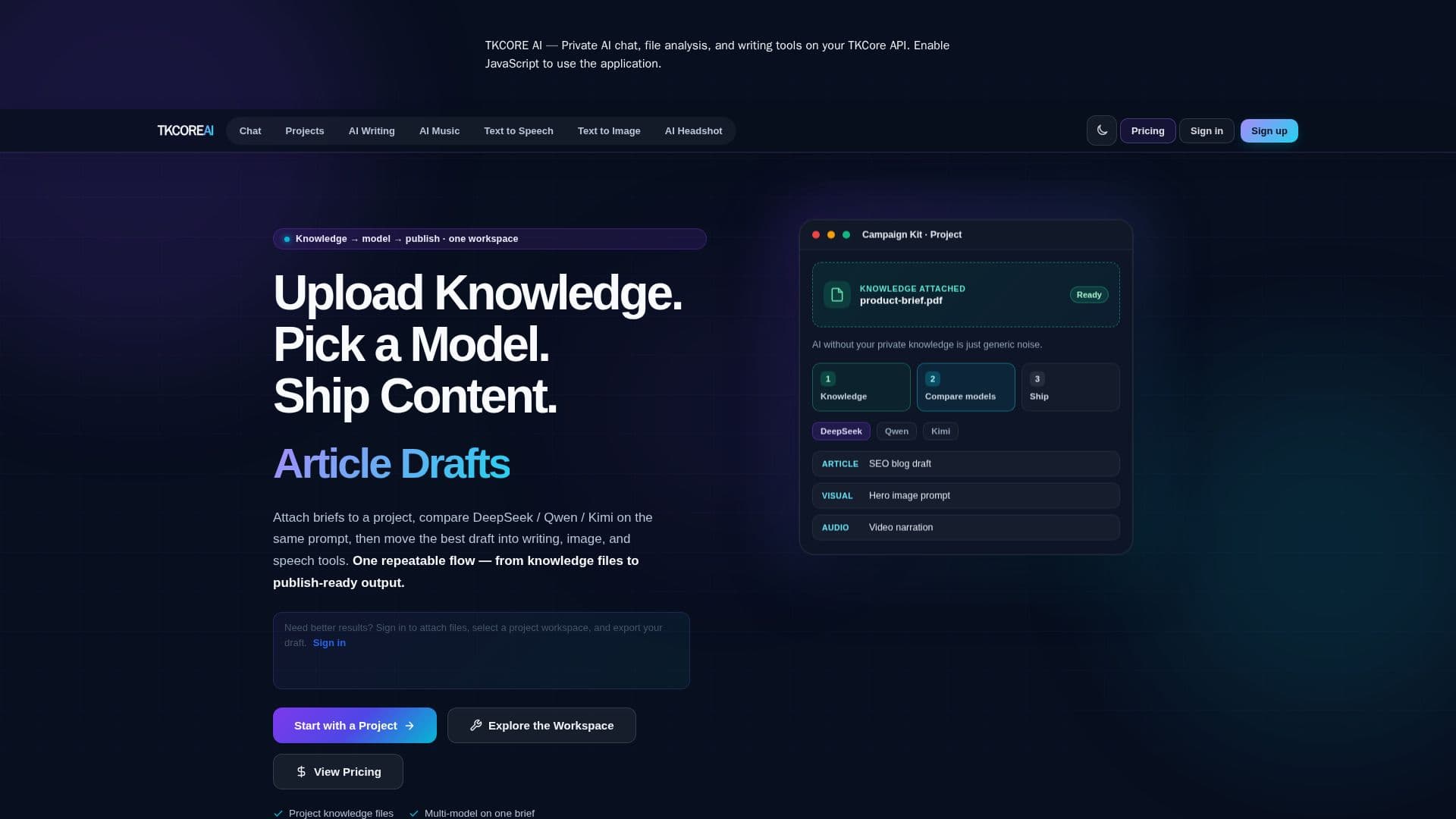
The platform's core functionality revolves around a three-step process: uploading knowledge, comparing models, and shipping content. Users can attach briefs and reference files to a project, ensuring context remains within that specific workspace. This allows for multi-model comparisons on the same prompt, leveraging models such as DeepSeek, Qwen, and Kimi. Once the best draft is selected, it can be moved into integrated writing, image, and speech tools to produce publish-ready articles, visuals, and voiceovers.
TKCORE AI emphasizes privacy and security, ensuring that chat sessions, tool outputs, and generated audio remain within the user's account and are not used to train AI models. Data transmission occurs over encrypted connections, and content is processed under contractual safeguards with model providers. The platform aims to eliminate the need for multiple browser tabs, separate subscriptions, and endless copy-pasting, providing a unified environment where context stays attached throughout the content production pipeline.
Key capabilities include AI writing tools for articles, stories, emails, and SEO copy; visual production for campaign visuals, story art, and thumbnails using models like Midjourney V7 and Qwen; and speech and music generation for voiceovers, podcast intros, and background tracks. The platform supports over 100 production tools and access to more than 15 advanced AI models, including TkCore-V5.5-Pro, DeepSeek-V4 Pro & Flash, Qwen-Max, and Kimi K2.5.
TKCORE AI offers a Free plan with a fixed credits allowance, access to core models, and basic image/music generation. Paid plans (Standard, Pro, Ultra) provide increased credits, higher per-request limits, dedicated project workspaces with more storage, advanced models, web search, deep reasoning, and enhanced support. The platform is entirely browser-based, requiring no installation, and supports multilingual generation when the selected model allows.
- CategoryDesign & Creative
- Pricing ModelFreemium
- DeploymentCloud
- PlatformsWeb Browser
TKCORE AI's Core Features
Multi-model access including DeepSeek, Qwen, and Kimi
Project-scoped knowledge files for contextual content generation
Over 100 integrated production tools
Text-to-Image and Text-to-Speech capabilities
Private cloud workspace for secure data handling
No credit card required to start with the free plan
Campaign workflow for articles, visuals, and voiceovers in one app
AI Writing Tools for various content types
Visual Production for campaign visuals and story art
Speech & Music generation for voiceovers and background tracks
Web search and deep reasoning capabilities
Support for 15+ top AI models
Secure processing with encrypted connections
Browser-based platform, no installation needed
Outputs not used to train AI models
How to use TKCORE AI?
Upload Knowledge: Attach briefs and reference files to a project workspace.
Compare Models: Use the same prompt to compare outputs from models like DeepSeek, Qwen, and Kimi.
Draft Content: Move the best draft into integrated writing, image, and speech tools.
Generate Visuals: Create campaign visuals, story art, and thumbnails.
Produce Audio: Turn scripts into voiceovers or background music.
Export Content: Ship articles, visuals, and voiceovers as a complete campaign kit.
TKCORE AI's Use Cases
- SEO Blog Post Creation
- Social Media Campaign Kits
- Marketing Content Generation
- Podcast & Video Production
- Academic Research & Writing
- Multi-Model Content Comparison
- Structured Content Workflows
- Image & Visual Asset Creation