
Description
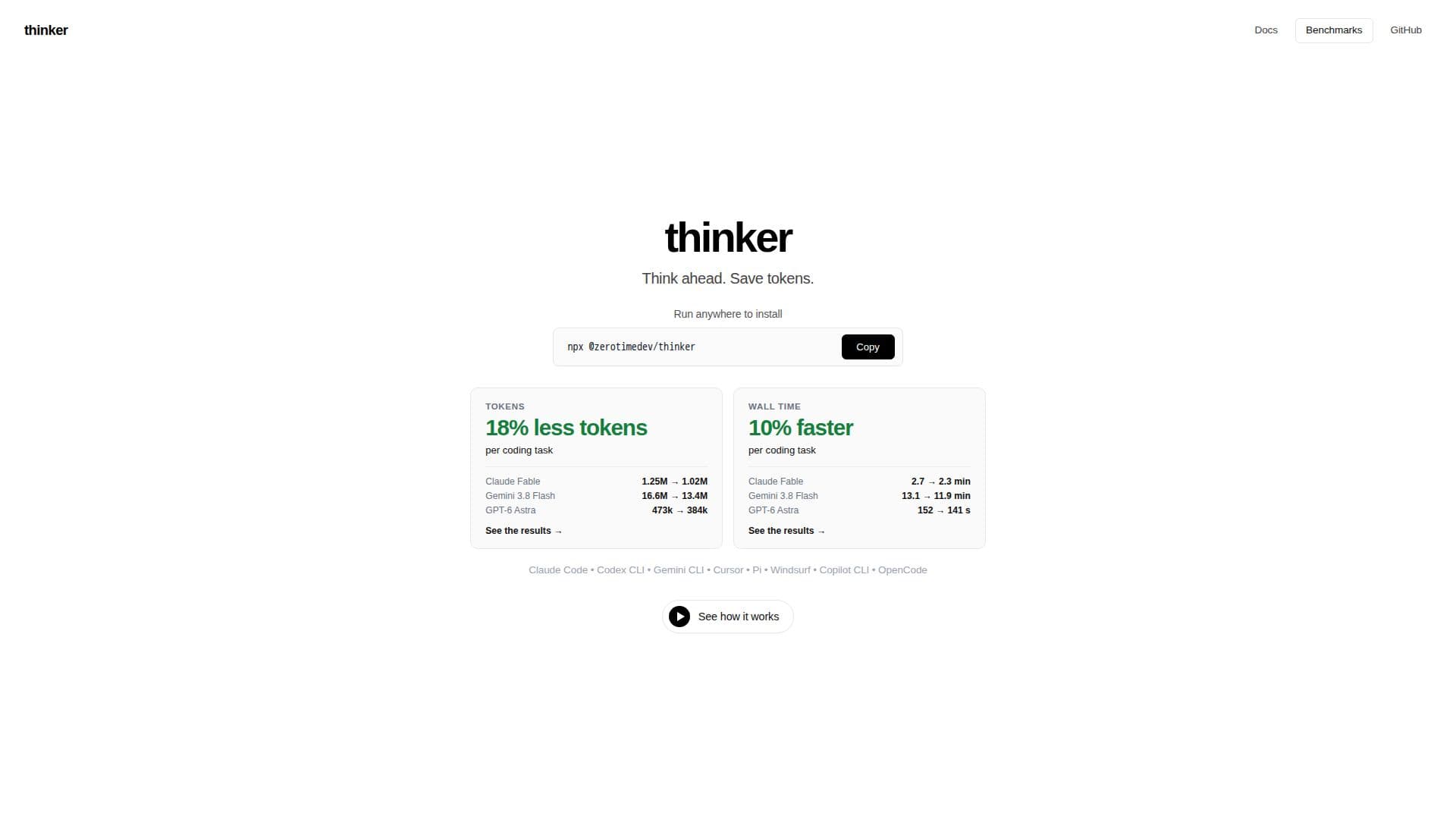
Thinker is designed to optimize the performance of coding agents by significantly reducing their token consumption and improving efficiency. It achieves this by providing a detailed breakdown of how an agent's context is utilized, allowing developers to identify and eliminate unnecessary information. The tool visualizes where context goes, showing the token cost of each instruction section, skill, and tool per session, as well as how often agents interact with them.
Read More
One of Thinker's core functionalities is its ability to cut wasted context. It helps users find what their agents load but rarely use, offering suggestions for compression, trimming, or switching off irrelevant sections. This process can lead to substantial savings in input tokens and reduced processing times for various models, including Claude Fable, Gemini Flash, and GPT-6 Astra. Users can review suggested savings from recent sessions and apply changes, which can be previewed as a diff and opened as a pull request for review and merging.
Thinker also incorporates a knowledge cache that learns from past sessions. This cache stores relevant notes about the codebase, which are then brought into future tasks, providing agents with the context they need without having to re-learn or search extensively. These notes are kept current by re-hashing dependencies against the working tree, ensuring that stale information is not served. The system automatically distills sessions, mines merged pull requests, and allows users to add their own notes, continuously improving the agent's contextual understanding.
The tool supports a range of coding agents, including Claude Code, Codex CLI, Gemini CLI, Cursor, Pi, Windsurf Cascade, GitHub Copilot CLI, and OpenCode. It integrates seamlessly into existing workflows, wiring agents machine-wide or through extensions and hook files. Thinker operates in the background, providing weekly suggestions for optimization and allowing users to approve changes through a simple reply or via a local UI.
Beyond context reduction, Thinker offers features like compressing tool outputs, which can drastically cut token costs by trimming large file reads, test logs, and search results to only the most relevant information. It ensures correctness by measuring usage before cuts, preserving essential rules during compression, and providing clear undo paths for all changes. The platform also offers detailed reports to track token usage, costs, and the effectiveness of the cache, allowing users to monitor savings and agent performance over time.
- CategoryAI Coding Assistants
- DeploymentLocal
- PlatformsWeb
thinker's Core Features
Context Usage Visualization: Shows token cost and usage frequency for instruction sections, skills, and tools.
Wasted Context Identification: Pinpoints loaded context that is rarely used by coding agents.
Context Compression: Rewrites instruction sections to reduce length while retaining critical information.
Context Trimming: Removes unused instruction sections entirely.
Skill and Tool Management: Allows switching off unused skills, MCP servers, plugins, and built-in tools.
Tool Output Compression: Trims large tool results (file reads, test logs, searches) to relevant lines.
Knowledge Cache: Learns and stores notes from sessions to provide relevant context for future tasks.
Automatic Learning: Distills sessions to create new notes and verifies existing ones.
Stale Note Detection: Re-hashes note dependencies to identify and re-verify outdated information.
Weekly Optimization Suggestions: Provides automated recommendations for token savings.
Pull Request Integration: Generates pull requests for instruction changes for review.
Token and Cost Tracking: Offers reports to monitor token usage and costs over time.
Agent Compatibility: Supports Claude Code, Codex CLI, Gemini CLI, Cursor, Pi, Windsurf Cascade, GitHub Copilot CLI, OpenCode.
Local UI and Terminal Access: Provides both browser-based and command-line interfaces for management.
Undo Paths: Offers clear methods to revert any applied changes or optimizations.
How to use thinker?
Install Thinker: Connect your coding agents by running the installer, which wires them into their settings.
Find Savings: Review suggested cuts for instructions, skills, and tools based on recent session analysis.
Apply Choices: Preview instruction changes as a diff and open a pull request to merge them.
Manage Skills/Tools: Switch off unused skills, MCP servers, plugins, or built-in tools for specific repositories.
Compress Tool Outputs: Configure compression settings for tool results to reduce token costs.
Monitor Performance: Use the View Report to track token usage, costs, and cache effectiveness week by week.
Review Suggestions: Respond to weekly suggestions from Thinker to approve or review proposed changes.
thinker's Use Cases
- Optimize Agent Token Usage
- Identify Wasted Context
- Improve Agent Efficiency
- Maintain Codebase Knowledge
- Streamline Code Reviews
- Track Development Costs
- Enhance Agent Contextual Awareness
- Automate Context Optimization
- Standardize Development Practices