
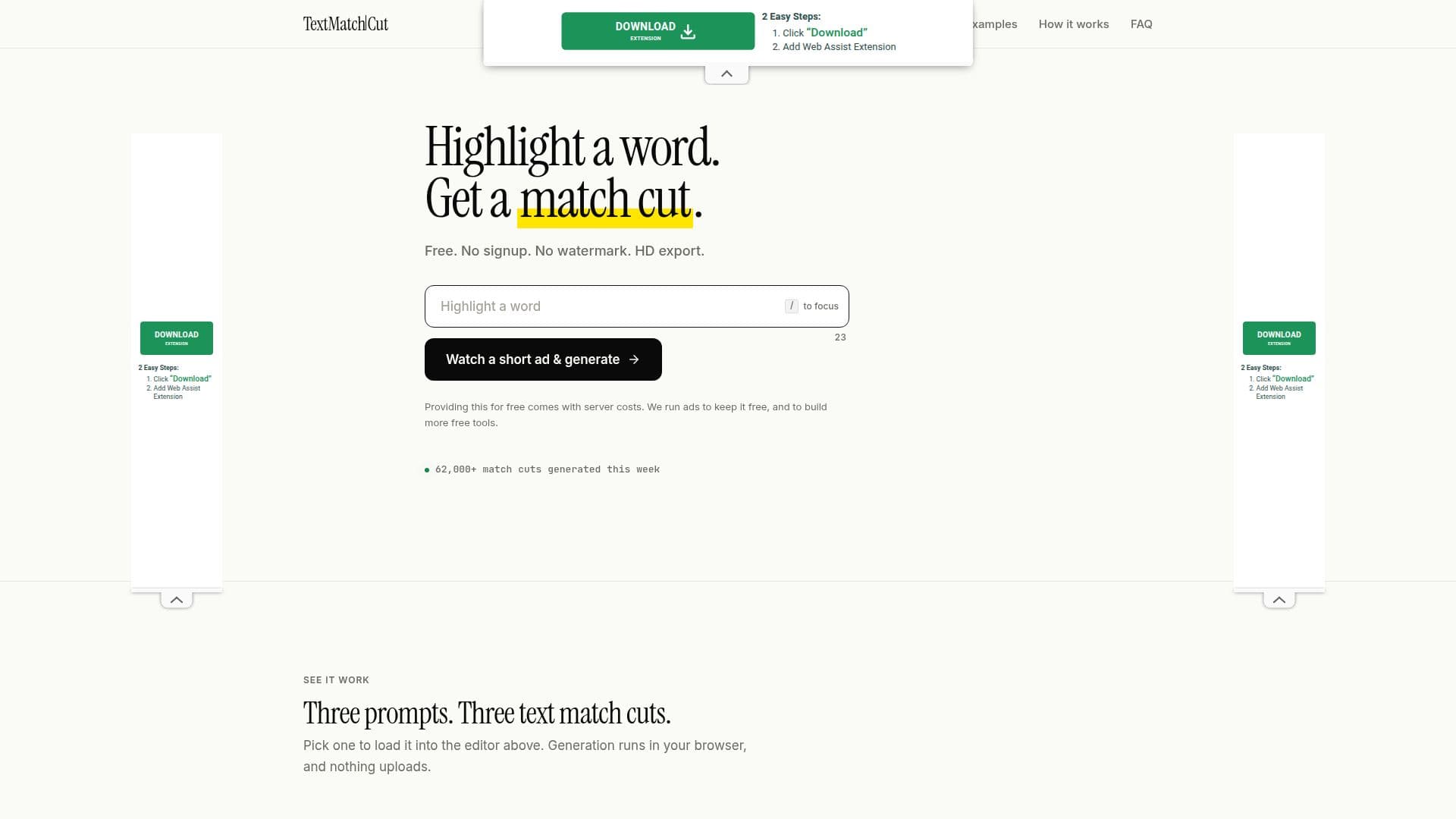
Description
TextMatchCut is a specialized, free, and browser-based video editing tool focused on generating a unique visual effect known as the "text match cut" or "newspaper clipping effect." This effect involves a rapid-fire sequence of frames where a specific word remains in the same on-screen position while the background layout changes, commonly seen in contemporary documentary-style short-form videos.
Read More
The tool simplifies a process that traditionally required complex editing software or manual effort. Users simply type or paste a phrase, highlight the desired word to serve as the visual anchor, and the tool generates an HD MP4 video. The entire process runs within the user's browser, ensuring privacy as nothing is uploaded to servers, and results in quick generation times, often under ten seconds.
TextMatchCut is designed for ease of use and accessibility. It requires no signup, no credit card information, and exports videos without any watermarks, even for commercial use. The platform is funded through short advertisements played before video generation, which helps cover server costs and maintain its free service model. It supports various modern browsers, including Chrome, Edge, Safari 14+, Firefox, and Brave, on both desktop and mobile devices.
While TextMatchCut is an "AI-era" tool, it does not employ heavy AI models on user clips, which contributes to its fast, in-browser rendering. It focuses solely on the text match cut effect, distinguishing itself from full-fledged video editors by offering a streamlined experience for this specific animation. Videos can be exported in 1080p HD, ready for platforms like TikTok, Reels, YouTube Shorts (9:16 aspect ratio), Instagram grid posts (1:1), and YouTube or X (16:9).
Developed and maintained by codedash.ai, an AI engineering studio, TextMatchCut originated as an experiment to simplify software functionality. Its success led to its continued development, providing a valuable niche tool for content creators seeking this distinctive visual effect without the overhead of traditional editing suites.
- CategoryAI Video Editors
- Pricing ModelFree
- DeploymentCloud
- PlatformsWeb
TextMatchCut's Core Features
Free, browser-based video editing
Generates text match cut effect
Creates highlight text animations
No signup or account required
No watermark on exports
HD (1080p) MP4/WebM export
Supports various aspect ratios (9:16, 1:1, 16:9)
Commercial use permitted for generated videos
Runs entirely in the browser for privacy
Fast video generation (under 10 seconds)
Supports modern desktop and mobile browsers
Simple three-step process: type, highlight, download
Caption-safe top and bottom margins for vertical videos
Funded by short ads to remain free
How to use TextMatchCut?
Type a phrase: Enter or paste a sentence, up to 23 characters of focal text.
Highlight a word: Select the word that will serve as the visual anchor for the match cut.
Generate video: Initiate the video creation process.
Watch an ad: A short ad plays to unlock the free video generation.
Download video: Save the HD MP4 file directly to your downloads folder.
TextMatchCut's Use Cases
- Short-form Video Content
- Documentary-style Videos
- Social Media Posts
- Commercial Content Creation
- Educational Explainer Videos
- News and Current Events