Description
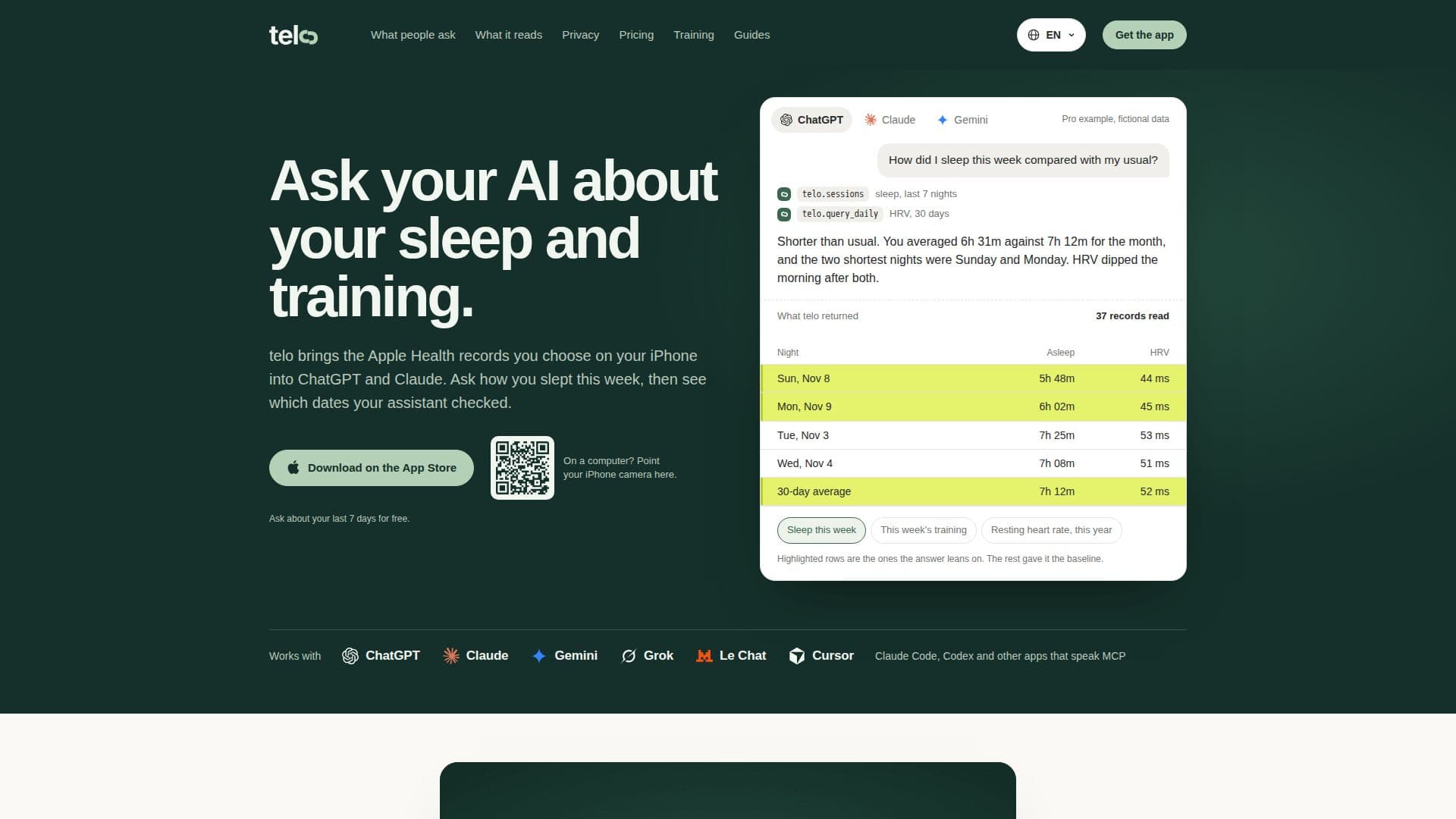
telo acts as a bridge between your Apple Health data and leading AI assistants such as Claude, ChatGPT, Gemini, Grok, and other MCP clients. It allows users to query their personal health history, asking questions about sleep patterns, workout consistency, heart rate variability, and other metrics recorded in Apple Health. The service syncs data from your iPhone, making it accessible to your chosen AI assistant for analysis and personalized insights.
Read More
The platform offers both a free tier, which provides access to your last seven days of health data, and a Pro subscription that unlocks your entire synced history. With telo, users can explore long-term trends, compare different periods, and receive AI-generated summaries or observations about their health data. It supports a wide range of Apple Health metrics, including steps, active energy, resting heart rate, HRV, sleep stages, and workout details, even integrating data from third-party apps like Garmin, Oura, or Whoop if they write to Apple Health.
telo is designed to be a data connector, not an AI assistant itself, nor does it offer diagnoses or medical advice. It simply makes your authorized health data available for your chosen AI to read and process. The app also provides features like a read log, showing which assistant accessed what data and when, and allows users to download their full synced history as a CSV file. Pro users gain additional benefits such as personal baselines for HRV and resting heart rate, training load analysis, and a personal REST API for custom dashboards.
Beyond simple queries, telo facilitates advanced analysis, enabling users to ask complex questions like identifying patterns across years of data, comparing training consistency, or designing personal health experiments. It can also send AI-generated workout plans directly to your Apple Watch. The service emphasizes data privacy, ensuring that original Health records remain intact with read-only access, GPS routes stay on the iPhone, and conversations with AI assistants remain within those services.
- CategoryAI Personal Assistants
- Pricing ModelFreemium
- DeploymentCloud
- PlatformsiPhone, Web
telo's Core Features
Connects Apple Health to AI assistants (Claude, ChatGPT, Gemini, Grok)
Syncs Apple Health history from iPhone
Queries on sleep, workouts, heart rate, and other metrics
Free access to last 7 days of data
Pro subscription for full history access
Download full synced history as CSV
AI-built home cards and Watch workouts
Read log of assistant data access
Supports data from Garmin, Oura, Whoop (via Apple Health)
Personal REST API for Pro users
Web dashboard for Apple Health data on any computer
Customizable data sharing permissions
Ability to pause sending or disconnect assistants
AI-generated workout plans sent to Apple Watch
Long-term trend analysis and pattern identification
How to use telo?
Install telo: Download and install the telo app on your iPhone.
Sync Apple Health: Sign in with your email, allow Health access, and tap "Send history to telo" to sync your data.
Connect assistant: Add telo from the ChatGPT apps directory or Claude connector directory, signing in with the same email.
Ask questions: Start querying your health data in your connected AI assistant, for example, "How much did I sleep each night this week?"
Review data access: Open the telo app to see which dates your assistant checked and review the read log.
Explore web dashboard: Access your Apple Health data on any computer via the telo web dashboard.
Unlock full history: Subscribe to a Pro plan to access your entire synced health history and advanced features.
telo's Use Cases
- Weekly Sleep Analysis
- Workout Performance Tracking
- Heart Rate & HRV Trends
- Activity Level Assessment
- Weight Management Insights
- Recovery Signal Monitoring
- Personalized Workout Generation
- Identifying Health Patterns
- Experiment Design & Tracking
- Historical Data Comparison