Description
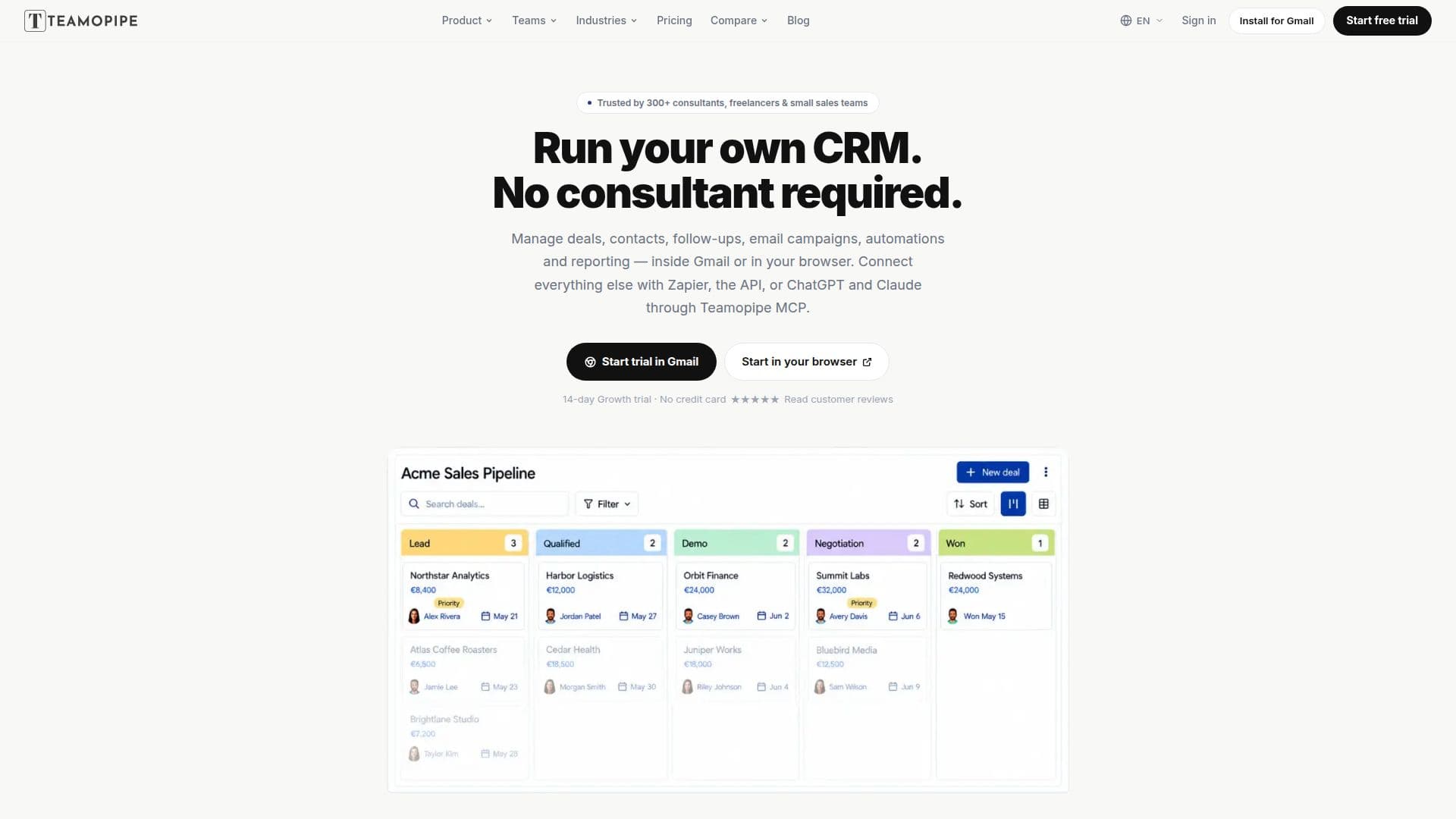
Teamopipe CRM is a customer relationship management solution designed to streamline sales workflows for solo consultants, freelancers, and small teams of 1–10 people. It integrates directly into Gmail via a Chrome extension or can be accessed through a dedicated web application, ensuring that pipelines, contacts, tasks, and activity remain synchronized across both platforms.
Read More
The core functionality revolves around managing deals and contacts. Users can create deals from any email with a single click, automatically linking the email thread to the deal. Deals are tracked on customizable Kanban boards or in a list view, allowing users to update stages, add tasks, and assign teammates without switching tools. The system supports unlimited pipelines, stages, and tags, and offers custom fields for deals, contacts, and organizations, providing flexibility to adapt to various sales processes.
Beyond core CRM features, Teamopipe facilitates personalized outreach with email campaigns and multi-step follow-up sequences. These can be sent from a user's own Gmail or Workspace address to specific pipeline stages or contact lists, with tracking for opens, clicks, and replies. The platform also supports connecting conversations from other channels like WhatsApp, LinkedIn, Telegram, and Instagram to contacts and deals, centralizing all customer interactions.
Automation is a key component, with no-code automations available on all plans. Integrations include Zapier for connecting to thousands of apps, a public API for custom workflows, and Teamopipe MCP for integrating with AI assistants like ChatGPT and Claude. An AI Assistant is included on every plan, offering monthly AI credits for tasks such as answering pipeline questions, creating/updating records, drafting emails, and summarizing conversations. The Autofill feature automatically populates deal fields from emails.
Teamopipe offers three paid plans: Starter, Growth, and Pro, with pricing per user, billed annually or monthly. All new workspaces begin with a 14-day Growth trial that requires no credit card. The platform emphasizes ease of use and quick setup, aiming to reduce CRM administration overhead. Data security is maintained through Google OAuth sign-in or encrypted passwords, with email data remaining in Google and only minimal necessary information stored for CRM operation. Data can be exported as CSV at any time.
- CategoryAI CRM Tools
- Pricing ModelFreemium
- DeploymentCloud, Gmail Extension
- PlatformsWeb, Google Chrome (Desktop)
Teamopipe CRM's Core Features
Gmail Integration: Manage CRM directly within Gmail or a web browser
Pipeline Management: Customizable Kanban board and list views for deals
One-Click Deal Creation: Create deals from any email with automatic thread linking
Contact & Organization Management: Track contacts, organizations, and link them to deals
Task Management: Add tasks with due dates to deals and assign teammates
Email Campaigns & Sequences: Send personalized multi-step follow-up campaigns with tracking
Multi-Channel Communication: Link conversations from WhatsApp, LinkedIn, Telegram, and Instagram
No-Code Automations: Automate workflows within the CRM
AI Assistant: Monthly AI credits for pipeline questions, record updates, email drafting, and conversation summaries
Autofill Deal Fields: Automatically populate deal fields from email content
Zapier Integration: Connect to thousands of apps for data automation
Public API Access: Build custom integrations with internal tools
Teamopipe MCP: Integrate with ChatGPT, Claude, and other AI assistants
Reporting Dashboard: Gain insights into sales performance (Growth and Pro plans)
CSV Import & Export: Easily migrate or back up CRM data
How to use Teamopipe CRM?
Install Teamopipe: Add the Chrome extension or open app.teamopipe.com in your browser.
Sign In: Use your Google account to sign in and automatically start your 14-day Growth trial.
Create Deals: Open an email in Gmail or the web app and click once to create a deal linked to the thread.
Manage Pipeline: Update deal stages, add tasks, and assign teammates directly from the deal view.
Send Campaigns: Create personalized email campaigns and follow-up sequences from contacts or pipeline stages.
Automate Workflows: Set up no-code automations to streamline routine tasks.
Utilize AI: Use the AI Assistant for queries, drafting emails, or Autofill for deal fields.
Teamopipe CRM's Use Cases
- Sales Pipeline Management
- Email Campaign Automation
- Contact & Lead Organization
- Cross-Channel Communication Tracking
- Automated Workflow Creation
- AI-Assisted Sales Support
- Sales Reporting & Analytics
- Data Migration & Backup